
Wondering how to create an online order form for your small business? This article is for you.
As a small business, managing your orders manually on spreadsheets, social media DMs, or email can be messy.
Online order forms provide you with a simple yet organized way to sell to your customers online. In this article, we’ll show you how to create an online order form for your small business.
We’ll cover everything you need to know, including:
- Why you might want to use an online order form.
- What you should include in the form, and whether you should accept payments in it.
- How it improves your online ordering experience.
- How WooCommerce Product Tables works as an online order form, plus the benefits of doing so.
Let’s begin with what an online order form is and why small businesses use them.
What is an online order form, and why do small businesses use them?
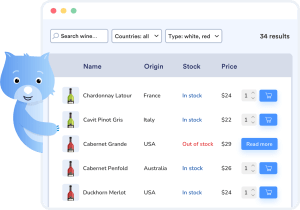
An online order form is a web page where customers can place orders to buy products from your business. You list your products on this page along with essential information only, for example, prices and quantity.
Customers who want to buy from you can access this page, select the products they want, specify quantities, and then place an order.
Online order forms are popular with many small businesses. This includes:
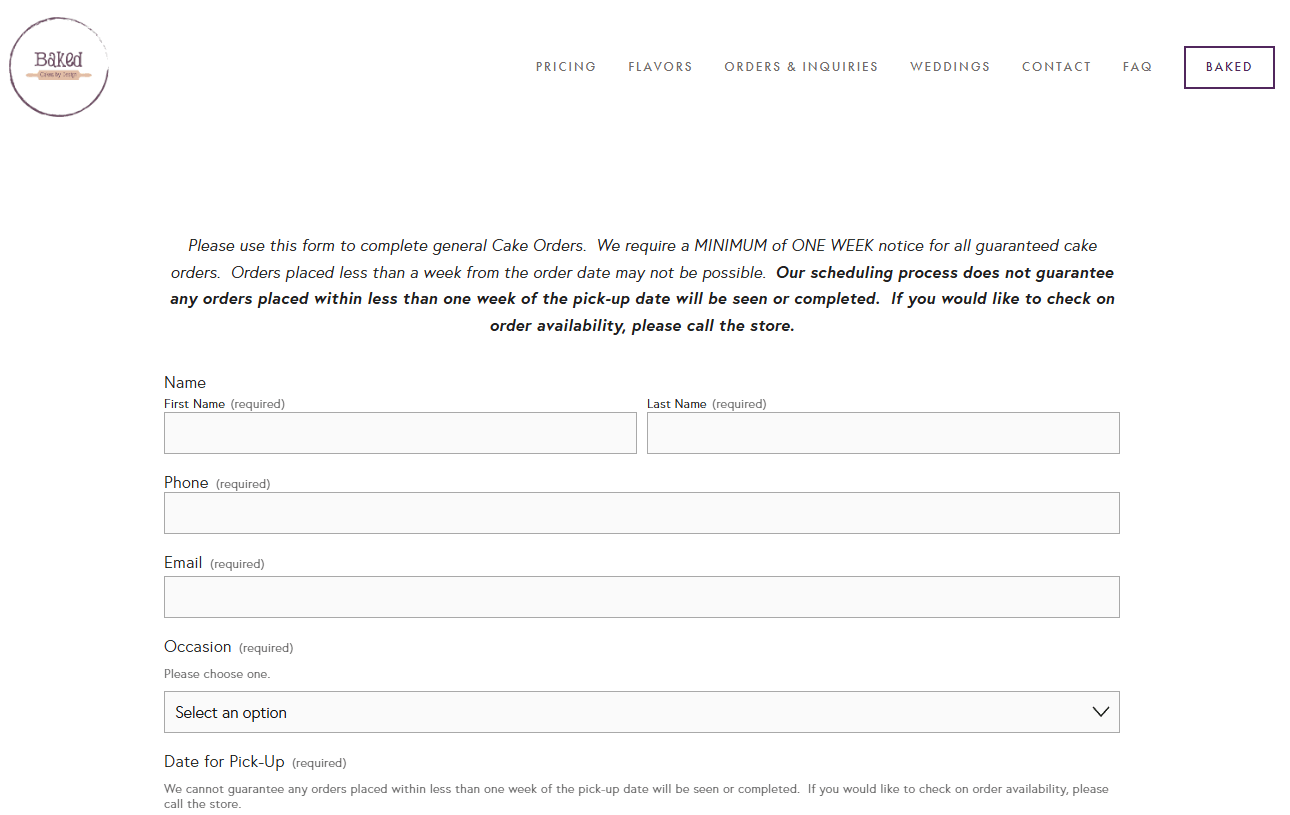
- Bakeries and cake businesses. You can use them to capture details such as cake size, flavor, and filling options.
- Clothing boutiques. If you sell print-on-demand T-shirts, you can create t-shirt order forms with options such as size, color, and print choice.
- Gift shops. Order forms allow customers to select arrangements and messages for different gifts.
- Service bookings. For example, salons, barbers, event planners, etc.
- And many more.
Now we know that these forms are popular with small businesses. Let’s look at some of the reasons why small businesses use them.
Why do small businesses use online order forms?
Many small businesses use online order forms because they’re ideal for them. Here’s why.
- They’re a simple, low-cost way to sell online. These forms are an ideal middle ground for small businesses that don’t want to take orders manually but don’t want an overly complicated e-commerce store.
- They work well for custom products and services. Many small businesses sell custom products. Allowing customers to personalize products is one way these businesses compete with their larger, more established competitors. It’s a solid strategy, as recent research shows that 81% customers prefer companies that offer a personalized experience.
- They support flexible payment methods. As a small business, you often use one or more of these payment styles: cash on delivery, pay by card, PayPal, etc. Order forms allow you to implement the ones you prefer.
Perhaps the most important reason why small businesses use them is that they improve their ordering process.
How can an online order form improve your ordering process?
An order form automates your ordering process, improving it in the following ways.
Less back and forth between you and your customer
Let’s say you have a cake business. Without an online order form, you would go through a lot of back and forth to get details like the type, message on the cake, and delivery dates.
You would have to do this repeatedly for each customer, which quickly gets tiresome. What’s worse, some customers just won’t have the patience for this whole process, leading to lost sales.
With a cake order form, you can standardize this entire process. The form enforces a consistent structure for the information customers must provide, such as cake type, quantity, and variants/options. This makes it easier for them to place an order and for you to fulfill it.
Clear pricing
Clear pricing affects buying decisions. Customers are more likely to abandon a purchase when met with unexpected costs.
In a study conducted by the Baymard Institute, 14% of customers cited not being able to see the total order cost upfront as the reason for abandoning their purchase.
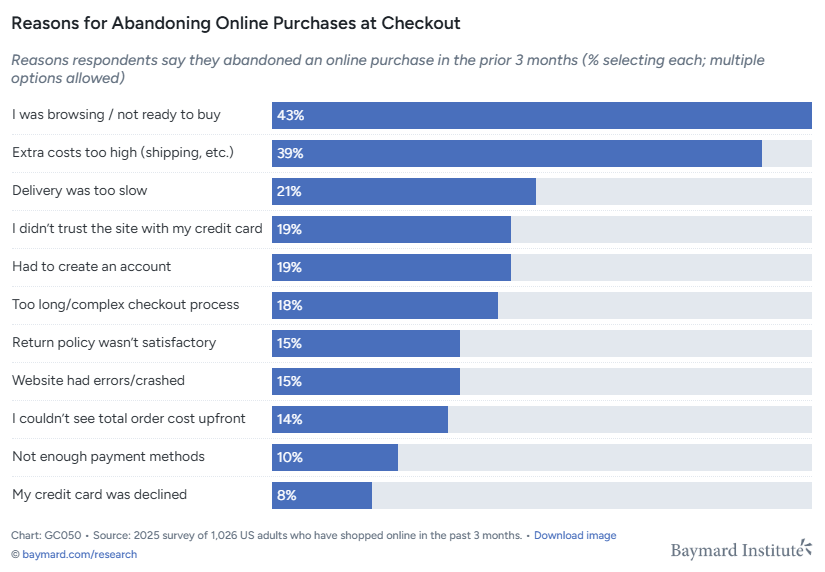
An online order form helps to solve this problem by calculating the total cost automatically after a customer makes their selection. If customers know what they’ll need to pay upfront, they’re less likely to abandon their purchase.
A better customer experience
All of the above, including clear pricing and less hassle when ordering results in a better buying experience for your customers. This may result in more sales, a bigger customer base (if they refer your business to potential customers), and more loyalty.
Easier tracking of order submissions
All orders come in through one place and with the same structure. This makes it easier to track them, resulting in:
- Fewer errors that could cause customers to request refunds.
- Faster order handling. You’ll be able to confirm orders quickly and plan their fulfilment more efficiently.
So that’s how online order forms improve your ordering process. Let’s move on to the structure and see what you should include in a good online ordering form.
What should a good online order form include?
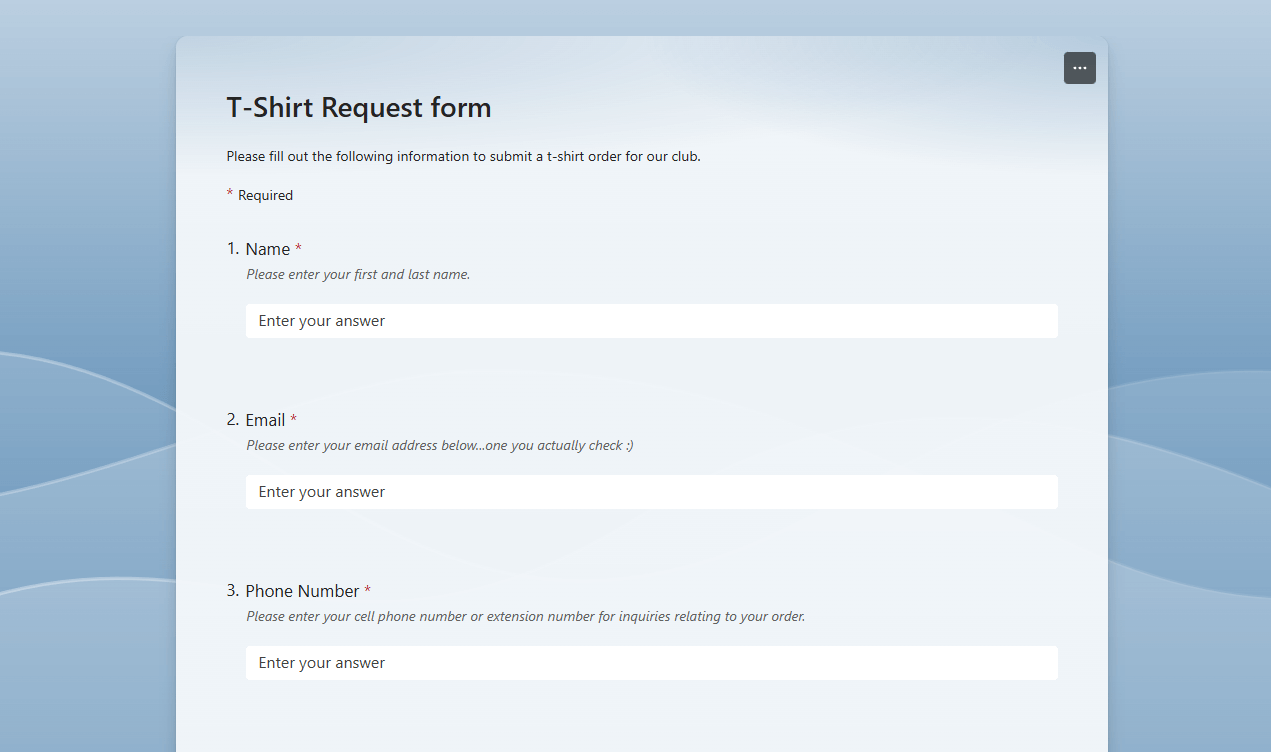
A good online order form should include everything you need to fulfill an order without going back and forth. But, at the same time, it should still be short enough so that customers actually complete it.
With that in mind, here’s what a good form should include:
- Product/service selection form fields.
This is the main part of the form, with fields for quantity, variants, and add-ons. Depending on your order form solution, you’ll have different display options here. For instance, checkboxes for add-ons and drop-downs for variants. - Pricing and totals.
Prices for each product and the totals after a customer selects a product (plus add-ons) or multiple products. - Automated output for the business side.
A good order form setup should also send order notifications to you and store all orders in an easy-to-use database or system. Customers don’t see this, but it’s important for fulfilling their orders. - Contact information.
Depending on what you’re selling, you might want to include fields for contact information where customers can share their phone numbers. This can be done at the checkout stage.
If you’re collecting payments at this step, you should include the payment options you allow. This may include mobile payment gateways like credit cards, PayPal, and Stripe. You could also include payment styles like ‘Cash on Delivery’ or ‘Pay Now’.
Should your online order form accept payments?
This is a major point of tension as small businesses struggle with exactly when to ask for payments.
Here’s where the conflict comes from:
- If you don’t collect payments in the form, we could argue that you have a ‘lead’, not an order. Collecting payments at this stage filters out unserious buyers.
- At the same time, asking for payments at this stage could scare off customers who want to start a conversation with your business.
- If you sell products that don’t have a fixed price until you review the request, it makes little sense to collect payments upfront.
So what should you do?
Here is a simple guide to help you decide. Collect payments in the form only if:
- Prices for your products are fixed and clear.
- Fulfillment is reliable (there’s a low chance you’ll need to reject or adjust orders).
- You often get fake orders or cancellations, and you don’t want to waste your time on them.
- You’re ready to handle refunds smoothly.
Otherwise, don’t collect full payment inside the order form. Instead, collect the order details first, confirm everything, and then request payment. Especially when you handle custom orders with variable pricing, or you need to confirm your capacity to fulfill the orders.
A good compromise would be to collect a deposit inside the form and ask for the rest after you’ve confirmed everything or delivered the order.
Now that you know what an online order form is, its importance, and what to include, it’s time to think about how to create one. There are different ways to do it.
What are the different ways to create an online order form?
If you want to create an online order form for your small business, you can do it in the following ways.
Use an e-commerce platform
In this approach, you create order forms inside your own website and create, essentially, an e-commerce store.
Here’s a summary of how it works:
- You create an e-commerce site on a platform like WooCommerce or Shopify.
- You use a plugin or extension to create an order form on the e-commerce site.
This method looks more professional and trustworthy. Instead of sending customers to an external form builder, they order from within your website. This also helps to build your brand and allows you to keep track of customers.
Using online form builders
You can use form builder apps like Google Forms, Zoho, and Typeform to create your online order forms. They allow you to create fields for getting customer information, followed by selections for the products.
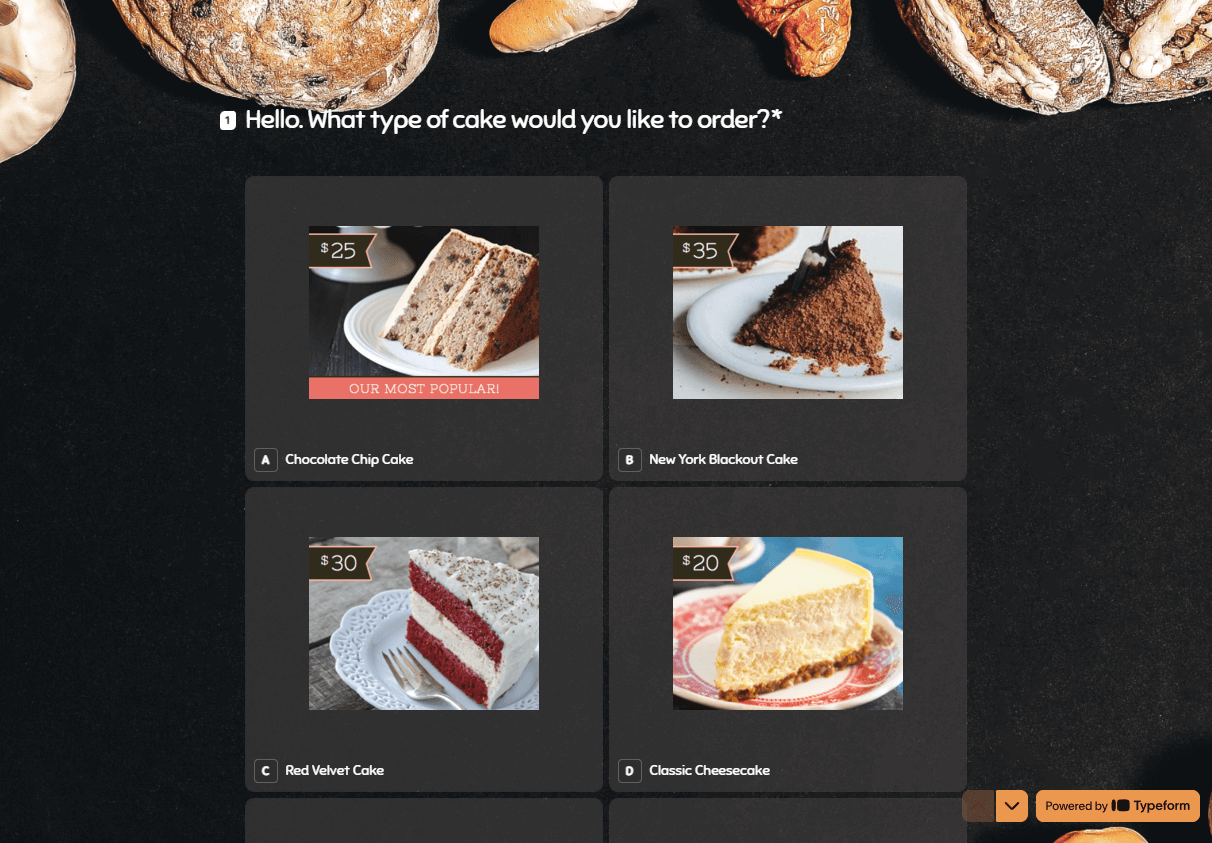
Google Forms, for example, allows you to capture order details in a questionnaire-style. This is ideal for businesses that accept made-to-order requests, such as the cake business we discussed earlier. The data captured here will then be stored in Google Sheets.
Although this is good for basic order capture, it feels more like filling in information rather than a shopping experience. What’s more, it can be difficult to connect your preferred payment gateways to forms created in this way.
Using online order form templates
Some online form builder providers have several free templates (plus premium ones) you can use to create your order forms.
You can pick one and customize it to suit what you sell. These form builders allow you to add products, set the logic for calculating price totals, and connect your preferred payment methods.
Creating truly custom order forms in this way isn’t easy because the customization options are usually limited. They also don’t provide strong features for handling inventory, and the pricing logic and totals could be too complex for your needs.
Here’s a quick recap of the different ways you can create an online order form for your small business
| Method | Advantages | Limitations |
| Form builders | Great for basic order capture. Easy to set up, as most form builders allow drag-and-drop. | Doesn’t feel like a shopping experience. Connecting preferred payment options can be challenging. |
| Order form templates | Faster setup because you don’t start from scratch. | They don’t offer strong inventory management features. The pricing logic and totals can be too complex. |
| E-commerce platform + plugin | They don’t offer strong inventory management features. The pricing logic and totals can be too complex for you. | Only works well if you choose the right e-commerce platform and plugin. |
We’ve discussed how using an e-commerce platform plus a plugin is a great option because you keep customers on your site and build your brand. To get it to work well, you have to choose the right e-commerce platform and plugin.
For this, we recommend WooCommerce, coupled with the plugin WooCommerce Product Tables.
How does WooCommerce Product Tables work as an online order form?
WooCommerce Product Tables works as an online order form by running on your own WordPress website, using WooCommerce as the foundation and the Product Tables plugin to control how products are displayed and ordered.
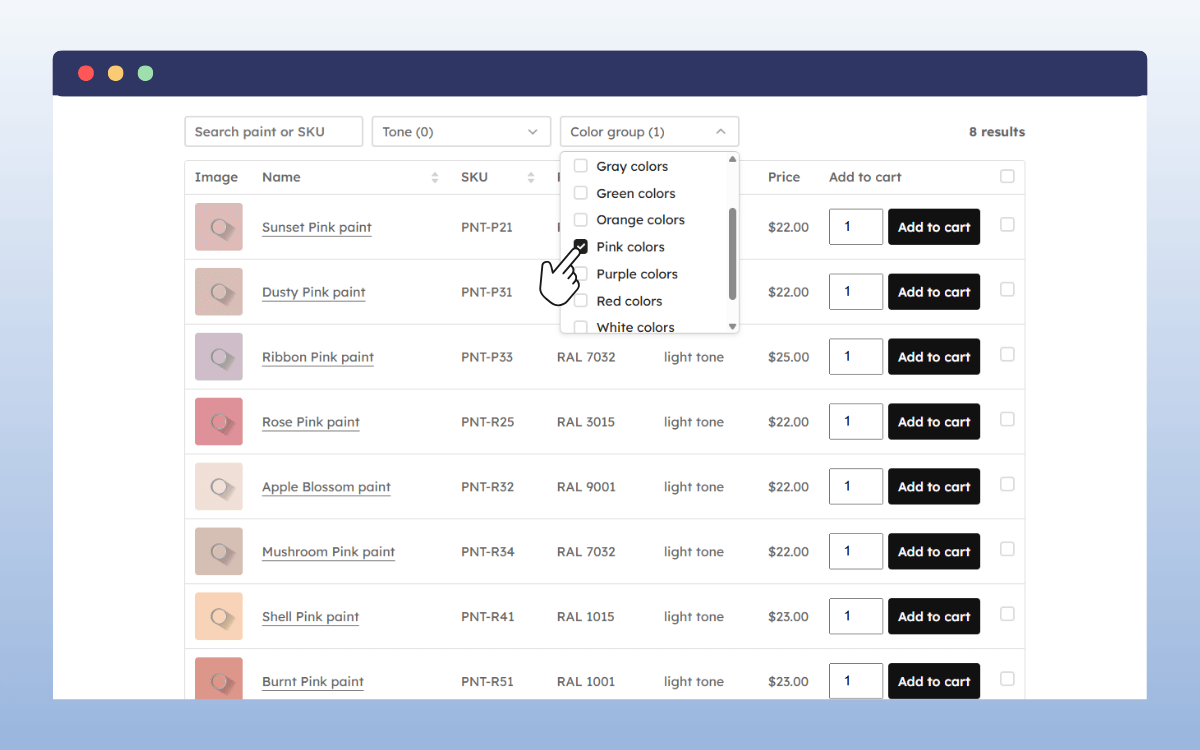
Instead of relying on a third-party form tool, you set up a full WooCommerce store behind the scenes, then present your products in a structured, form-like table. Customers can view multiple products at once, enter quantities, and place an order in a single flow.
Because this setup is built on WordPress and WooCommerce, it is flexible and future-proof. You can add new products, payment methods, tax rules, shipping options, or integrations later without rebuilding your order system. The order form grows with your business rather than locking you into a fixed tool.
What is the WooCommerce Product Table plugin?
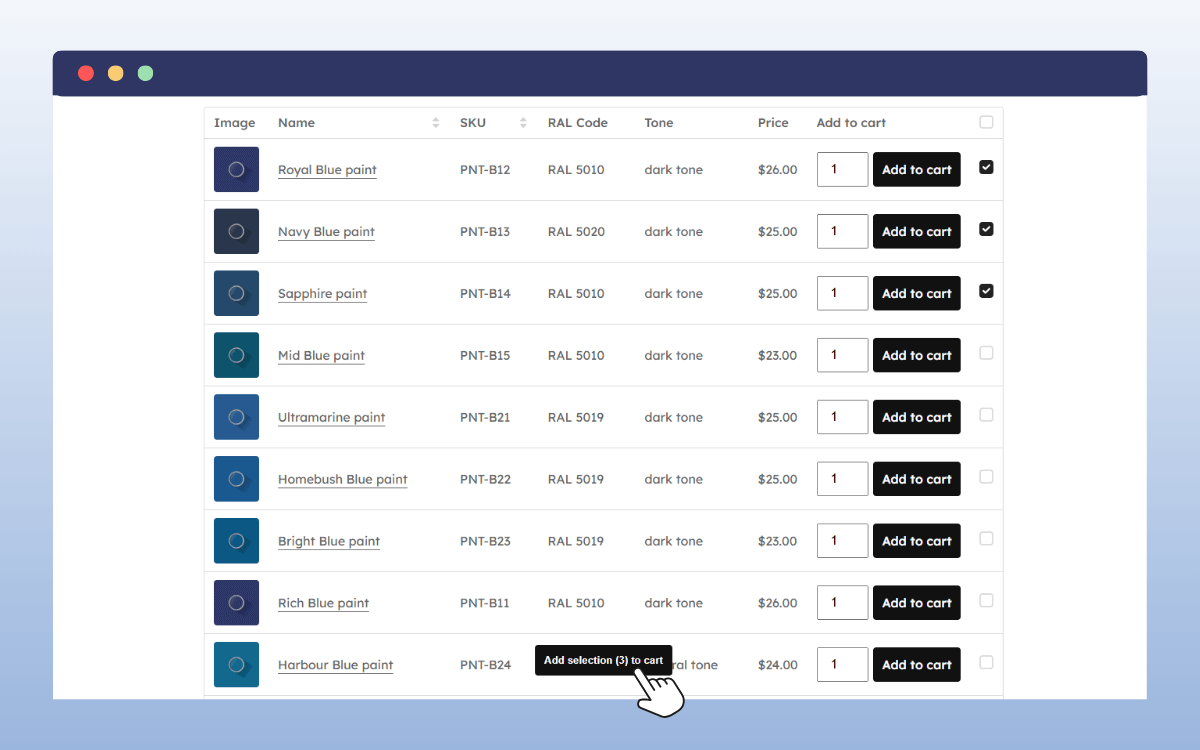
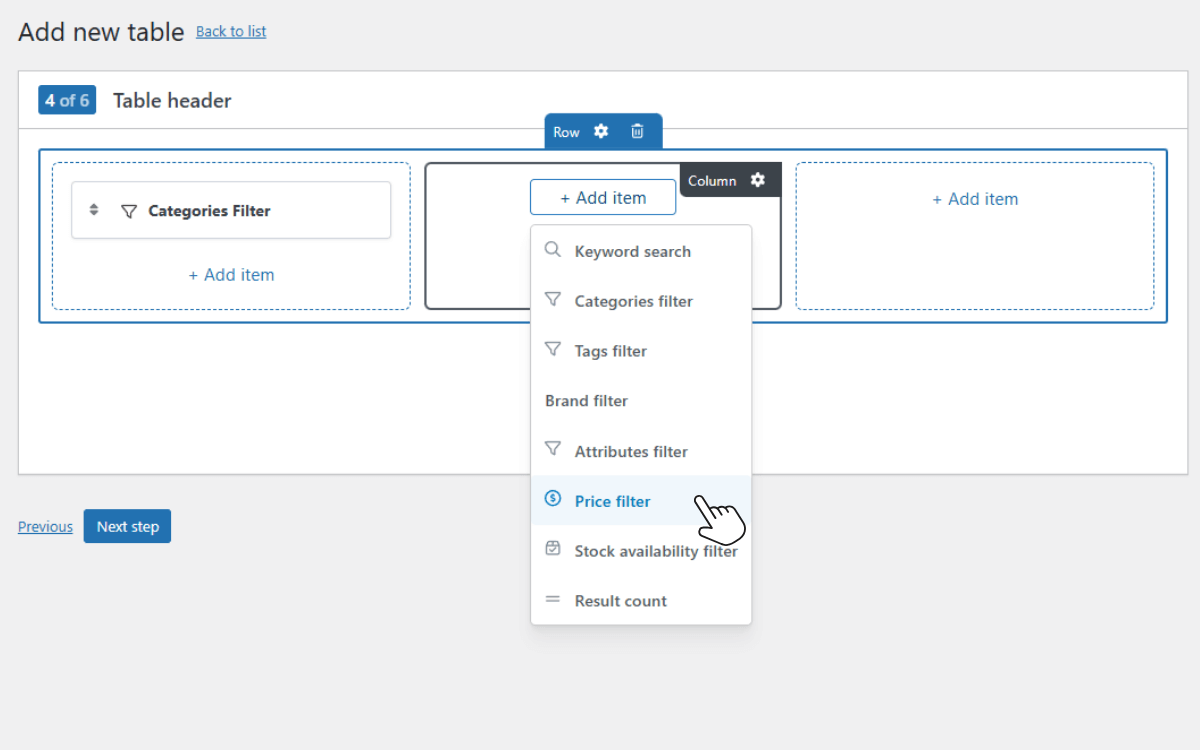
WooCommerce Product Tables is a WordPress plugin that turns your WooCommerce store into a clean, structured online order form.
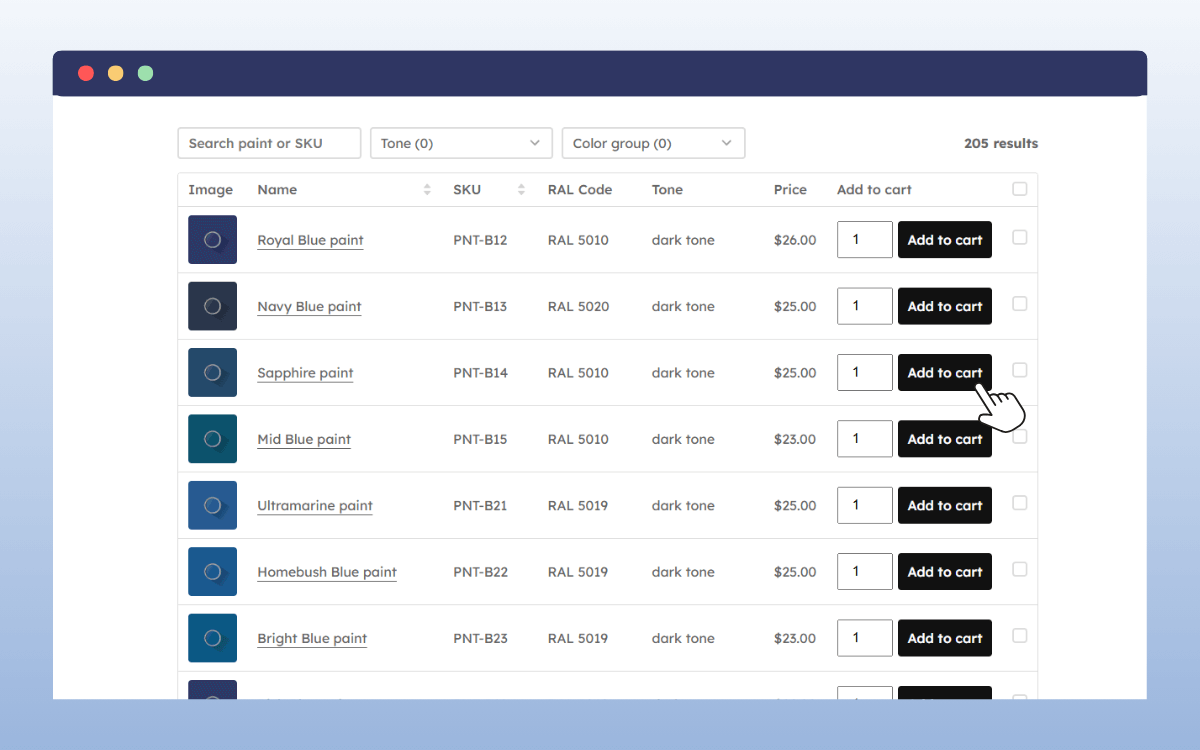
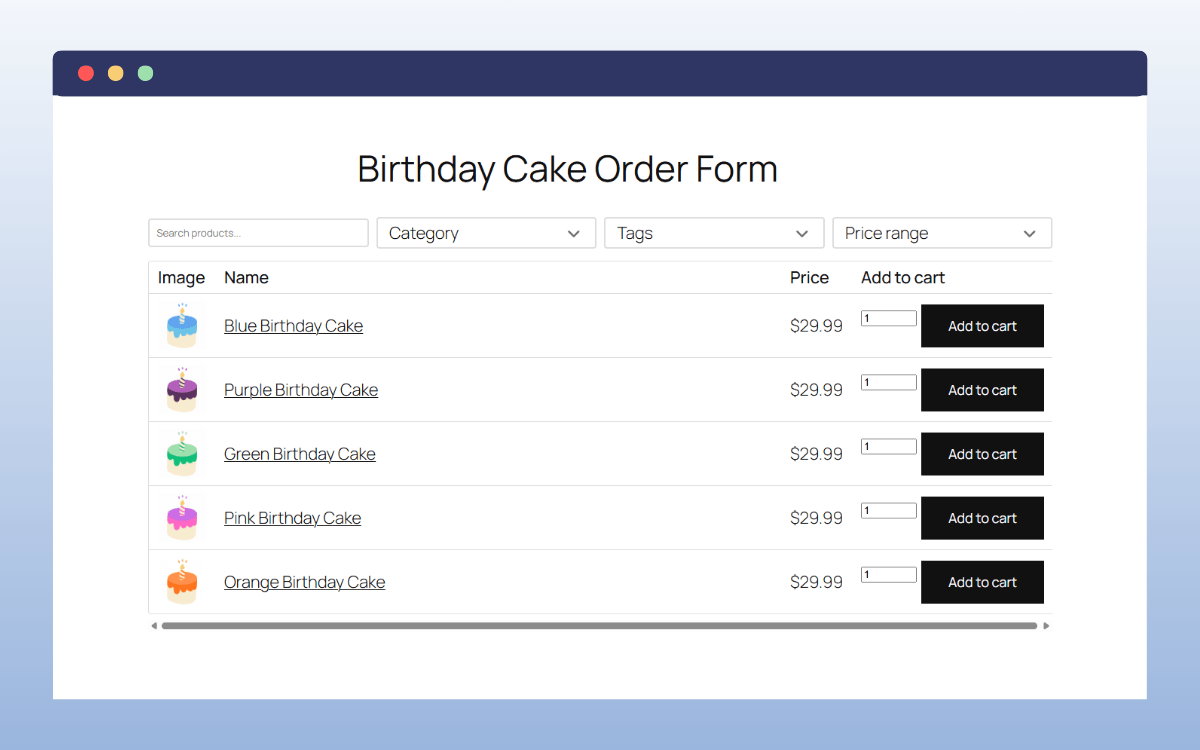
Instead of sending customers through multiple product pages, the plugin displays your products in a table-style layout on your own website. Each product appears in its own row, with key details shown in columns so customers can review options and place an order quickly.
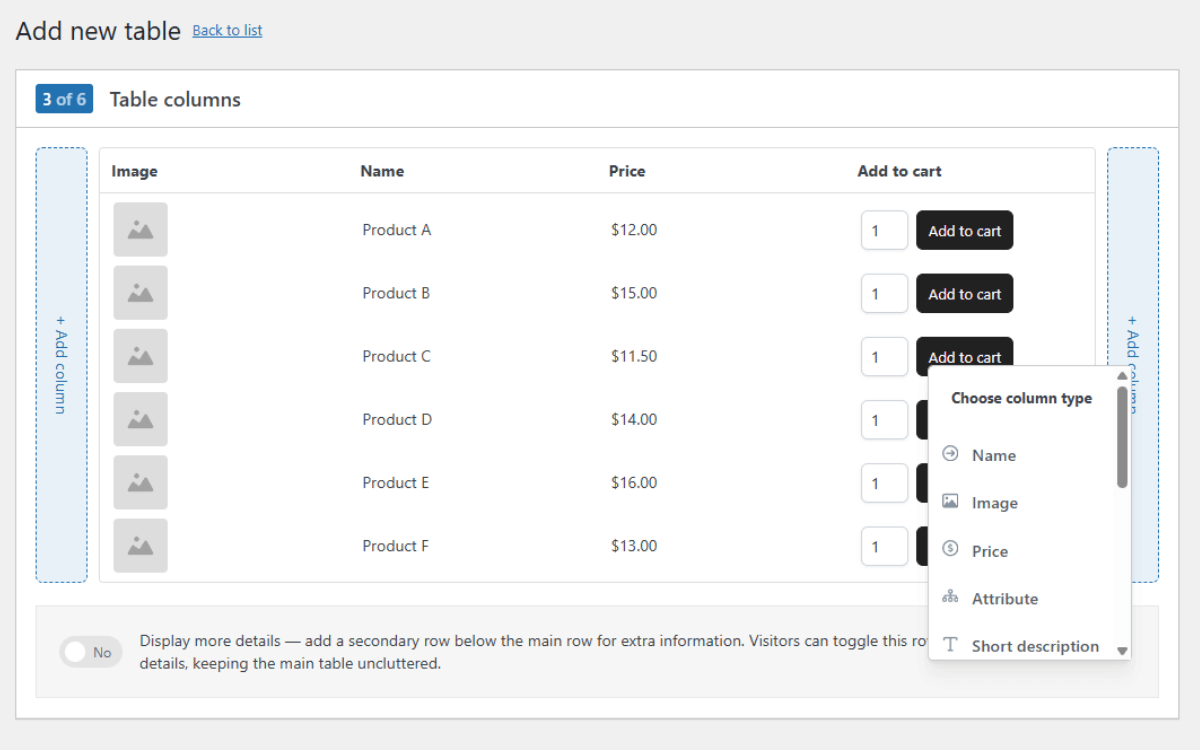
You control exactly what information appears in the table. Typical columns include:
- Product name.
- Price.
- Variations or add-ons, shown as drop-downs.
- Quantity fields.
- An Add to Cart button.
Because the table is powered by WooCommerce and WooCommerce Product Tables, it’s not a temporary or limited solution. You can add or remove columns as your product range changes, support more complex product options, or connect the order form to payments, taxes, shipping, and reporting without rebuilding anything.
The table layout is also fully customisable. You can adjust fonts, colours, and spacing so the order form matches your site and brand, rather than looking like a third-party tool bolted on.
Why is WooCommerce Product Tables a good fit for small businesses?
WooCommerce is a great e-commerce platform because it’s free to use. You don’t have to pay any monthly fees to set up your online store.
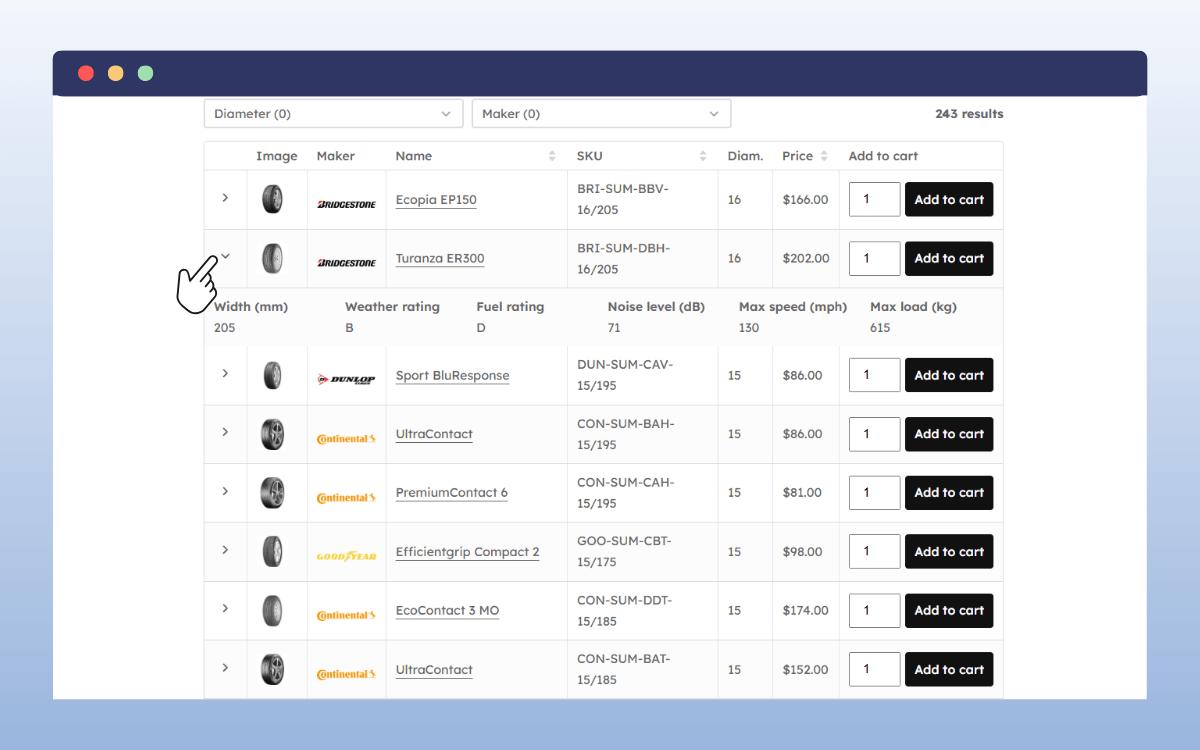
Combining WooCommerce with WooCommerce Product Tables is a good fit for your small business because this plugin:
- Is lightweight.
It doesn’t affect your website’s performance, keeping it fast. Customers won’t have to wait for your order form to load, which makes for a good experience. - Is user-friendly.
You don’t have to add price calculators or set conditional logic like you would with form builders. You only create tables and add products to them; the rest is handled for you. - Works with WordPress and WooCommerce.
It integrates with WooCommerce core features such as orders, coupon codes, taxes, shipping methods, and inventory management. - Suitable for growing businesses.
It can support an unlimited number of products. When you scale and decide to add more products to your order form, WooCommerce Product Tables will support this.
For these reasons, WooCommerce Product Tables is a great fit for small businesses. It’s worth looking at when you want to create online order forms for your business.
FAQs about online order forms for small businesses
You might still have questions about online order forms for small businesses. We’ve addressed some of the most common ones below.
Do I need an online order form if I already use contact forms?
If your contact form is only for general inquiries, yes. An online order form is designed to collect structured order details (items, quantities, delivery/pickup info), which a contact form usually doesn’t handle well.
Can online order forms collect payments?
Yes. Many order forms can accept payments through options like Stripe, PayPal, or mobile money integrations, or you can collect payment later (cash on delivery, bank transfer, etc.).
Are online order forms suitable for non-e-commerce businesses?
Yes. They work great for service-based and custom-order businesses like catering, tailoring, event planning, printing, cleaning, and bookings.
What’s the easiest way to create an order form on WordPress?
The easiest way is to use a WordPress order form plugin like WooCommerce Product Tables or a form plugin with order fields.
Creating an online order form that fits your business
Creating an online order form for your small business doesn’t need to be complicated. There are several tools that help you do this, including form builders, templates, and e-commerce platforms with plugins. Ultimately, you should choose the ones that match your business needs.
If you want to create order forms within your WooCommerce site, the WooCommerce plugin WooCommerce Product Tables is a simple, flexible option. It allows you to create product tables that you can use as online order forms.
Use WooCommerce Product Tables today to create fast, customizable online order forms for your business.
