
Are you looking to add a WooCommerce wholesale order form to your WooCommerce store? This article is here to help you get it done.
A wholesale order form is a must if you’re selling wholesale products in your online store. It improves your customers’ experiences when they buy in bulk and makes your operations much more efficient.
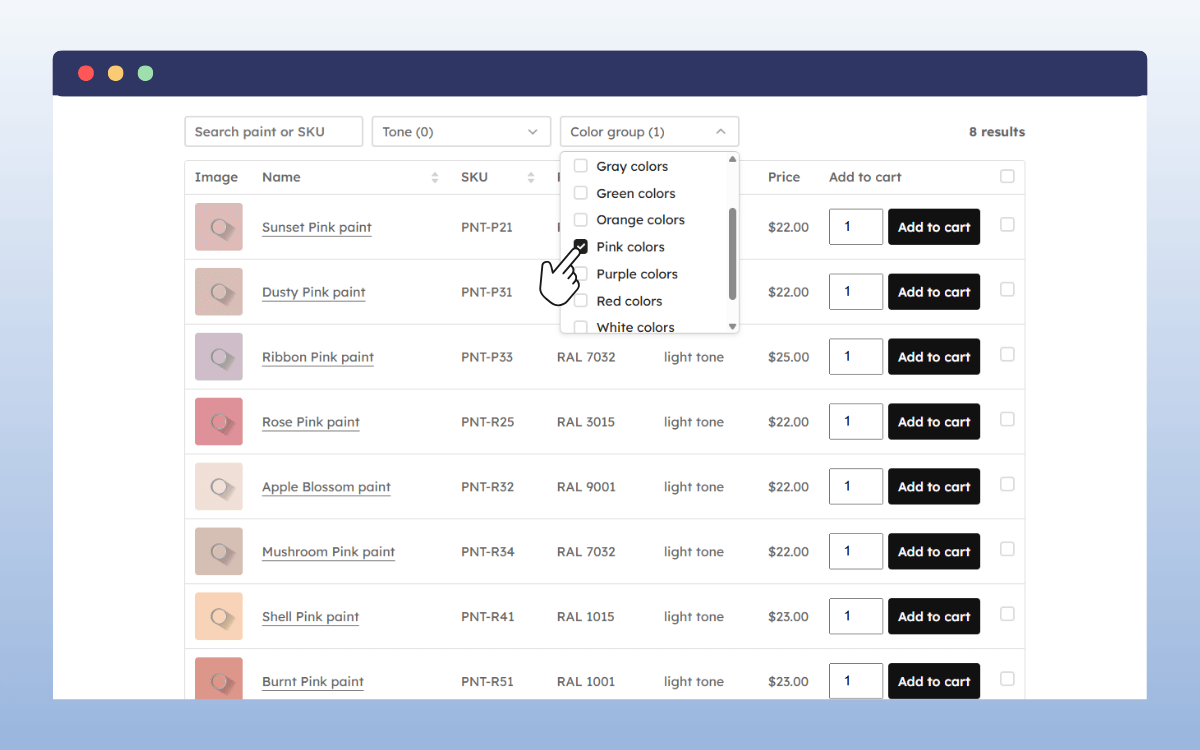
In this article, we’ll cover everything you need to know to set up a WooCommerce wholesale order form.
We’ll walk you through:
- What a wholesale order form is and its benefits.
- Whether you can create a wholesale order form in a default WooCommerce setup, or if you need a plugin.
- The best WooCommerce order form plugin for the job.
- How to set up a WooCommerce wholesale order form with WooCommerce Product Tables.
What is a wholesale order form?
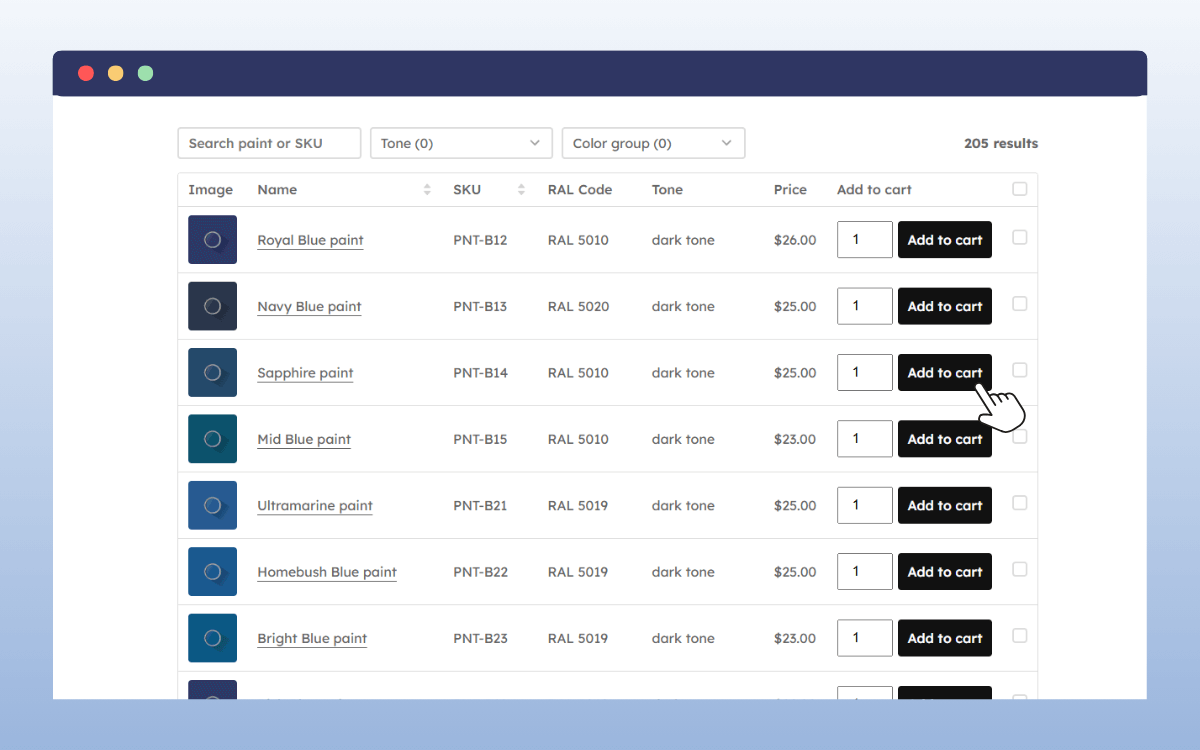
A wholesale order form is a way for wholesale customers to quickly select and order multiple products in bulk from an online store.
It is like a typical e-commerce shop page, but how it displays products is different. Instead of the usual shop layout, where you browse one product page at a time, a wholesale order form organizes numerous products in a table or list.
The table or list only includes important product information, like:
- Name.
- Image.
- A field where customers can enter the quantity.
- Some attributes.
- An Add to Cart button.
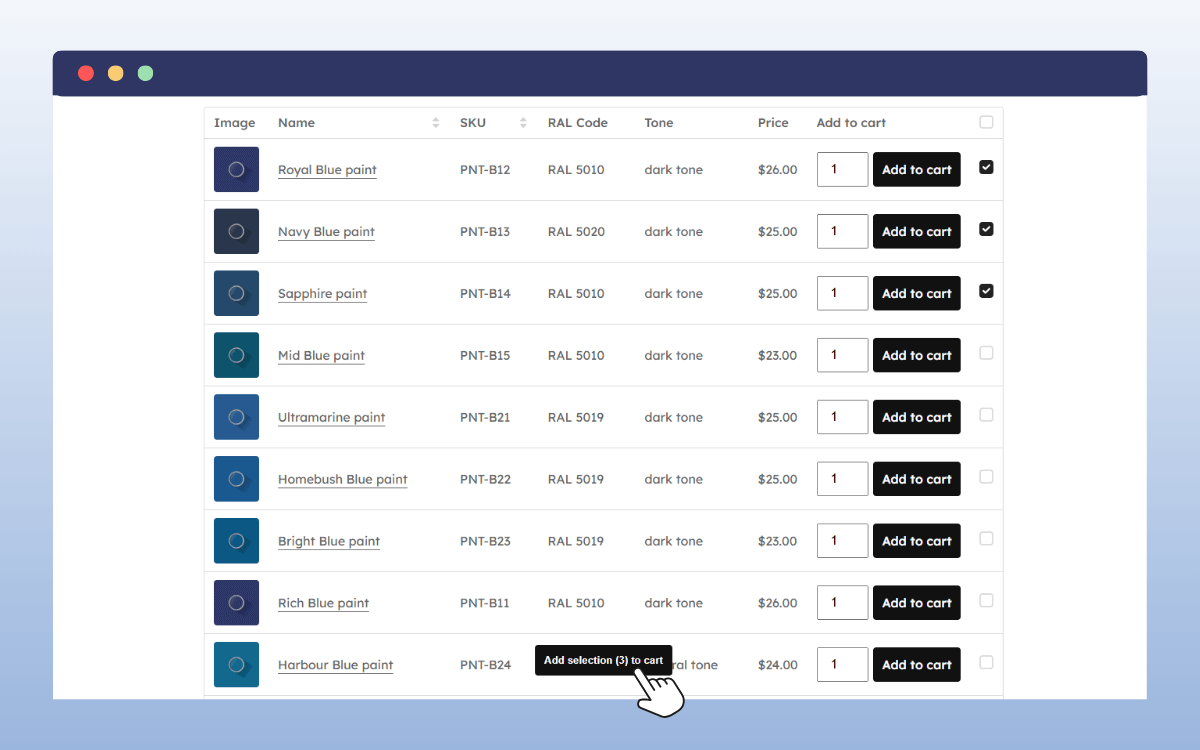
This lets wholesale buyers view lots of products at once, enter quantities, and add everything to their cart in one go. They don’t have to move between individual product pages and the shop page to add or look at multiple products.
After, they proceed to the checkout directly. With this setup, wholesale customers can make bulk purchases much more easily.
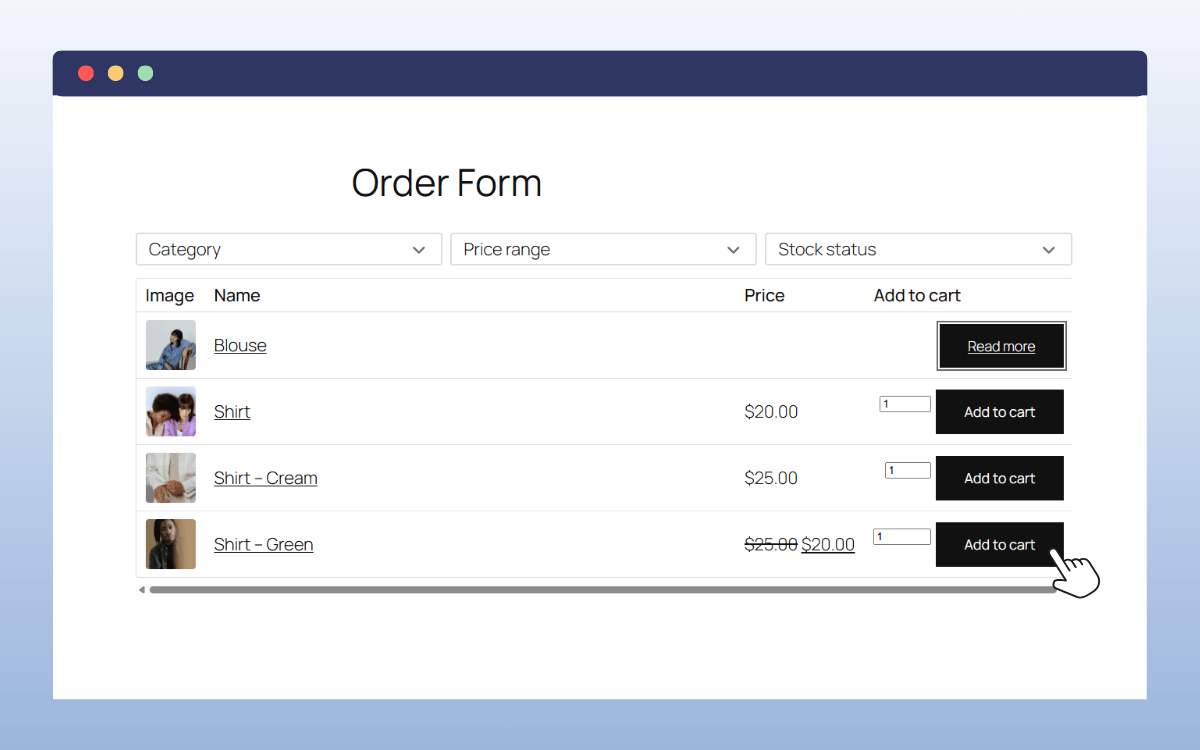
What are the benefits of using a wholesale order form for your wholesale business?
Wholesale order forms have so many benefits that you might be missing out on if you don’t use this format of listing or selling products in your wholesale store.
They include:
- Faster bulk ordering. Wholesale order forms speed up bulk ordering. Your buyers can quickly specify quantities for dozens of items and add them all to their cart on one page. They don’t have to click back and forth between product pages, which saves them time and effort.
- A better shopping experience. Wholesale buyers value convenience. With these order forms, all they need to do is select the quantities and click Add to Cart. They don’t have to waste time manually adding product details on a spreadsheet.
- Ideal for repeat orders. When making repeat orders, customers already know what they want and just want to get it quickly. Wholesale order forms make this simple. They can search or filter what they want from the table and tick off multiple products at once.
- Fewer order errors. A wholesale order form standardizes the ordering process. It displays all the key details (names, stock levels, quantity boxes, etc.). Customers can double-check everything here before checking out. This means they’re less likely to make errors.
In short, a wholesale order form makes bulk purchases easier for you and your customers. They can buy what they want easily, and you can manage the entire process behind the scenes more efficiently.

Can you create a wholesale order form in WooCommerce, or do I need a plugin?
To create a wholesale order form in WooCommerce, you’ll need a plugin. Here’s why.
- WooCommerce lacks a built-in way to create true wholesale order forms. Its default setup is designed for retail-style shopping. Customers browse individual product pages, view images, and add items to their cart one at a time.
- This layout works great for standard retail customers. But we can’t say the same for wholesale customers, who prefer a one-page, spreadsheet-style order form for convenient bulk purchases.
- While you could create something similar to a wholesale order form using themes or shortcodes, you won’t get the functionality that wholesale customers expect. For instance, the ability to quickly view, filter, and add multiple products from a single page.
To get the layout and functionality of a wholesale order form in your online store, you’ll need a dedicated WooCommerce wholesale order form plugin.
What is the best wholesale order form WooCommerce plugin?
WooCommerce Product Tables is the plugin to use when you want to create customizable wholesale order forms in your WooCommerce store. This plugin lets you create clean, easy-to-navigate table displays, ideal for wholesale customers. Wholesale customers can search for what they want, compare prices, and add to cart right from the form.
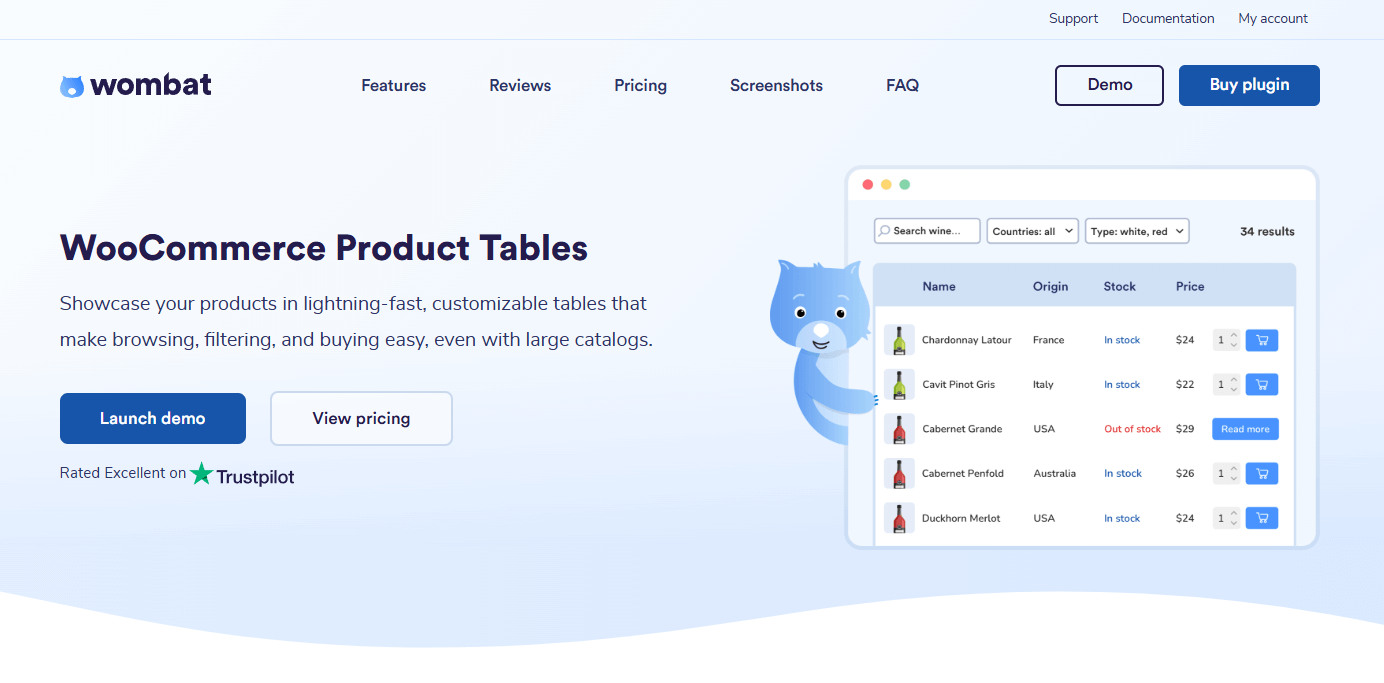
WooCommerce Product Tables is a great solution for creating wholesale order forms because it allows you to:
- Create multiple custom product tables that suit what you sell in your WooCommerce store. Whether it’s office supplies, electronic parts, or print-on-demand products, this plugin will enable you to tailor your order forms for any one of them.
- Choose the product data you want to display in the order form’s columns. This includes the SKU, images, product categories, etc. It supports ACF (advanced custom fields) data, which means you can add extra product information.
- Customize the table’s appearance to blend with your online store’s design. You can edit colors, fonts, buttons, and text sizes.
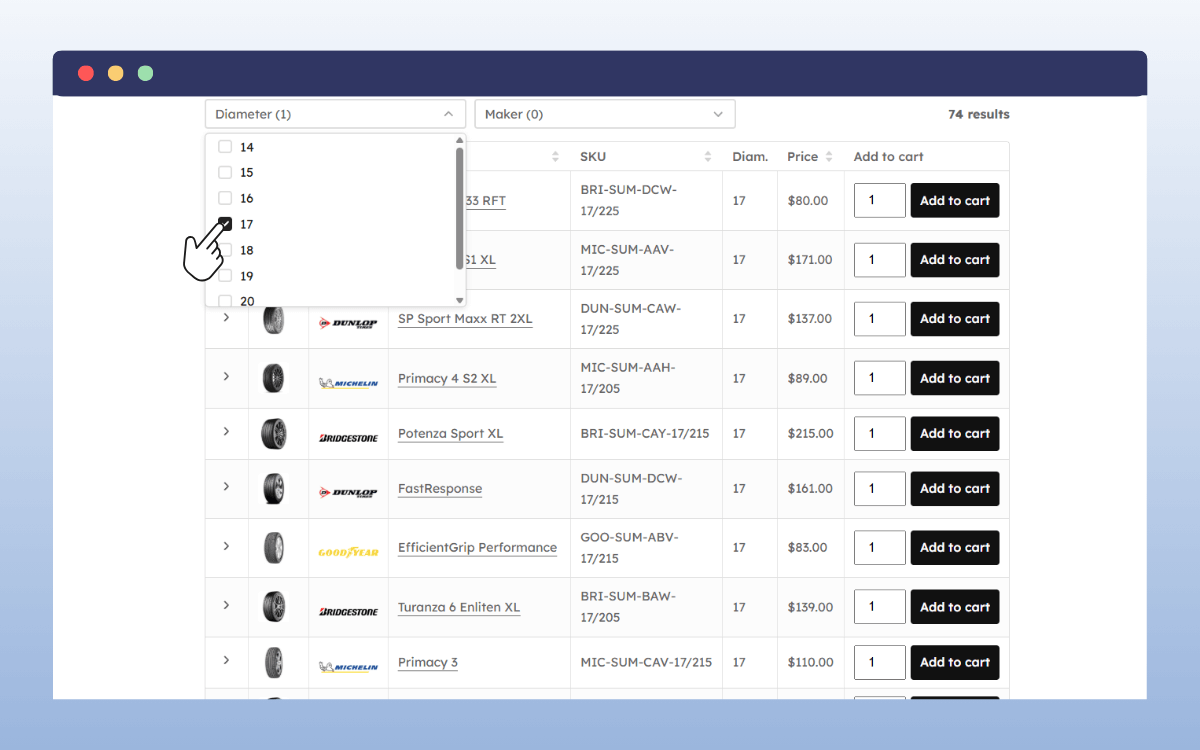
- Add search and filters to help customers find products faster. A handy feature for customers who already know what they want.
- Add product variations or product add-ons to the form to give customers options.
What makes WooCommerce Product Tables stand out?
Apart from creating easy-to-navigate wholesale order forms, here are other features that make this plugin stand out.
- Easy bulk ordering. You can allow customers to order several simple and variable products in one click. Customers select what they want by simply checking a box, then clicking Add selection to cart.
- A fast performance. WooCommerce Product Tables is a lightweight plugin. You can add hundreds, even thousands, of products without your wholesale order form slowing down. Its search queries are also optimized for speed. Customers will be able to find what they’re looking for faster, even when searching through a large catalog.
WooCommerce Product Tables makes the ordering process smooth for your wholesale customers, regardless of what you’re selling. This makes it a great solution for your wholesale order forms in WooCommerce.
So, now we know what this plugin can do. The next step is to see how we can use it to create a wholesale order form in WooCommerce.
How to set up a wholesale order form using WooCommerce Product Tables
In this section, we’ll go through a step-by-step tutorial on how to set up a wholesale order form using WooCommerce Product Tables.
First, install the WooCommerce Product Tables plugin and activate your license key. You’re now ready to use the plugin to create a wholesale order form.
Step 1: Create a product table
The first thing we’ll do after installing the plugin is create a product table. This will be how we will display products in a table layout.
To create a product table:
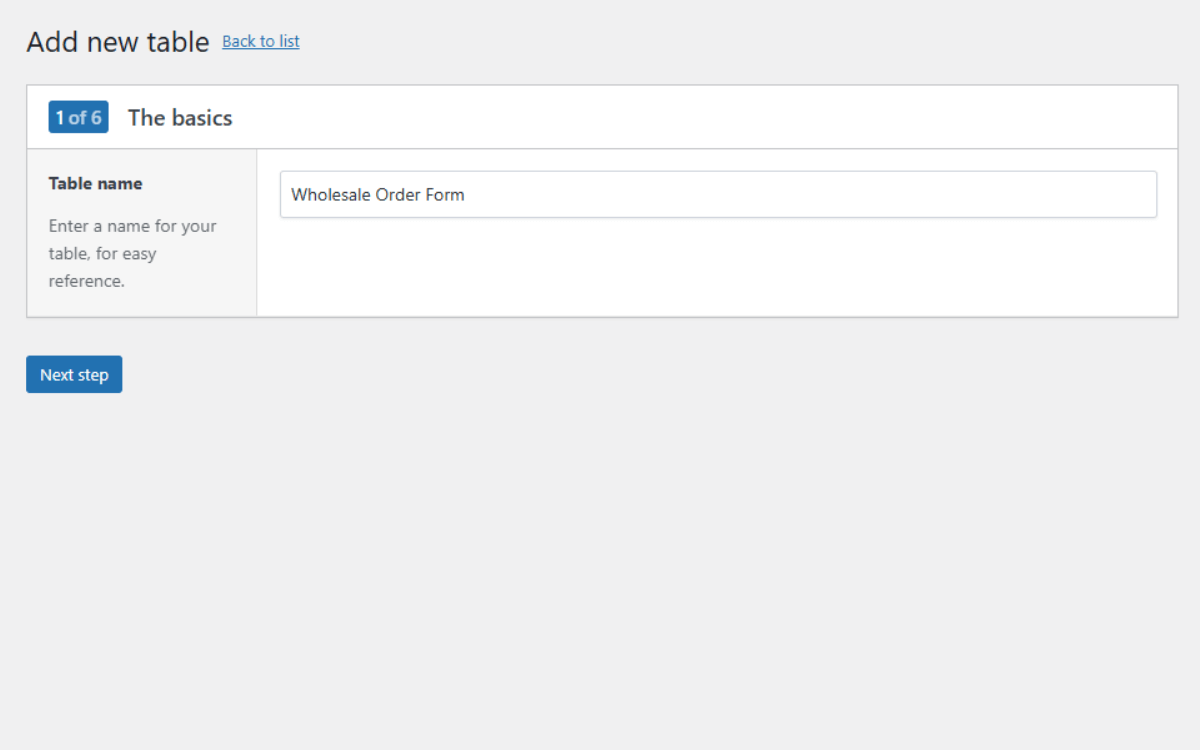
- Go to Products → Product Tables and click Add New or Create a Table on your WordPress dashboard.
- Give it a name, like Wholesale Order Form. Note that this name is for your reference only.
- Click Next Step to continue.
Step 2: Select the products to display in the order form
Next, we’ll choose the products that will appear in the order form.
You can either:
- Show all products: display all products in your online store. This is ideal if you only deal in wholesale products and you have a small catalog.
- Show only selected products: choose specific products or product categories to display. You may have some products you want to sell directly to end customers. In that case, this is a great way to exclude them.
To do this:
- If you want to show all products, click on the Show all products from the store in the table radio button.
- If you want to show selected products only, click on the radio button below this first. Below this radio button, you’ll see 3 dropdown menus you can use to set the conditions for displaying selected products.
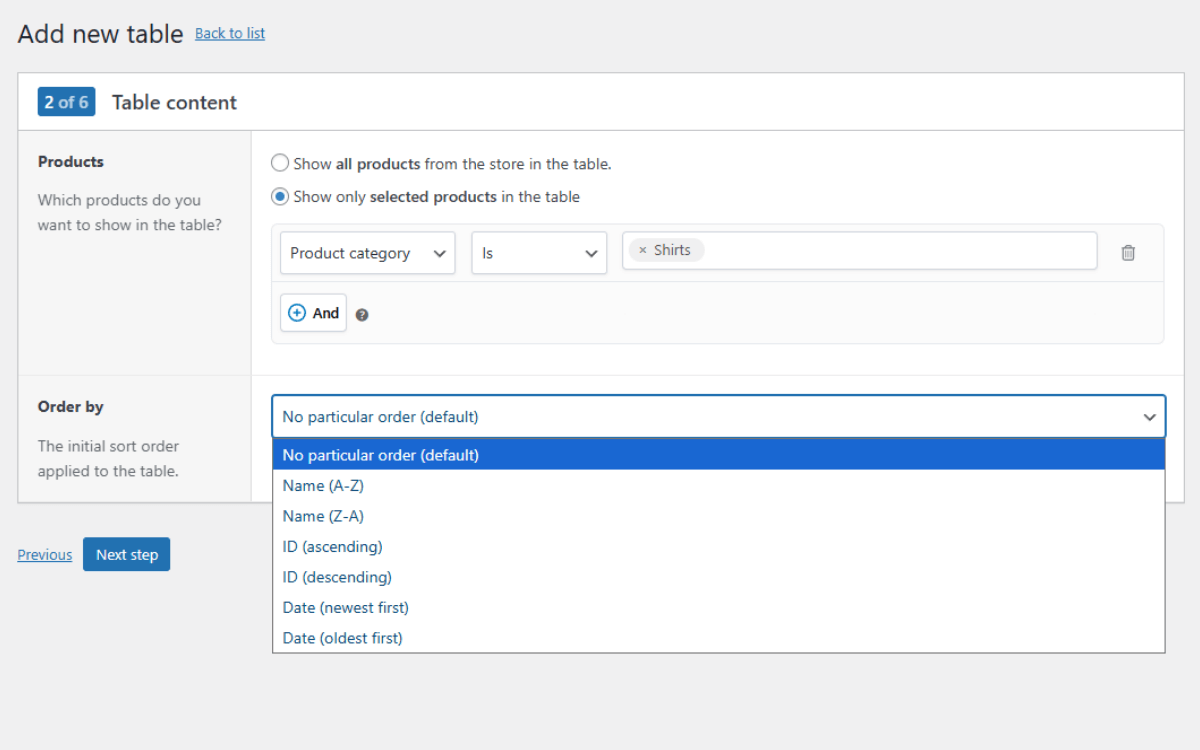
You can choose to display these products by category, tags, stock statuses, or product types. Also, you can combine different conditions using the And button.
- Following this is the Order by section. Here’s where you’ll set the order in which the products are displayed in the form. You can do it by Name, Price, or Product ID (in descending or ascending order).
When you’re done with this, click Next Step.
Step 3: Select your table columns
Table columns are what you’ll use to decide which product details should appear in the table. The table includes a product name, image, price, and the Add to Cart button, but it’s completely customizable.
- To add columns, click the Add Column button on either side of the table. You can have columns for various product details, such as:
- SKU.
- Stock status (in stock and out of stock items).
- Product-specific attributes, for example, weight for steel, metal sheets, or rods.
- Categories.
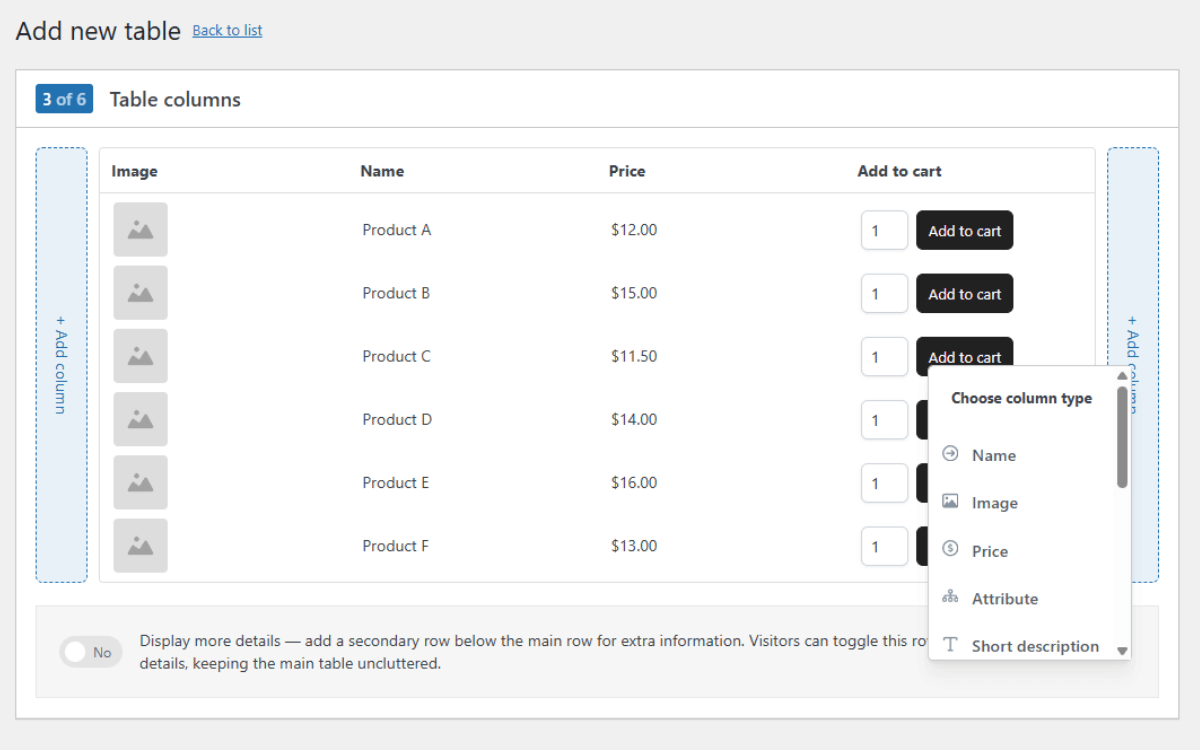
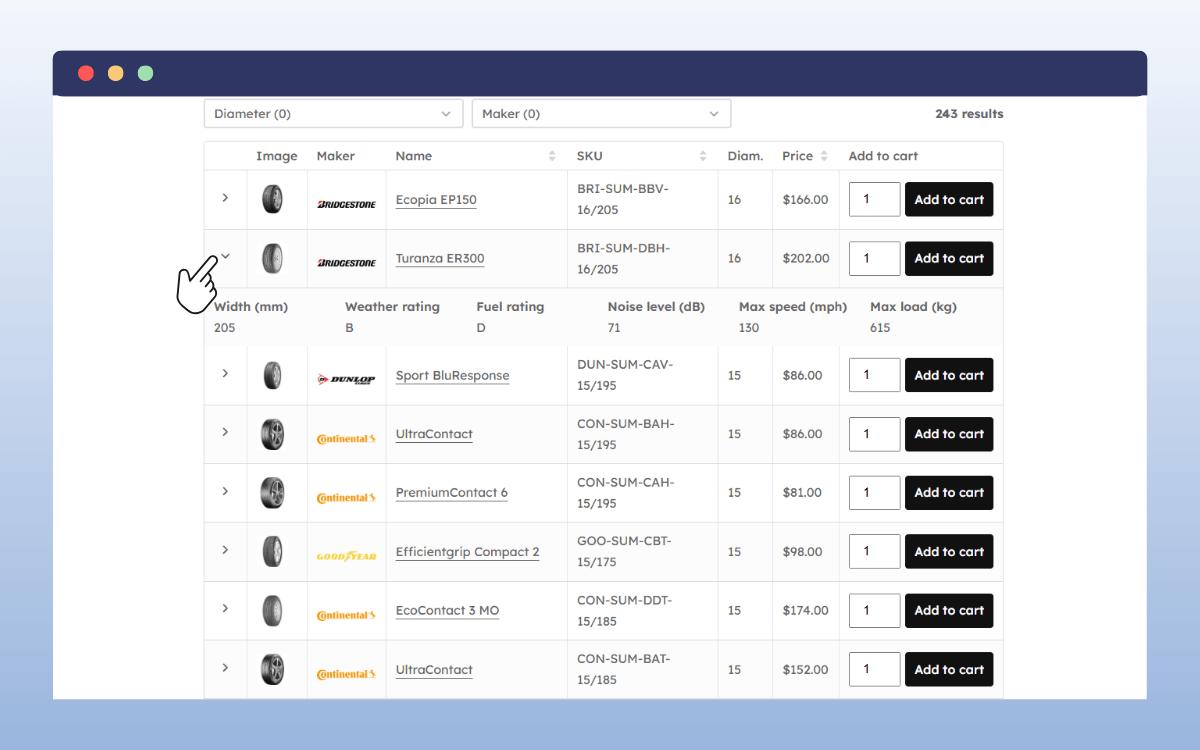
- If you want to show extra product information, click on the toggle button at the bottom that says Display More Details. This adds a secondary row below the main row where you can add extra details, let’s say, a short description.This will not be visible by default. It will appear as a dropdown that customers can click when they want to see this information.
- You can drag and drop these columns to reorder them.
Once done, click Next Step.
Step 4: Add search and filtering options
We know that wholesale order forms allow customers to shop faster. But they wouldn’t be able to do this without search and filters, which help customers find what they’re looking for easily.
After clicking Next Step previously, you will proceed to the Table Header section, where you can add search and filter options.
To add these options:
- First, pick a layout that determines how your elements in the Table Header section will be displayed.
- Then click the Add Item link to add any of these options:
- Keyword search: this allows searching by the product name or SKU.
- Category, tag, or attribute filters: customers can use these to filter products by type.
- Price, stock, or brand filters: let customers filter by a price range, stock availability, and brand.
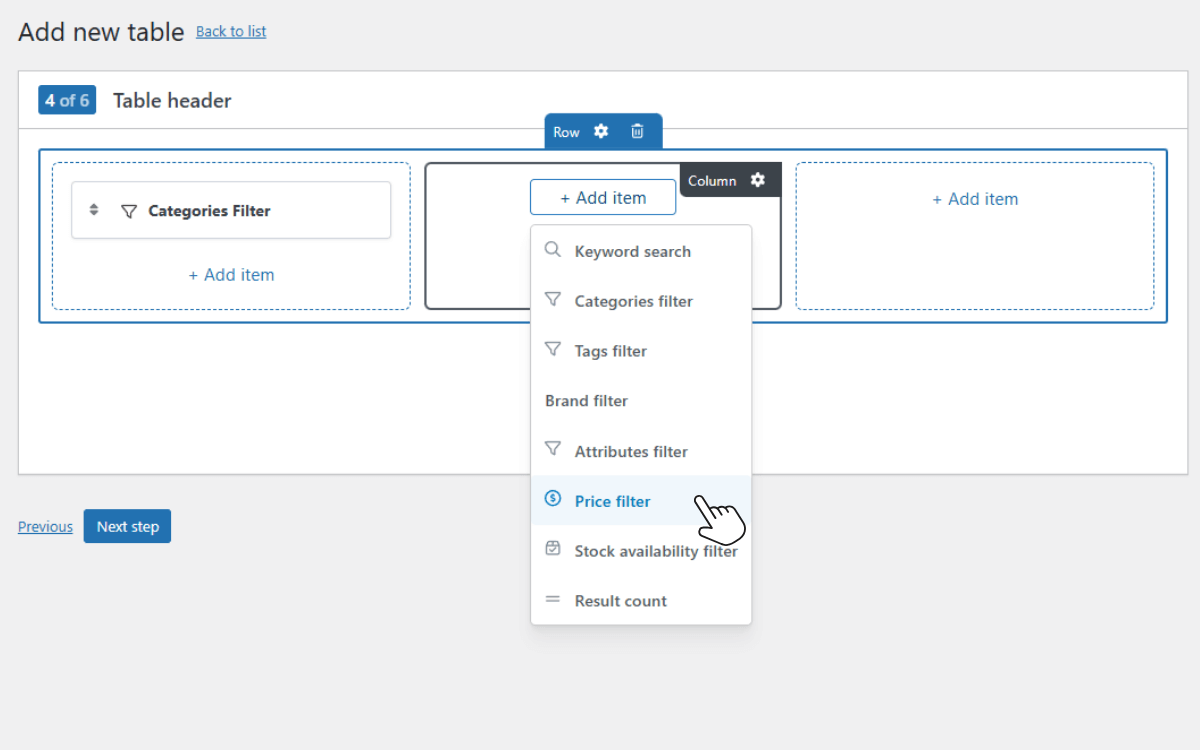
Although this step is optional, we recommend it because it will make your customers’ shopping experience better. When you’re done selecting these options, click Next Step.
Step 5: Optimize for performance
WooCommerce Product Tables comes with a few performance settings to keep your tables quick.
They include:
- Paginate results: When you click this toggle button, the plugin splits your order form into multiple pages. This way, one page doesn’t have to load too many products, which could slow it down.
- Setting products per page: Ideally between 20 – 50, so the page doesn’t slow down and customers don’t get overwhelmed with options.
- Lazy loading: This delays loading the first page of the table until the rest of the page is done loading.
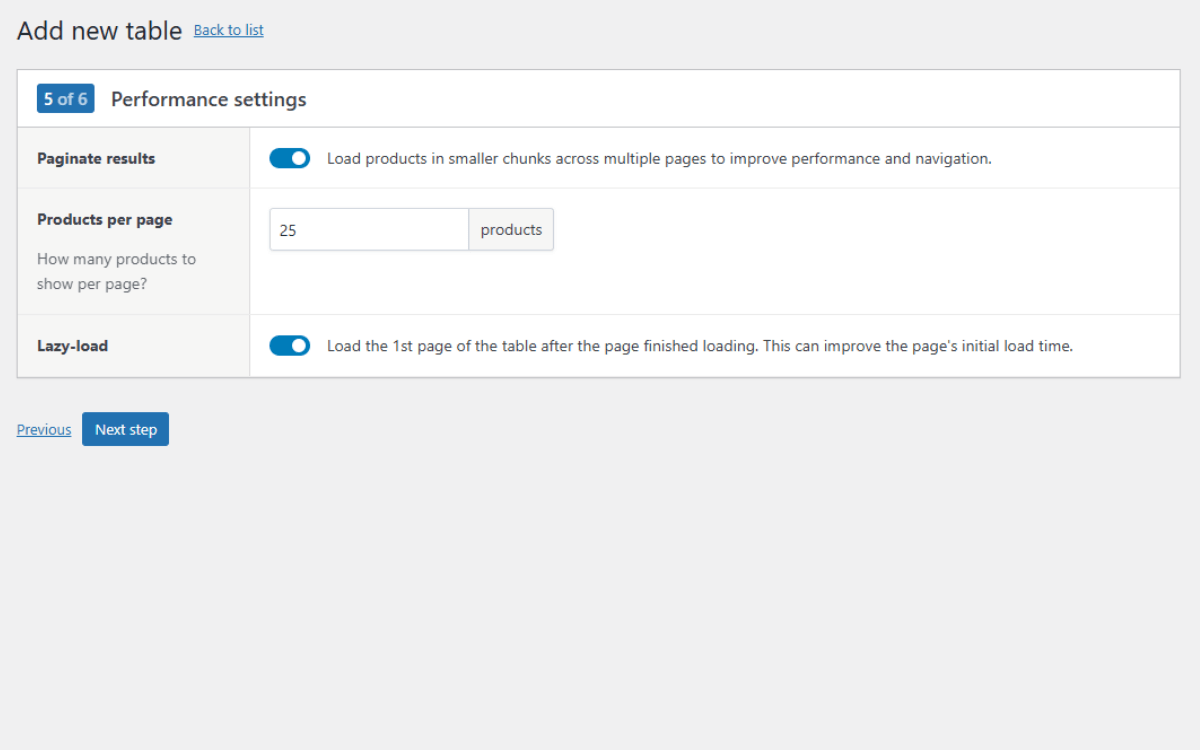
Once you’re done setting these up, click Next Step.
Step 6: Adjust the display settings
In this final step, you can tweak how the order form behaves by:
- Choosing whether product variations appear as dropdowns or as separate rows.
- Enabling a sticky header that ensures search and filters are still visible when customers scroll.
After this, you can now customize your table to blend with your online store’s design:
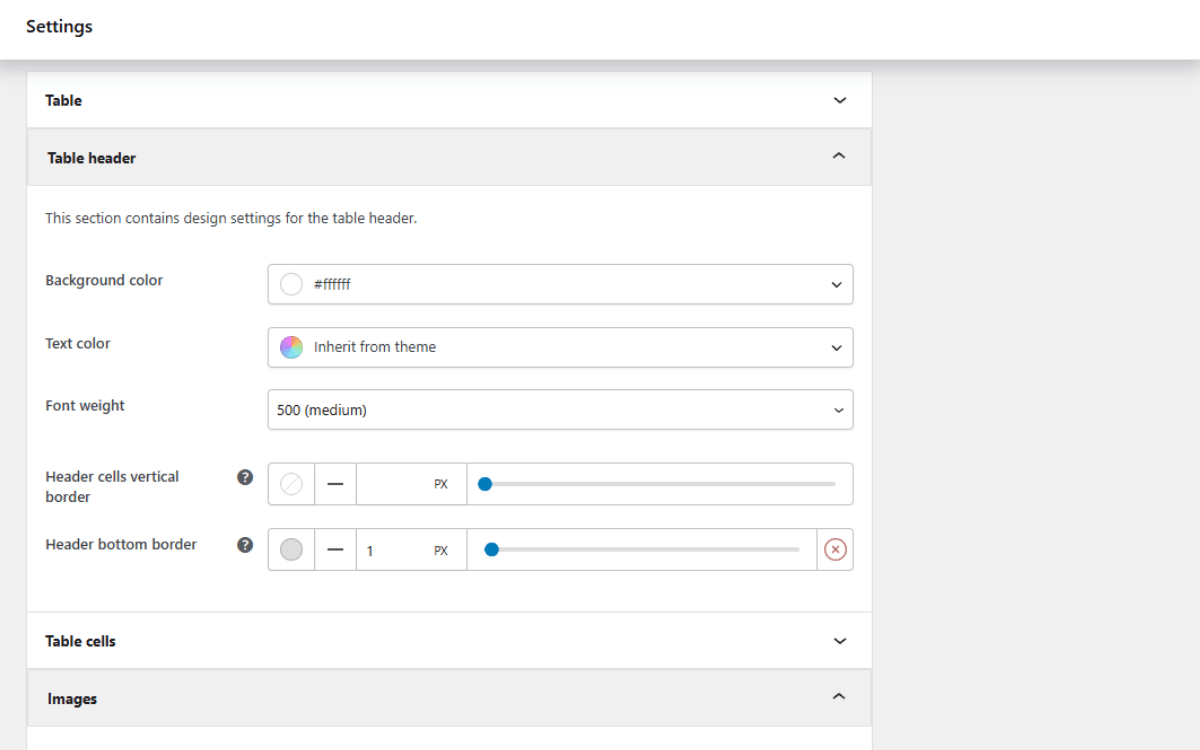
- From your WordPress dashboard, go to WooCommerce → Settings → Product Tables → Design.
- Here you can adjust various styling elements, including colors, fonts, and borders, to match your site.
- Once the design is set, click Save Changes. Now the only thing remaining is to add it to your site.
- Go to Products → Product Tables. You’ll find a shortcode for the table you’ve created. Copy it and paste it on any page or post.
This will display your WooCommerce wholesale order form with your settings, allowing customers to access it from the front end of your site.
FAQs about WooCommerce wholesale order forms
Do you still have questions about creating WooCommerce wholesale order forms? We’ve handled some of the most common ones to help clear things up.
How easy is it to set up a bulk order form for WooCommerce?
Setting up a WooCommerce bulk order form is pretty straightforward, especially with WooCommerce Product Tables. With this plugin, all you have to do is name the table, add products and columns, then use a shortcode to display it on a post or page.
You can also make the table work for your store by styling it to blend in and adding customer experience features like search and filters. You can do it all in just a few clicks.
Can I use a WooCommerce quick order form plugin for wholesale customers?
Yes, a WooCommerce quick order form plugin is perfect for wholesale customers. By default, WooCommerce doesn’t support the table layout for displaying products that wholesale customers prefer.
With a WooCommerce quick order form plugin, you can add this functionality to your WordPress site. It allows you to create a wholesale order form that these customers can use to place large orders quickly and efficiently.
How can I customize a wholesale order form in WooCommerce?
You can do this using the WooCommerce Product Tables plugin. It comes with customization features that allow you to add or remove columns to your order form, add search and filter options, adjust colors, fonts, borders, etc., to match your store’s design, and add or remove extra fields to display additional information.
Get to grips with wholesale order forms today
So there we have it. In this guide, we walked through what WooCommerce wholesale order forms are, the benefits of using them, and how to add them to your online store.
Wholesale order forms give customers buying in bulk a great shopping experience. They display products in a way that wholesale customers can quickly browse and order in large quantities.
You can add wholesale order forms to your WooCommerce store with WooCommerce Product Tables. This plugin allows you to set up easy-to-navigate order forms, complete with search, filters, variable product support, and instant Add to Cart options. Your tables won’t slow down, no matter how many products you add to them, and you can blend them with your store’s design in just a few clicks.
