If you want to learn how to sell shoes online effectively from your own e-commerce website, especially custom shoes, you’re in the right place.
With over 2.77 billion people shopping online last year (a figure only set to grow in 2026), there has never been a better time to launch your own shoe brand.
But how do you get started selling shoes online? Here’s what we’ll cover in this guide:
- A few decisions you need to make before setting up shop.
- Top two e-commerce platforms to set up your own store (Why WooCommerce is preferred).
- Quick steps to set up an online store in WooCommerce.
- How to structure product pages in an interactive way.
- How to sell custom or personalized shoes.
- Some tips on pricing shoes.
Start selling custom shoes in your WooCommerce store with Advanced Product Fields for WooCommerce.
Find out moreWhat do you need to decide before selling shoes online?
Before you even think about setting up a shoe store, there are three important things to consider at the very beginning to set yourself apart. You should to decide on:
The types of shoes you want to sell (Your niche)
Will you sell women’s shoes, men’s shoes, children’s shoes, or a specific niche?
The types of shoes that sell best online often depend on the audience you’re targeting and the current demand. When you understand what’s trending and what your customer base is actively looking for, it becomes much easier to choose the right shoe products to list in your store.
Broadly speaking, the most popular shoe categories you can start exploring are:
- Sneakers and athletic shoes.
- Running shoes.
- Retro or streetwear styles.
- Limited editions.
- Comfort-focused everyday shoe.
- Designer or premium shoes.
These shoe categories bring in the most sales because they match what people already buy online. Once you’ve figured out what shoes to sell, the next big decision is how orders will be fulfilled.
Your fulfillment model
Your fulfillment model should account for your growth/scalability, customer satisfaction, inventory management, and shipments. For example, let’s say you’re planning to sell made-to-order or customized shoes.
If you sell pre-made running shoes, you’d simply ship what is on the shelf. However, if you want your customers to choose specific colors, materials, or add personalizations to their sneakers, your fulfillment process starts after the order is placed.
To make things work smoothly, you’ll need an e-commerce setup that lets customers personalize products easily and ensures you can fulfill those orders without frustrations.
So, when you’re thinking about your fulfillment model, ask:
- Where will you source shoes?
- Will you sell ready-made shoes or offer product customizations?
- How much control do you need over product customization?
- Will you dropship shoes or hold inventory?
Getting answers to these questions (and much more) is important when deciding on your e-commerce store type.
The type of e-commerce site you want to build
The following are three common types of e-commerce websites that can help you decide on your business model:
Individual brand e-commerce store
This may sometimes be referred to as a direct-to-customer store. This is a great option if you want to offer your customers a unique shopping experience. You can also control the look, feel, and functionality of your shop, which gives you more flexibility to create the exact customer experience you want.
Online retailers or marketplaces
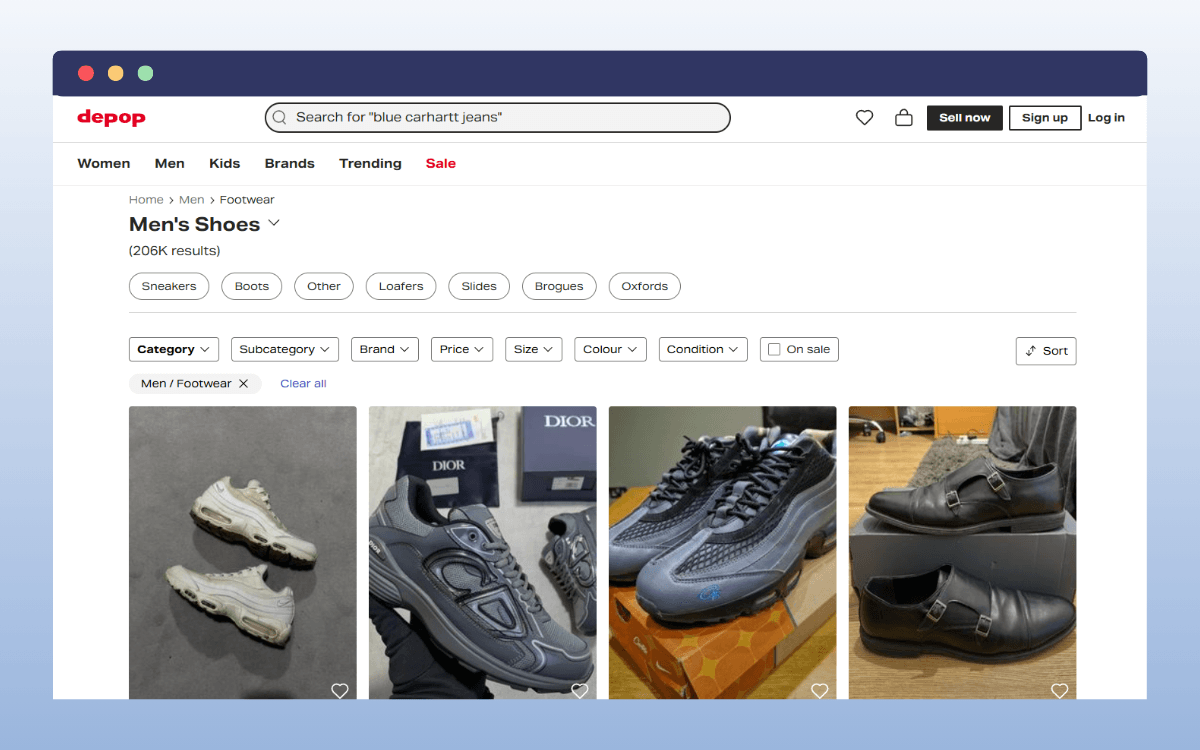
Online marketplaces like Amazon, eBay, and Etsy allow you to sell shoes online without having to create a store. There are smaller, more niche options, too. For example, Depop or StockX, where you can sell best sellers like Adidas Yeezy, Air Jordans, Air Max, New Balance, or Supreme streetwear. But you have to pay to be featured in the store. This can be a flat rate or commission on every product you sell.
The downside is that you don’t have a direct relationship with customers. Besides, marketplaces own customer data. This means you’ll lose opportunities to build repeat business.
Social commerce platforms
For example, Instagram, TikTok, or Facebook. The biggest benefit of social commerce is that it is easy to find new customers. If you already have a fan base, now’s the time for a website.
A proven strategy is to sell your products through your own e-commerce website and use social commerce to build brand awareness.
What platform should you use to sell shoes online?
There are two platforms to choose from when you want to build your own e-commerce website.
Shopify
Shopify is a hosted platform, so Shopify manages hosting for you. For a monthly or annual fee, you get access to all the software and tools you need to manage, run, and customize your store.
Shopify is ideal if you want to launch your store quickly and start marketing right away. The downside is that you’re limited to the platform’s features, and you can’t customize your store as much as you’d like.
WooCommerce
WooCommerce is a strong option if you want more flexibility to customize your store and the shopping experience.
For example, if you sell customizable niche shoes, this e-commerce platform enables you to:
- Build advanced product experiences, including ‘build your own shoe’ setups.
- Handle complex product options, such as size, color, sole types, laces, logos, and material variations, more efficiently.
- Determine how product pages, categories, and variations appear in search engines, and boost SEO.
Here’s a short comparison table between Shopify and WooCommerce.
| Features | Shopify | WooCommerce |
| Ease of use | Getting started is as easy as signing up for an account. | Product variation is unlimited. It’s best for highly customizable shoes with dozens of options, such as shoe color and various materials or patterns. |
| Store ownership | You rent the platform, and own your data. | You fully own your store, e-commerce website, and customer data. |
| Store and product page customization | It’s very flexible via themes, apps, and metafields. | It’s limitless. You can customize product pages as much as you need. |
| How does it handle complex product variations? | Currently, it can handle up to 2000 variants, which is good for most retail. | Currently, it can handle up to 2000 variants, which is sufficient for most retail use. |
| Transaction fees | Zero only if you’re using Shopify Payments. | 0% always. |
| Monthly fees | Pricing starts at $19/month. | No monthly fees (but you’ll pay for hosting). |
Which platforms should you use? The answer depends on your needs. If you want a lot of flexibility to customize your store and your offerings, we recommend WooCommerce.
How do you set up your online shoe store?
Now, this is how you can create an e-commerce website using WooCommerce. Why WooCommerce? Because it gives you the most flexibility, scales with your business, and has all the features you need to start building.
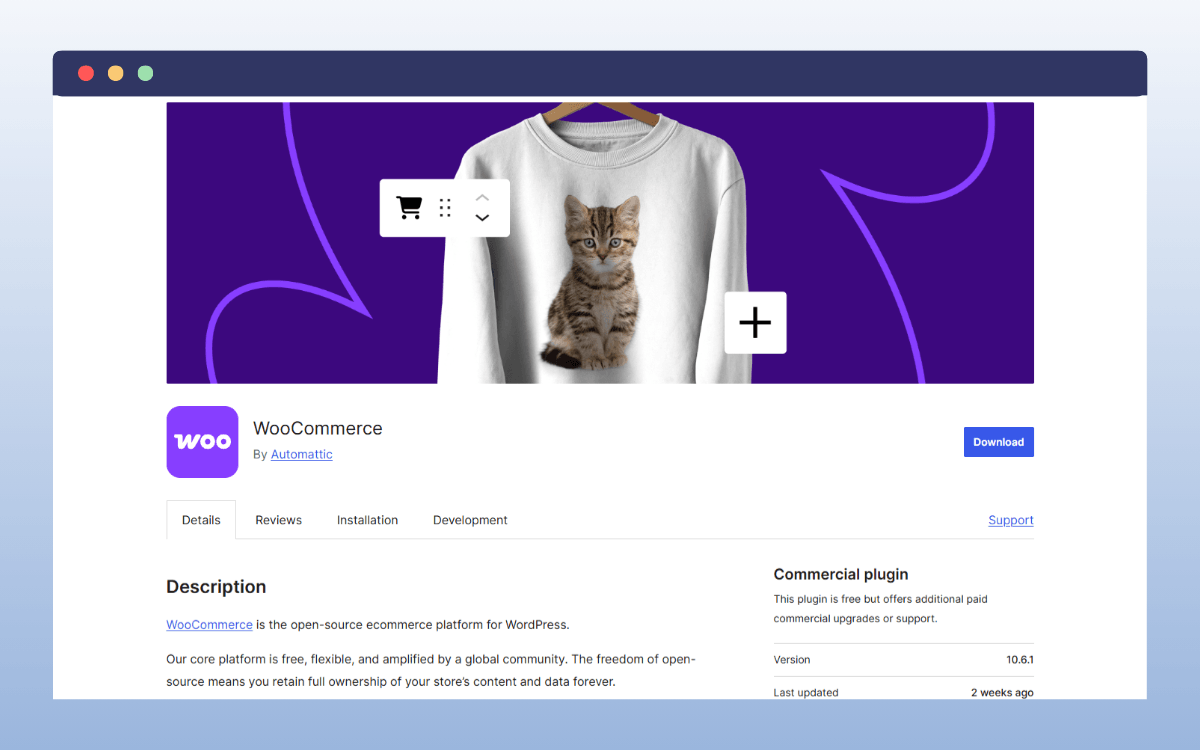
Set up your online store with WooCommerce
Here’s how you can create a brand new online shoe store:
- Get managed WooCommerce hosting. This type of hosting comes with WordPress and WooCommerce pre-installed and ready to use. They will also help you buy and register a new domain if you don’t already have one.
- Set up your WooCommerce store, location, services, and payment gateway, such as PayPal. WooCommerce typically has a setup wizard that walks you through these store settings.
- Choose your store’s appearance by picking a theme and editing it.
- Add products to your WooCommerce store. Upload high-quality images of your shoes and write SEO-optimized product descriptions.
- Add essential pages, such as your About us, Contact, and checkout pages. Set up a return and shipping policy and taxes.
- Prep and test your store to ensure everything, including your checkout process and the mobile experience, is flawless.
At this point, your online shoe store is ‘technically’ ready to launch and start selling.
More work is still needed
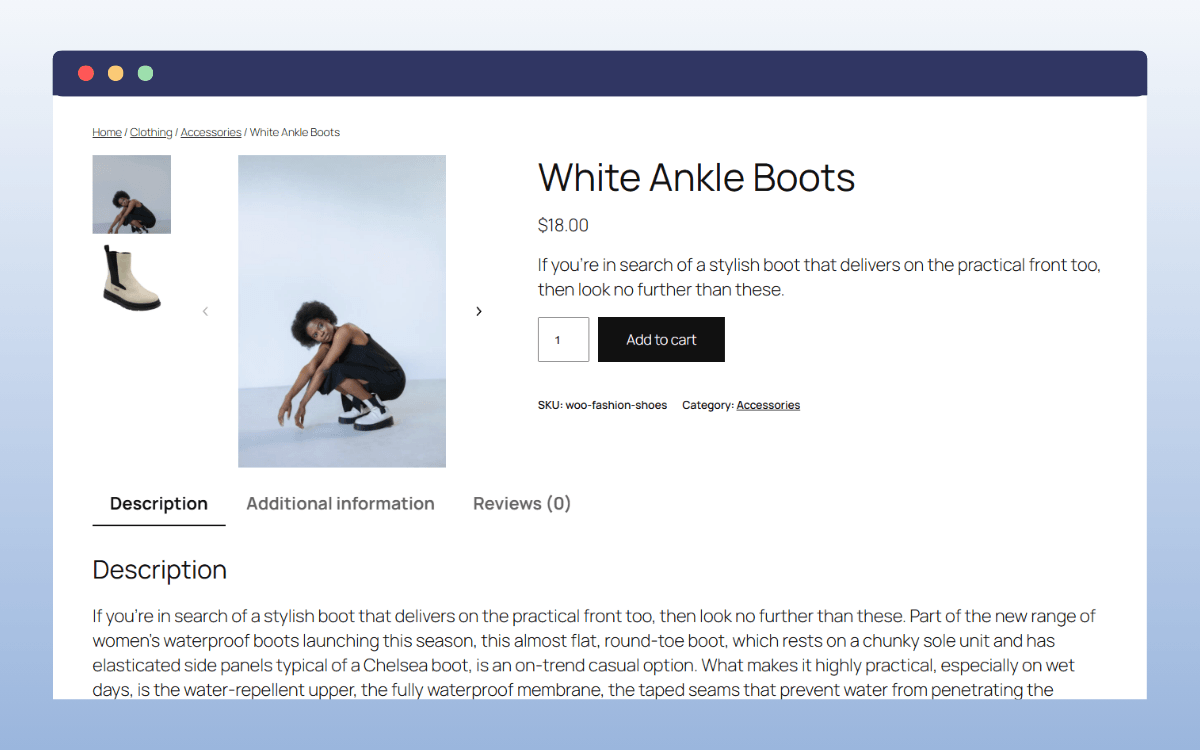
But more work is still needed to improve the user experience on your product pages and truly convert shoppers.
Standard WooCommerce product pages work well for simple, ready-made items. But when you need customers to customize their own pair of shoes, the experience starts to feel limiting.
For example, shoppers can’t easily:
- Mix and match different color combinations.
- Select various options intuitively.
- Visually design a shoe.
To make your store easier to use and increase sales, you should structure your product pages around how customers actually shop and customize.
How should you structure product pages for shoes?
Keep in mind that the product page is where a customer decides to buy or leave. Since online shoppers can’t try on a pair of shoes in person, your product pages should recreate as much of the in-store experience as possible.
For example, customers should be able to view shoes from every angle. When they can zoom in on the stitching or texture, they feel much more confident in their choice.
What to improve
To build this kind of experience into your WooCommerce product pages, improve on these key areas:
Show every angle with high-quality images
Take shoe photos from the top, side, back, and sole, as well as other important angles. Upload these to your gallery so customers can see the whole shoe from every angle. If possible, include short videos that demonstrate how a shoe moves or fits.
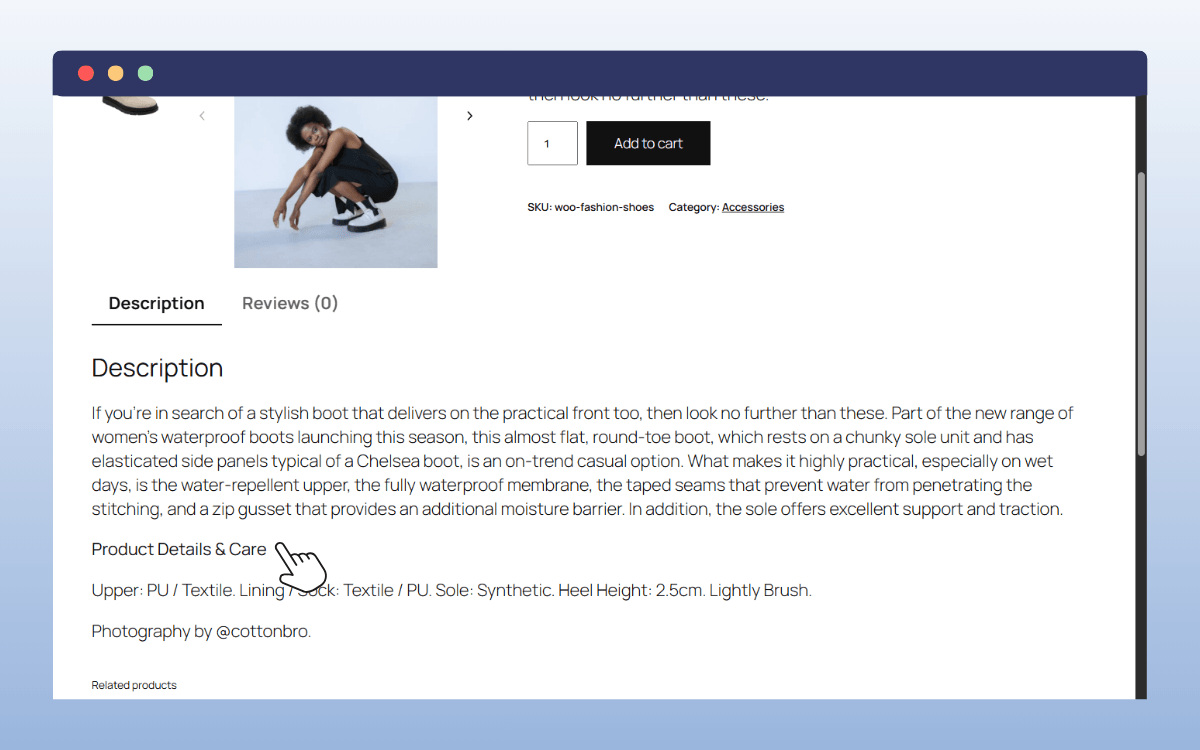
Provide clear product details and attributes
Add shoe details like size, colors, widths, and materials in a way that’s easy to scan. In WooCommerce, you can set these up as Attributes (e.g., Size, Color) and add fit guidance like ‘true to size’ or ‘runs small.’ This helps buyers pick the right pair the first time and significantly reduces your return rate.
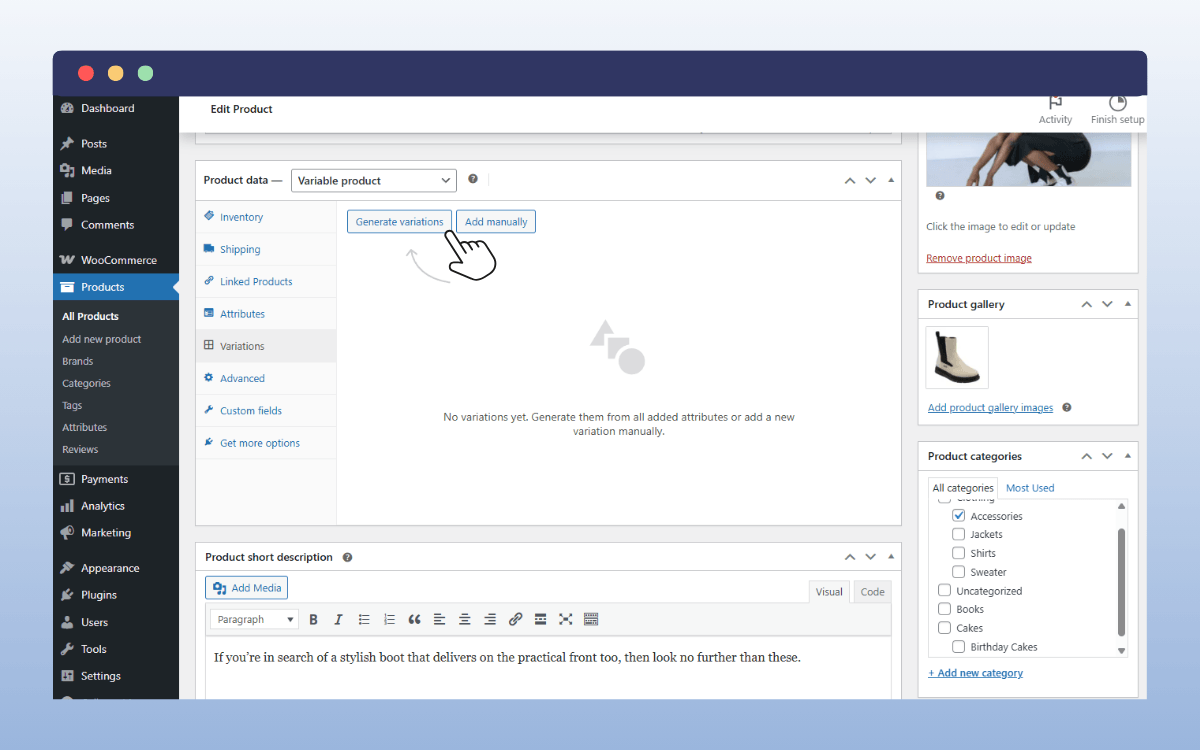
Make shoe variations simple and easy to select
After you add your attributes, you can tell WooCommerce to generate variations for every possible combination of sizes and colors. This lets a customer pick the exact combination they want, like a ‘Red’ shoe in ‘size 10.’ But relying solely on variations to offer customization can be very limiting.
You see, standard variations work best when you’re selling fixed shoe combinations. However, if you want to offer customers multiple options to make their own shoe designs, things quickly become harder to manage.
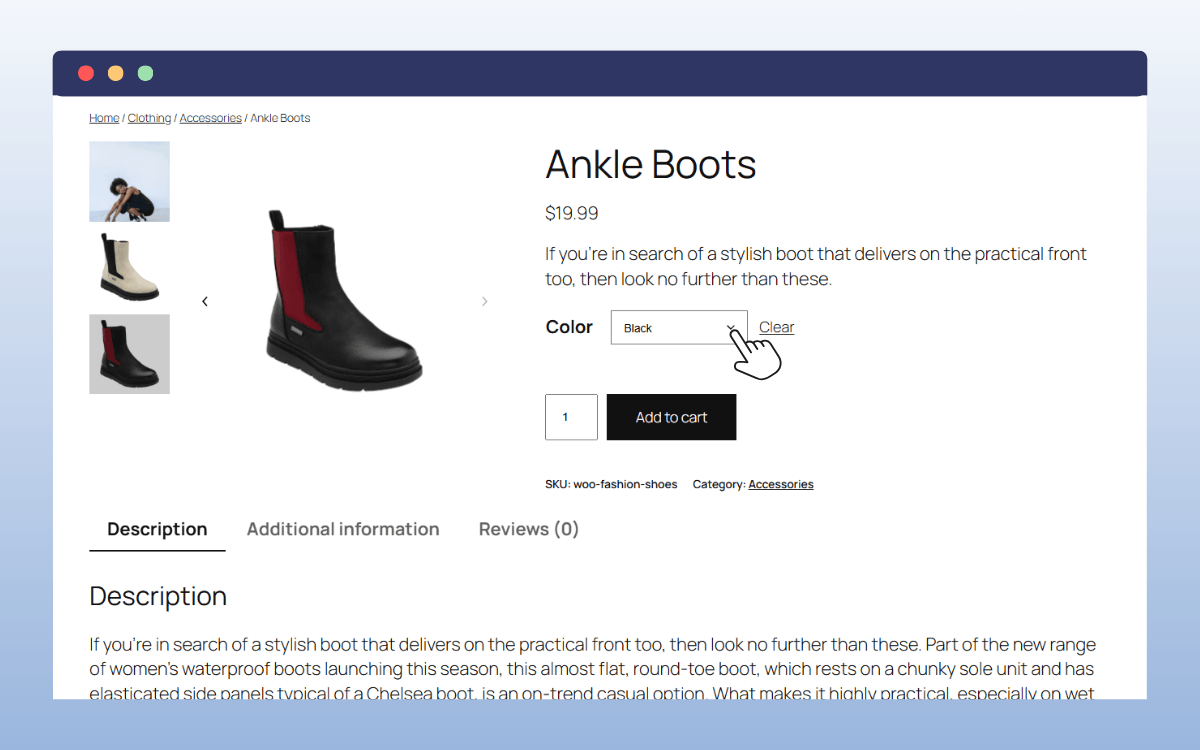
Using variations alone would force you to create unique shoe variants for every possible combination or custom text string a customer might dream up. But with product options, this changes for the better.
You can easily offer ‘infinite choices’ in your WooCommerce and build personalized shopping experiences for customers.
How do you sell custom or personalized shoes online?
Picture this: a visitor lands on your store looking for a pair of custom sneakers. Now, they don’t just want to buy a standard shoe design. They want to customize the shoe so it feels unique to them.
Maybe they want to:
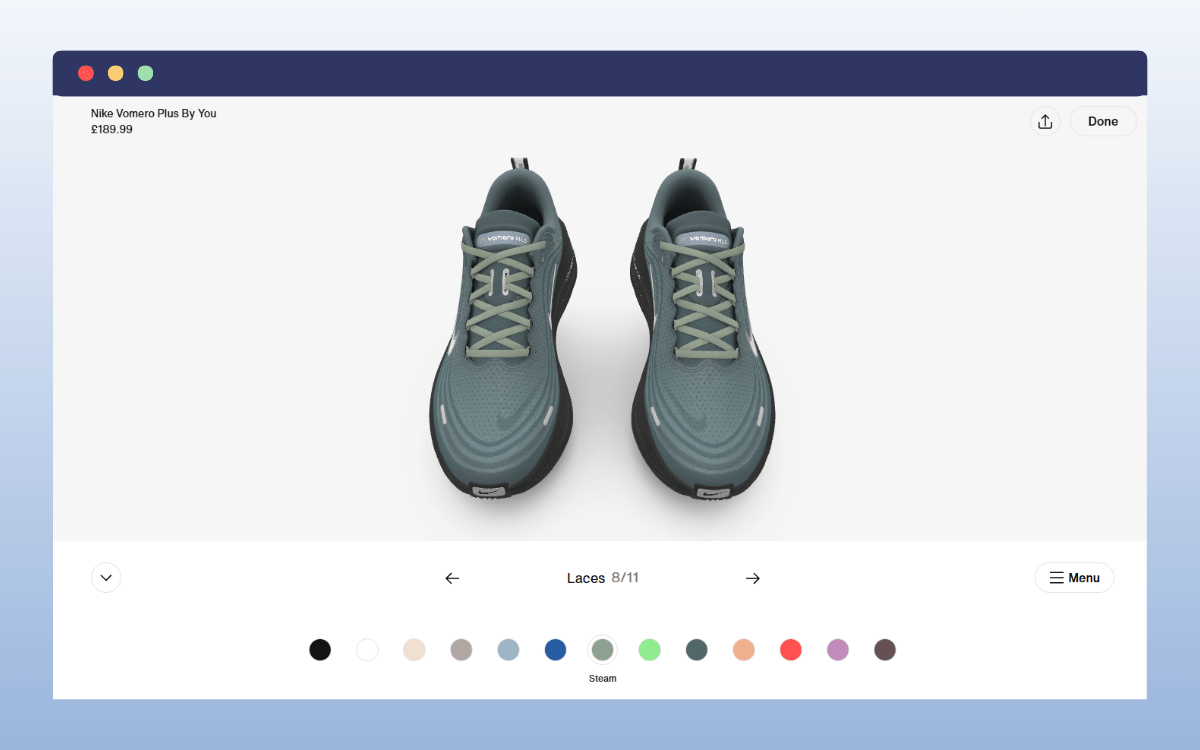
- Change the color of the vamp, toe, laces, midsole, or outsole.
- Choose a different design for the back tab or tongue label.
- Customize the logo design.
- Add initials, text, or a small personal message (if you allow this).
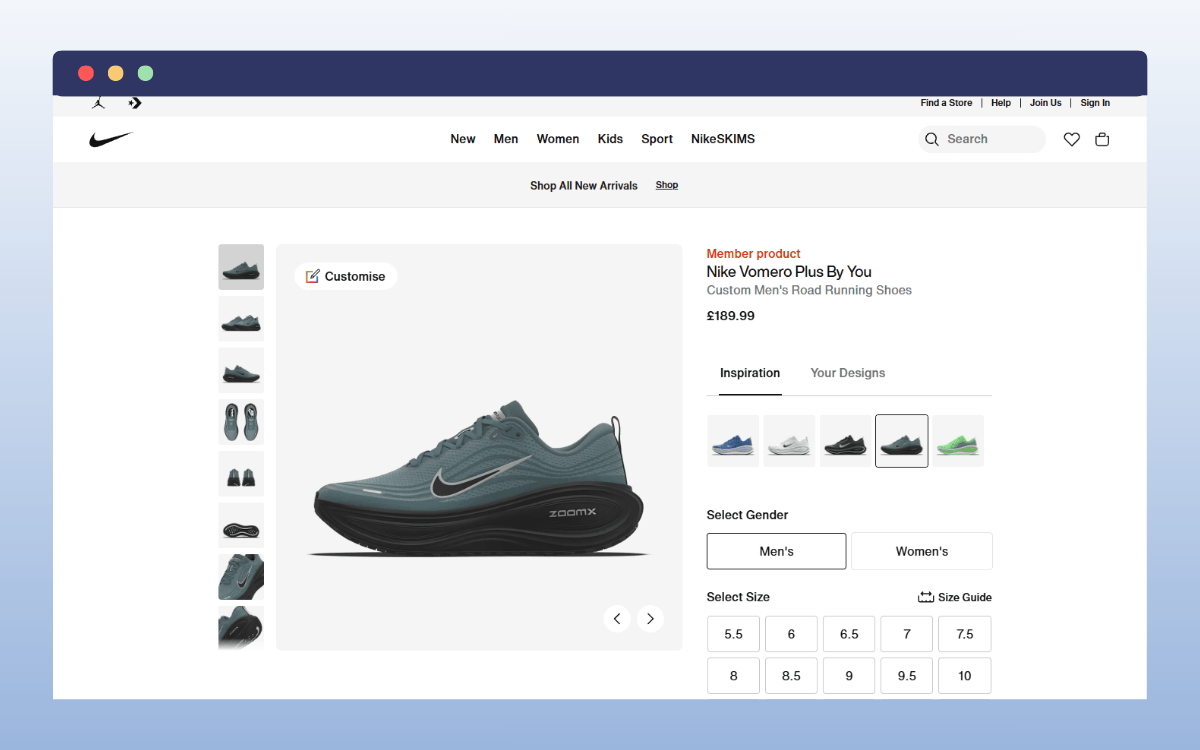
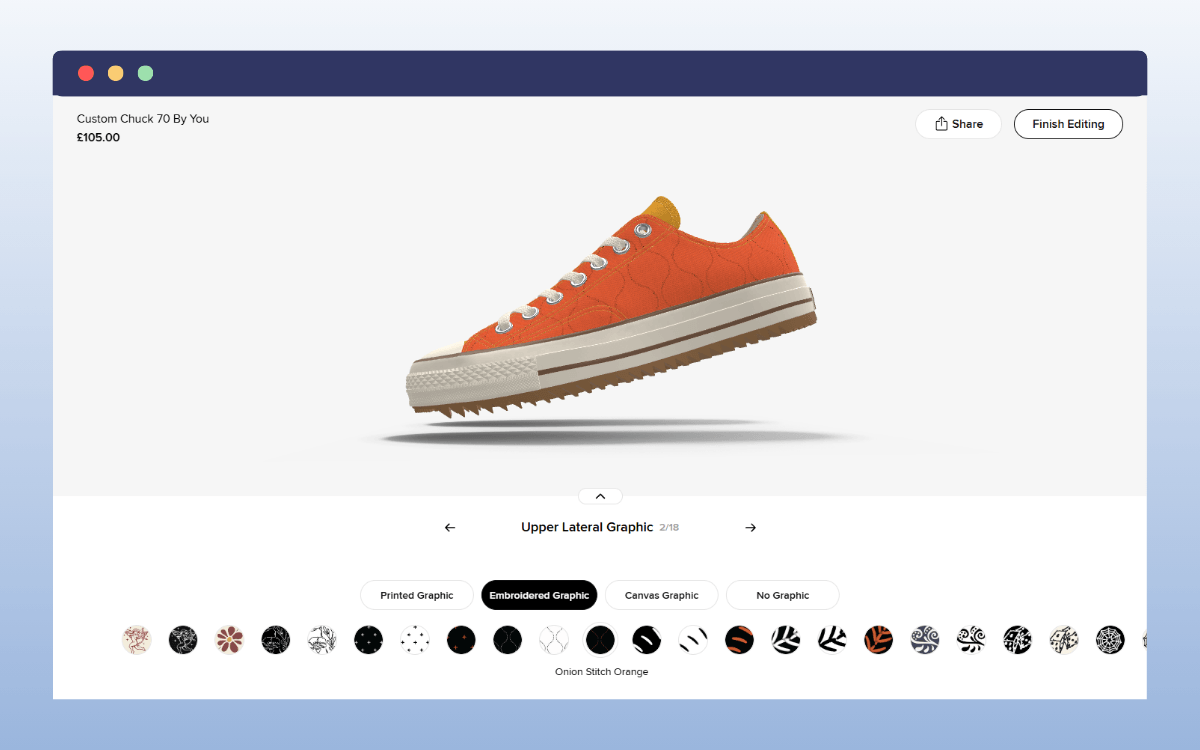
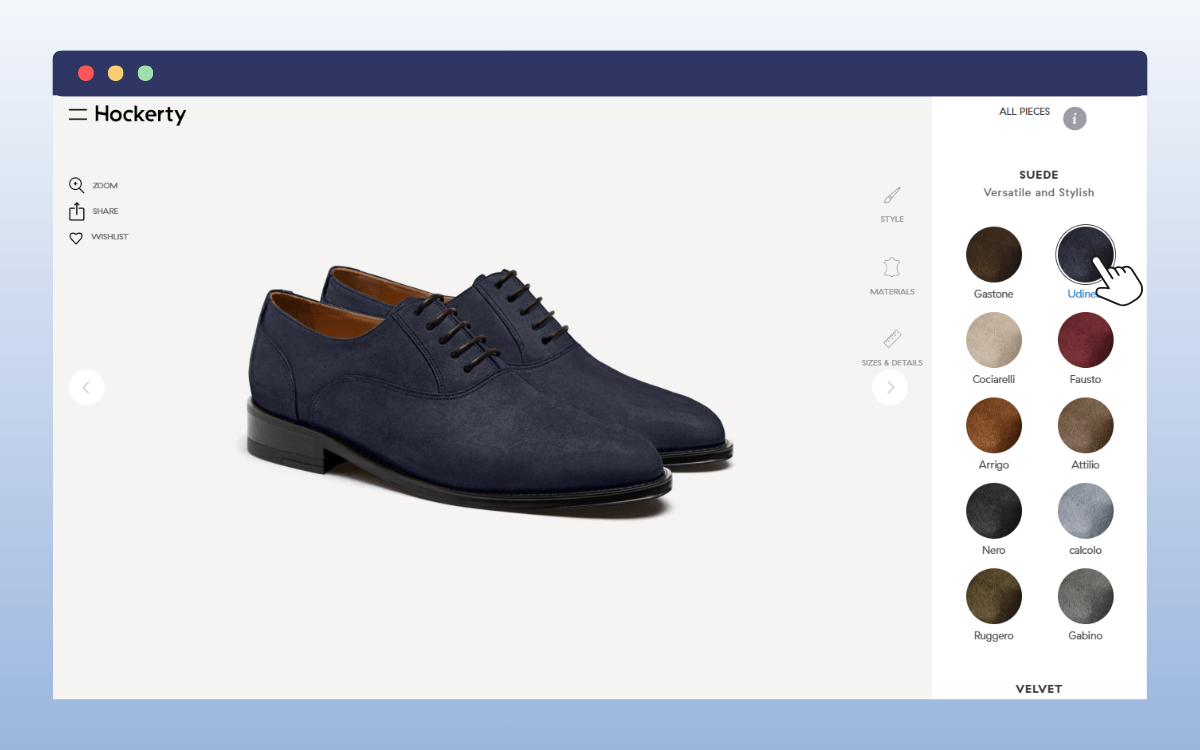
The easiest way to offer this kind of buying experience is to give customers a custom design tool that enables them to personalize different parts of a shoe step by step. Like how Nike By You does it.
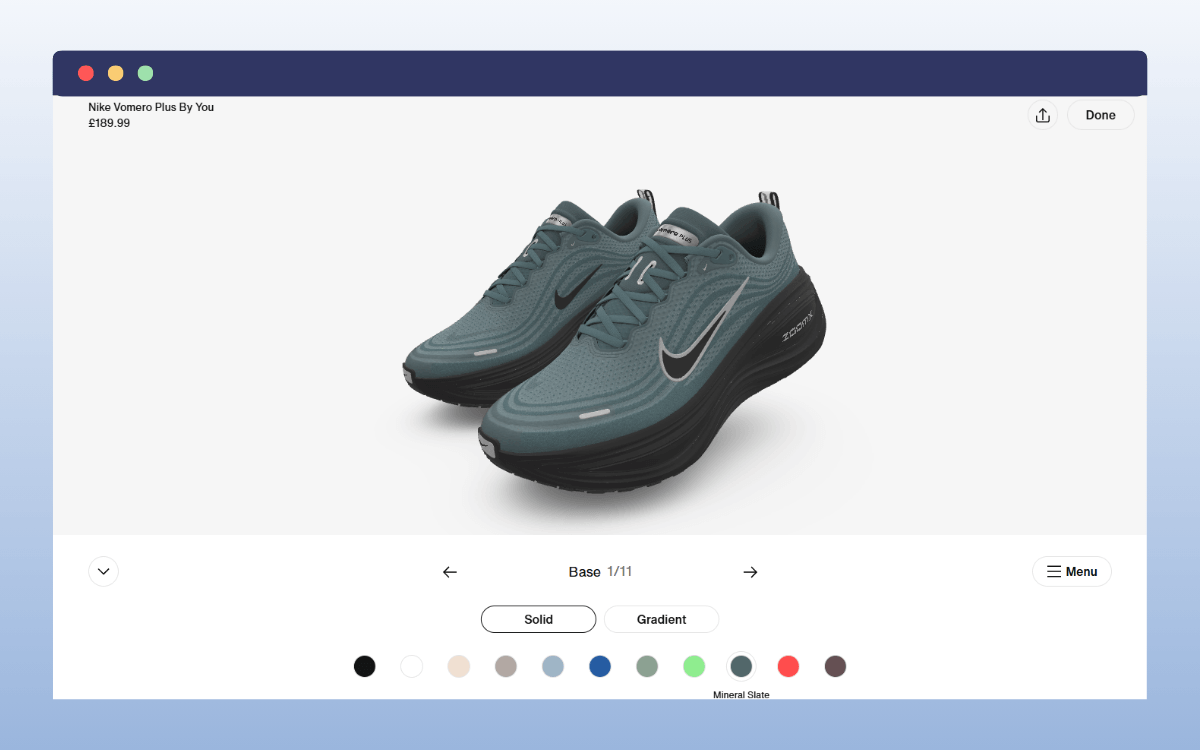
Unfortunately, the default WooCommerce install doesn’t offer many options to help you build a custom product designer tool in your store.
To do this, you’ll need the WooCommerce plugin, Advanced Product Fields WooCommerce. It lets you deliver a unique, personalized shopping experience that can also increase your site’s average order value.
How does Advanced Product Fields help create custom shoes?
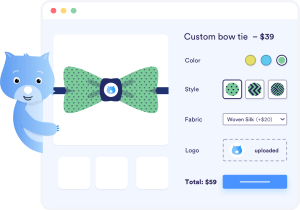
Advanced Product Fields (APF) comes with over 18 different field types you can use to set up a product configurator in your WooCommerce shoe store. These field types include text boxes, image swatches, color swatches, checkboxes, radio buttons, and advanced fields like file uploads.
This means you can simply create a unique WooCommerce shoe product as your base. Then, let customers fully personalize their shoes using various options you provide.
By offering customers this new product customizer, they can:
- Customize different parts of the shoe (vamp, back tab, toe, sole, laces, logo).
- Mix and match different colors and styles you offer visually.
- Upload their own logo or artwork for printing (if this is a service you offer).
- Add custom text like initials or short messages (for things like gift wrap).
- See price updates when they select premium options.
- Preview their own shoe as they build it live on the screen before adding it to their cart.
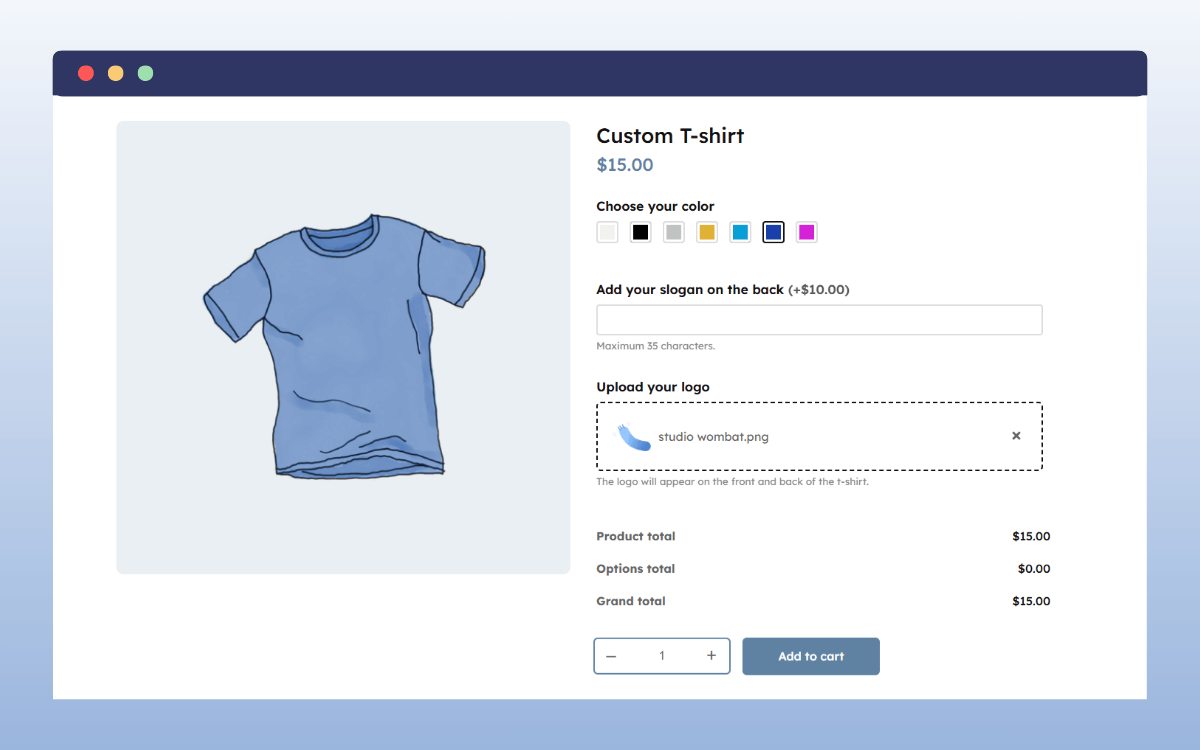
When your customers engage with your products this way, their shopping experience becomes fun, interactive, and enjoyable. This kind of customization experience can build a stronger connection to your shoe brand.
Quick tip: Use color swatches to show different color options visually. You can also use image swatches to show different materials, sole types, or pattern options. You can even enable an automatic zoom-in on image swatches on hover to help buyers decide quickly.
Start selling custom shoes in your WooCommerce store with Advanced Product Fields for WooCommerce.
Find out moreSpecialized add-ons to help you boost your personalized shopping experience
To build a WooCommerce custom product configurator that can deliver the desired user experience, Advanced Product Fields WooCommerce offers additional add-ons to help.
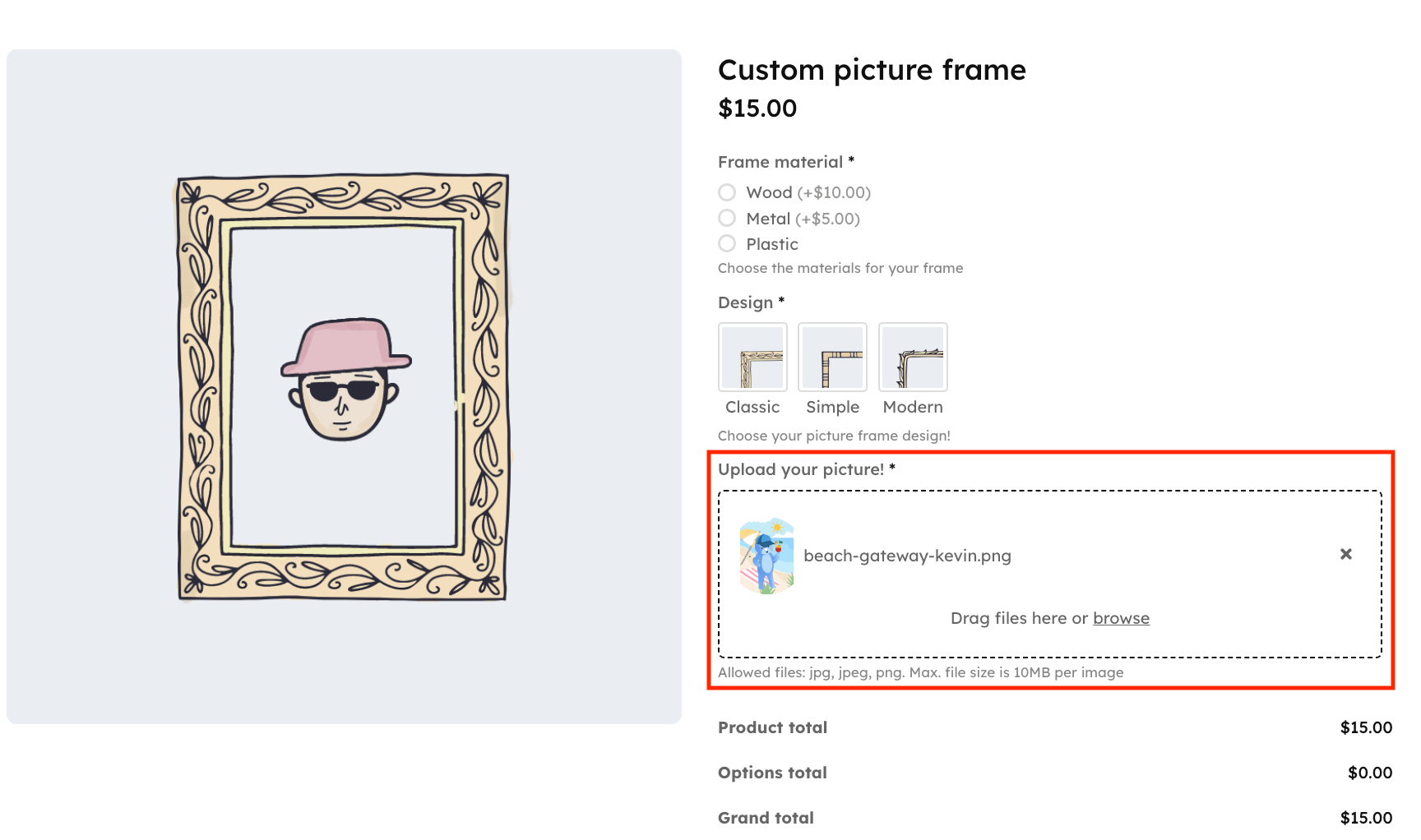
These tools include:
- Image uploads. For instance, when you allow customers to upload a design to be printed on a t-shirt you sell alongside your sneaker, you can let them edit the image by themselves. They can crop, rotate, flip, and resize their uploaded images right on your product pages.
- Live Content Preview. Ideally, you want to make sure that after a customer uploads an image or enters custom text, they can instantly preview how it will appear on the product they are configuring. For this, you will need this add-on to ensure that the featured image updates (in real-time) based on the product option your customer selects.
- Layered images. This is the best feature to use when you want customers to change the design of different parts of a shoe, such as the sole, laces, or logo. It allows you to upload separate image layers for each part of the shoe. When a customer picks a color or design, the layers stack on top of each other to show them a real-time preview of their custom creation.
You can find these add-ons on the Advanced Product Fields add-ons page. This includes add-ons for pricing, like ACF integration.
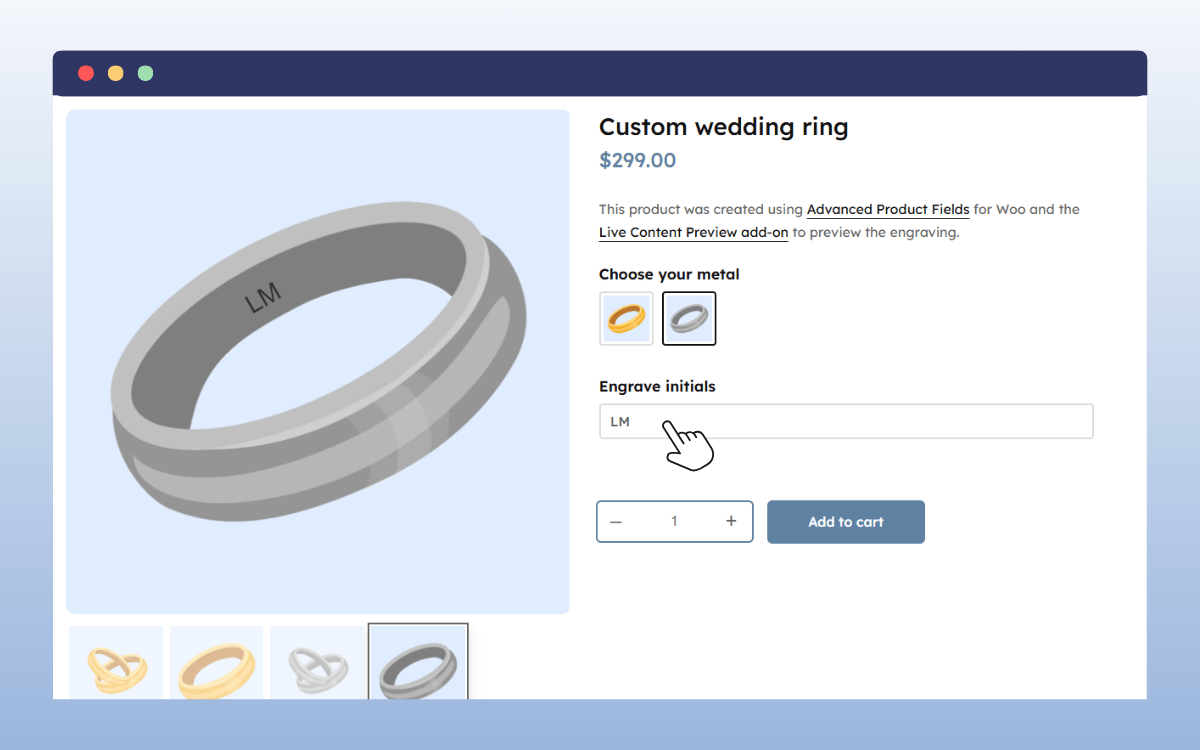
Since customizable products have different pricing requirements than regular products, APF lets you replace WooCommerce’s default price label with a custom one. As customers customize their products, the final price will be calculated automatically based on the customization options they select.
How do you price and manage shoes in an online store?
The following are factors you should consider when calculating your retail prices:
- Cost of materials used. For instance, leather, suede, mesh, or synthetic materials all cost different amounts.
- Construction method. Shoes that are stitched or handmade cost more than those that are mass-produced.
- Labor and production location. If you manufacture in a foreign country, that can increase the retail cost.
- Brand positioning. Premium shoe brands tend to charge more because of perceived value.
- Wholesale and retail markup. If you manufacture for $40, the final retail price is often several times higher to cover distribution, marketing, and profit.
When pricing your shoes, calculate your true costs first. Then decide your margin. Don’t just copy competitors. Make sure every sale covers production, shipping, fees, and leaves room for profit.
How you price your shoes will determine whether you make money or struggle with thin margins.
Store management:
You can’t talk about pricing without mentioning store management. Those two are closely connected. If you want to maximize your profits, you’ll want to:
- Keep track of your inventory. For example, each variation is its own stock unit. If the size 20 in black is sold out, you may want to update your e-commerce site to reflect that immediately.
- Plan new releases carefully. If you launch limited drops, seasonal styles, or add new products, make sure to manage the quantities and timing well.
- Update pricing when costs change. If material or shipping costs increase, your prices may need to be adjusted. Don’t absorb rising costs without reviewing margins.
- Always study your sales data to avoid overstocking slow-moving sizes. If certain sizes or styles don’t sell quickly, you can adjust future orders.
Essentially, when your inventory, pricing, and product updates are managed properly, it becomes much easier to grow your e-commerce business.
FAQs about how to sell shoes online
Is WooCommerce good for selling shoes online?
WooCommerce is the best platform for selling shoes if you want a lot of flexibility to customize your online shoe store. Because it’s open-source, you’ll find various extensions to improve the user experience, your store’s visibility, marketing, and more. Besides, it’s free to start on this platform, and there are no transaction fees.
Can you sell custom shoes through an online store?
Yes, you can sell custom shoes online by offering customers a range of customization options to personalize their shoes. The customization options you offer depend on the level of personalization you want to provide.
How important are product images when selling shoes?
Shoes are heavily visual products. When you sell them online, you need several high-quality images that showcase your shoes from different angles. This gives customers a complete 360° view of the shoe. When they can zoom in on smaller details like the materials, it closely mimics the exact experience they get in a physical retail store.
Do you need plugins to sell shoes online effectively?
Whether you’re using WooCommerce or Shopify, you’ll eventually need plugins to structure your product pages accordingly, manage stock and sales, do marketing campaigns like email, influencer, or social media marketing, and more.
Start selling shoes online with the right tools
To sell shoes online successfully, you need to choose the right platform. What makes WooCommerce the best e-commerce platform to sell shoes isn’t just the flexibility it offers. It has an extensive plugin library and features to help you build, improve, manage, and scale your shoe business.
For example, if you want customers to build their own shoes directly on your product pages, you can easily extend your site with additional product configuration fields. This lets customers create a unique version of the product when shopping in your online store.
We recommend the Advanced Product Fields for WooCommerce plugin as the best solution to offer this kind of experience. It offers an intuitive way of setting up configurable products on your WooCommerce store, even if you’re not very tech-savvy.
Plus, you’ll get add-ons to build a complete WooCommerce custom product configurator depending on your needs.
Ready to start selling custom shoes online in WooCommerce? Get Advanced Product Fields for WooCommerce to help.
Start selling custom shoes in your WooCommerce store with Advanced Product Fields for WooCommerce.
Find out more