Your first sale rarely covers the cost of acquiring that customer. The real profit comes from convincing them to return, but that can be a very complicated process.
Many owners reduce retention to a mere marketing problem – something you can solve with better emails or bigger discounts. However, it’s much closer to an architectural problem.
What does that mean? Well, when your checkout process creates unnecessary friction, customer data sits scattered across multiple plugins, and discount rules contradict each other, no amount of promotional emails will build lasting loyalty. Your store’s foundation needs to support retention from the ground up.
This guide cuts through the noise. You’ll learn which metrics actually predict customer behavior, which retention strategies deserve your attention first, and how to configure your WooCommerce tools so they work together instead of against each other.
Key metrics to track
Customer Lifetime Value sounds impressive in strategy meetings, but it won’t tell you what’s broken right now. You need leading indicators that show whether your retention efforts are actually working this month.
Track all 5 of these metrics monthly with the tool of your choosing. In our examples below, we will show you how that looks in tools like Meteorik and Users Insights, but you can use whichever tool fits your needs best!
The important thing is that you don’t skip any of them because improving one while letting others slide creates the illusion of progress, and your retention strategy quietly fails.
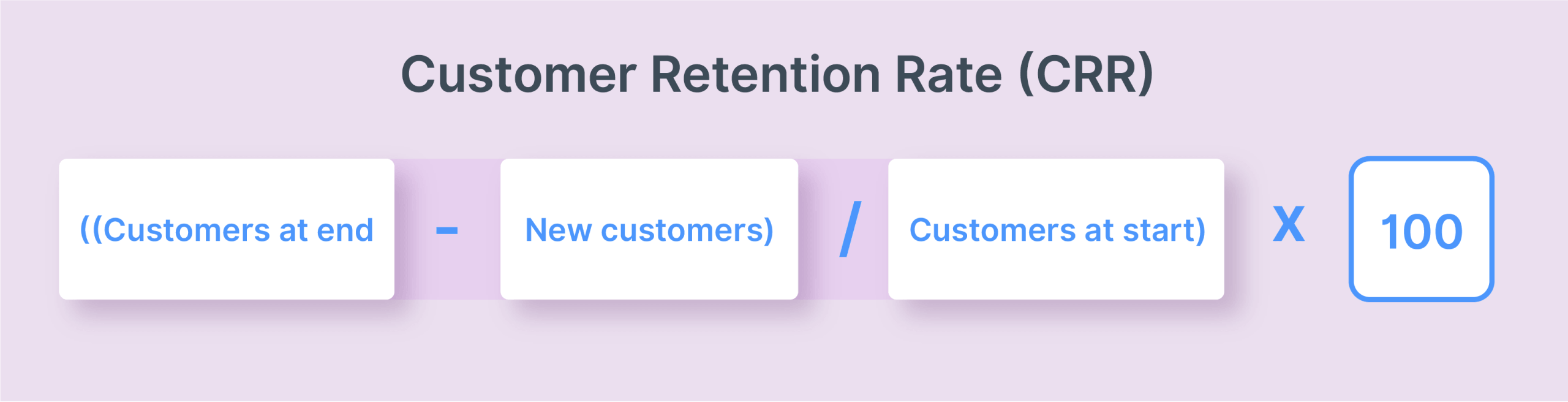
Customer Retention Rate (CRR)
This measures the percentage of customers who stick around over a specific period.
Formula: ((Customers at end − New customers) / Customers at start) × 100
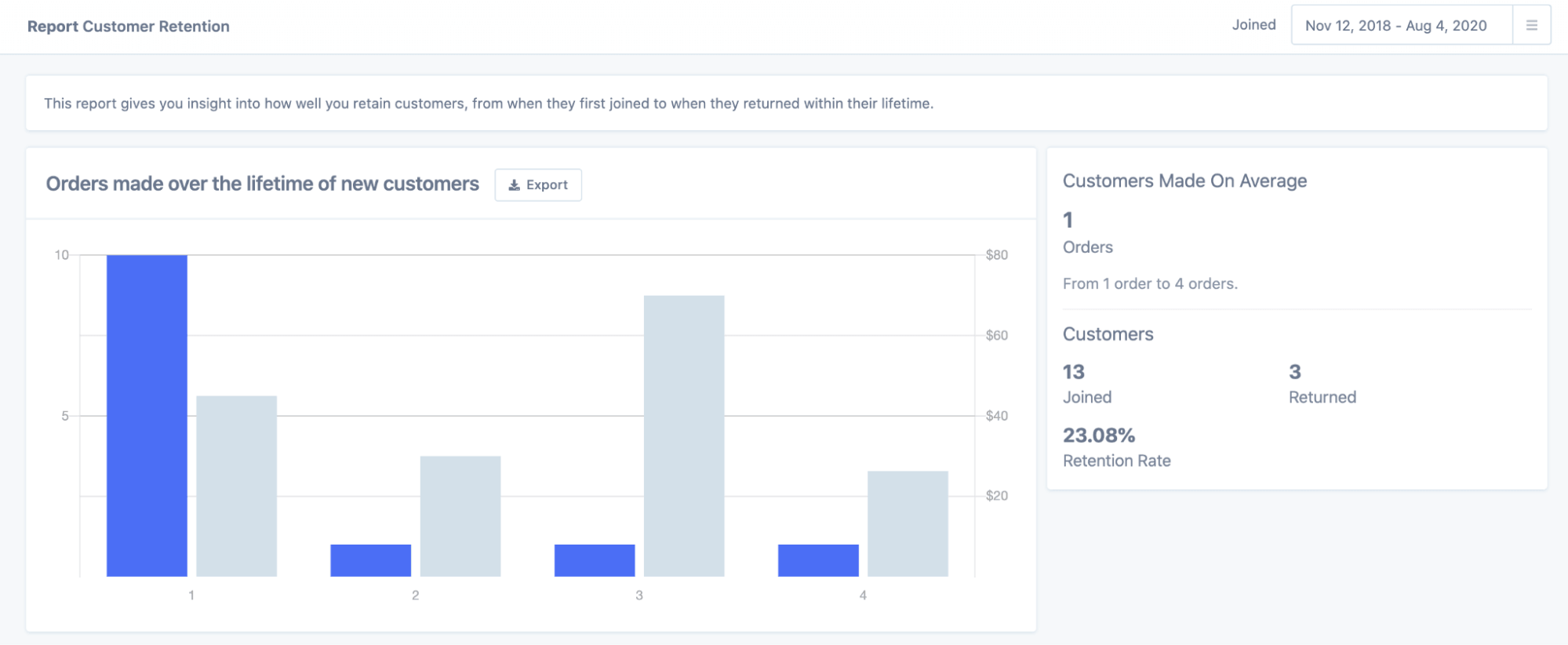
Find it in Metorik under the Customer Retention Report, or calculate manually from WooCommerce Reports if you’re working with native tools.
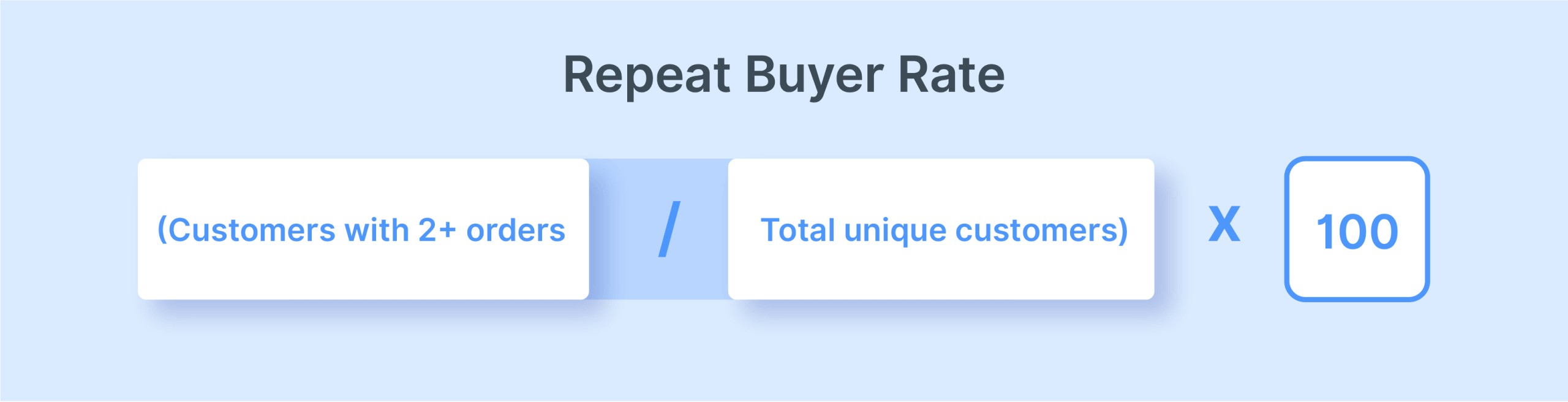
Repeat buyer rate
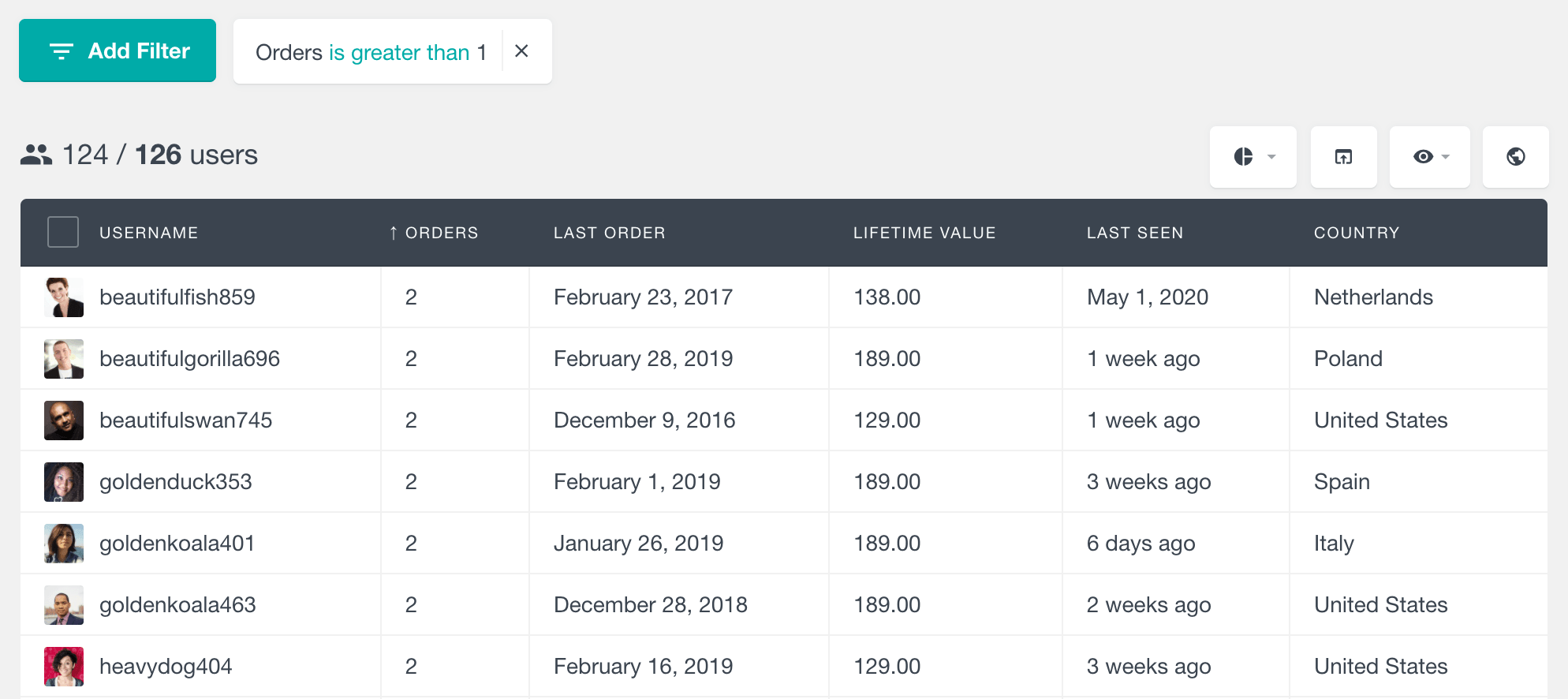
The percentage of your customer base that has come back for a second purchase. You may also see this called “repeat purchase rate” or “repeat customer rate” – all 3 terms refer to the same calculation.
Formula: (Customers with 2+ orders / Total unique customers) × 100
Users Insights lets you filter by “Order Count > 1” to see this instantly. Metorik offers similar segmentation options.
Purchase frequency
How often the average customer buys from you.
Formula: Total orders / Total unique customers
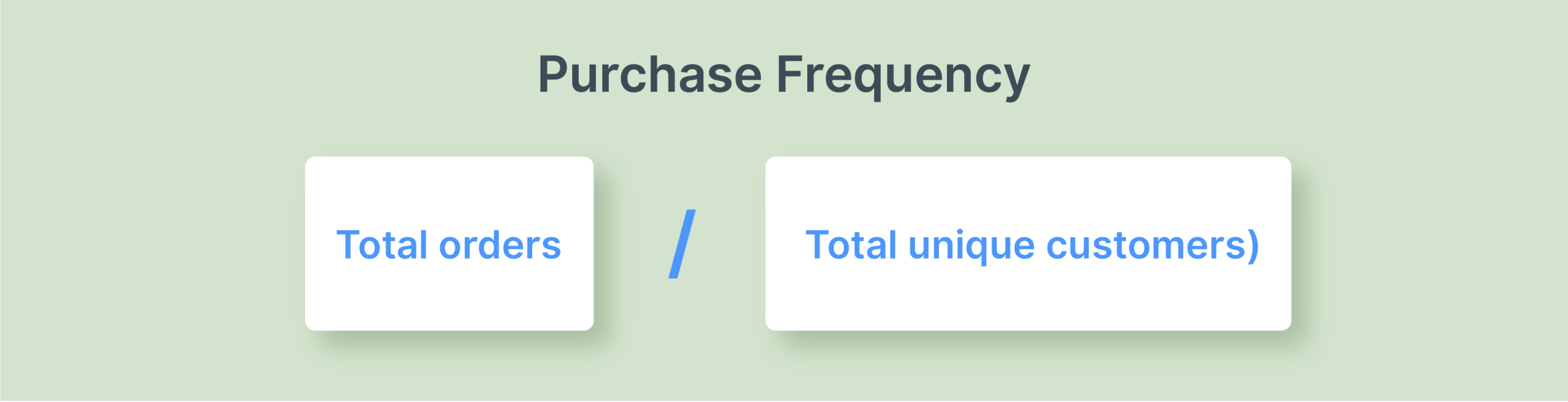
Before you pull this number, check how your tool defines “total unique customers.” Some platforms count only customers who placed at least 1 order in the period. Others count your entire customer base, including those who didn’t buy. The denominator you use changes the result significantly, so keep it consistent month to month.
You’ll find this in WooCommerce Analytics or on your Metorik dashboard.
Average Order Value (AOV)
The average amount customers spend per transaction.
Formula: Total revenue / Number of orders
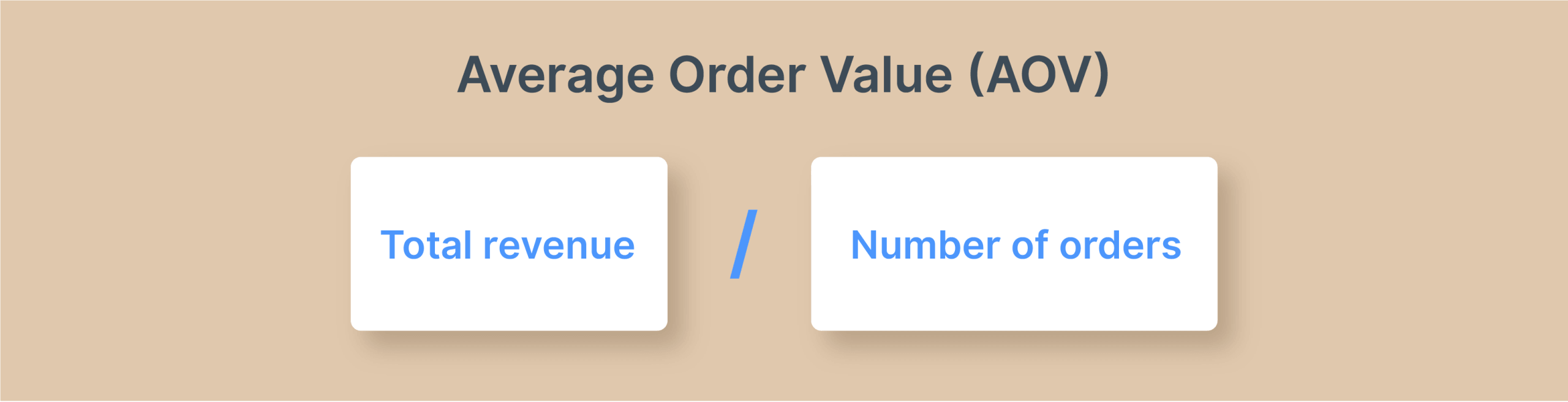
This is usually one of the important metrics to track and can be easily found in the main dashboard of your analytics tool. It might also be called Average Lifetime Value.

Churn Rate
The inverse of retention – customers who have stopped buying.
Formula: (Customers lost during period / Customers at start of period) × 100
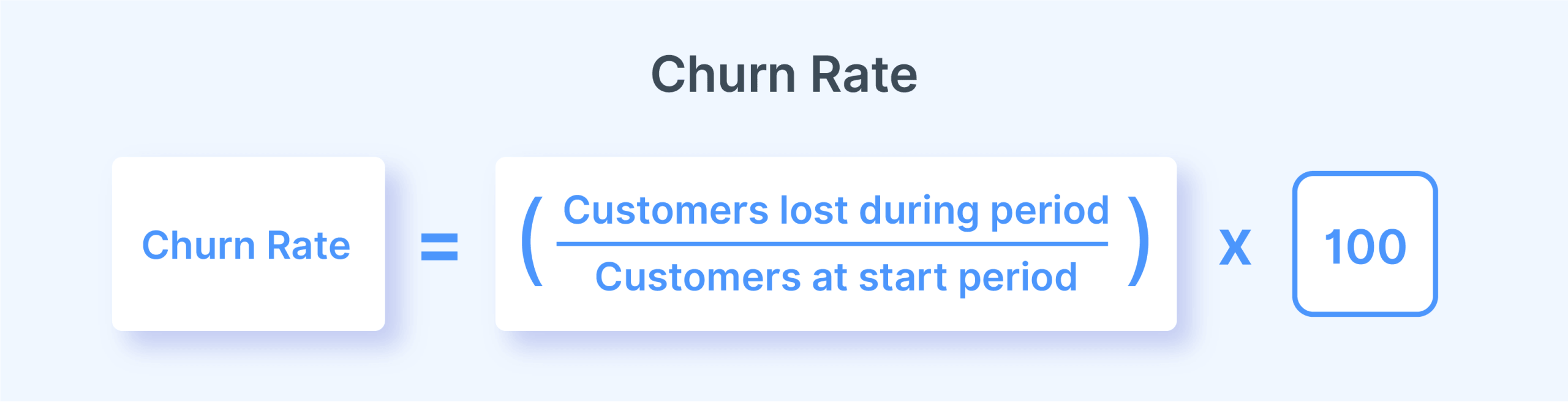
The simplest proxy is 100 − CRR, which works well if you’re already tracking retention rate. For a more granular view, manually identify customers with no purchases in the last 90+ days. Besides that, what counts as “churned” depends on your store’s typical purchase cycle – a furniture store and a coffee subscription operate on very different timelines.
Tools that actually help
WooCommerce Analytics is free and shows basic customer counts and order frequency. It gives you a high-level new vs. returning customer split. But you’ll hit limitations fast. There’s no segmentation, no cohort analysis, and you’ll be calculating retention rates manually.
For stores processing 100+ orders monthly, you can give either one of these tools a try:
- Metorik (starting at $75/month) provides dedicated retention dashboards and automated reports. It also offers a 30-day trial, so you can easily see whether it fits your needs.
- Users Insights ($139 for the first year and 30% discount for renewal) works natively in WordPress and excels at customer behavior filtering without recurring fees.
Why retention matters more than acquisition
Let’s run the numbers on a typical WooCommerce store. Your customer acquisition cost (CAC = the dollar amount you spend to gain a customer) sits around $40. Average profit per order comes in at $15.
Here’s what your profit curve actually looks like:
- First sale: -$25 (you’re in the red)
- Second sale: -$10 (still losing money)
- Third sale: +$5 (finally breaking even)
- Fourth sale: +$20 (actual profit)
Your specific numbers will differ, but the pattern stays the same. Acquisition costs devour your early profits, and you don’t make real money until customers return.
Want to learn more about sales? Read our guide on sales growth strategies for more on building a profitable customer base.
The math gets better with each purchase
Research found that boosting retention rates by just 5% can increase profits between 25-95%, depending on your business model.
Retained customers create a compounding advantage:
- Zero acquisition cost on subsequent purchases
- Higher purchase frequency as trust develops
- Larger average order values over time
- Organic referrals that bring in new customers at no cost
This is why the 5 metrics from the previous section matter so much. You can’t fix what you can’t measure. Those numbers show exactly which retention tactics are driving results and which ones are burning resources for no return.
Building a customer retention system that works
Most retention guides jump straight to email sequences and loyalty programs. That’s backwards in our opinion!
You can’t email or discount your way to loyalty when your checkout creates friction, customer data sits in 5 different places, and support tickets take 3 days to answer. In our opinion, retention starts with architecture, not tactics.
The basics must work first, then the core strategies, and only then can advanced tactics be effective.
Basic retention strategies
1: optimize checkout and site speed
A slow, complicated checkout doesn’t just lose the current sale. It may stop future purchases, because customers remember the frustration and blame your brand.
For example, 19% of shoppers abandon their carts when forced to create an account before checkout. The fix: Make guest checkout the default option and offer account creation after purchase is complete.
Once you’ve done that, move on to some small but important fixes:
- Strip your checkout down to the very essential fields only.
- Add multiple payment methods, including PayPal, Apple Pay, and Google Pay.
- Optimize your page load times. Ideally it sits around 1 second but under 3 seconds on mobile devices is also a good win.
CheckoutWC ($149/year for the basic pack) rebuilds the entire checkout experience to reduce friction. Nitropack ($18.00/mo) offers the full site optimization pack: caching, image optimization, JavaScript and CSS, and other performance optimizations automatically.
Don’t forget that your product pages need optimization too – customers can’t complete checkout if they never add items to their cart.
2: Centralize customer data
WooCommerce spreads customer information across its core database, analytics dashboard, order notes, and whatever email platform you’re using. This fragmentation makes proper segmentation impossible.
You can’t send targeted campaigns when half your customer data lives in one system, and the other half sits somewhere else.
Pick one analytics tool as your single source of truth and make sure your email platform syncs properly with WooCommerce so customer segments stay current.
3: Establish service standards
Poor customer service ranks among the top reasons customers never return. Research consistently shows that positive service interactions correlate strongly with repeat purchases.
To avoid that, you must set concrete standards:
- Ideally, email responses within 24-48 hours. When users contact you, send an automatic email giving them a rough idea of when you’ll reply.
- Return windows of 30-60 days with prepaid shipping labels
- Proactive communication about order status and any delays
- Easy returns to remove purchase risk – when customers know they can return items without hassle, they’re more likely to buy again.
Essential retention workflows
Once the basics are solid – fast checkout, centralized data, responsive support – you can layer in the communication and incentive systems that actually drive repeat purchases.
4: Deploy automated email flows
Manual email campaigns don’t scale, and they miss critical timing windows. Automation ensures every customer gets the right message at the right moment.
Set up these 5 essential flows:
| Flow | Purpose | Expected impact |
|---|---|---|
| 1. Welcome | First-order discount for new subscribers | Converts browsers to buyers |
| 2. Abandoned Cart | Recover incomplete purchases | 10-15% recovery rate |
| 3. Post-Purchase | Drive the critical second order | Shortens time to repeat purchase |
| 4. Win-Back | Reactivate dormant customers | Brings back 5-10% of inactive list |
| 5. Birthday | Annual personal touchpoint | Higher open rates, goodwill boost |
However, these flows can decay without regular testing. Review them quarterly and refresh subject lines, offers, and timing based on open rates and conversion data.
- Retainful handles all 5 flows and stays free for up to 500 emails monthly (paid plans start at $14/month).
- AutomateWoo ($159/year) gives you more complex trigger options if your workflows need conditional logic based on purchase history or customer behavior.
5: Implement strategic discounts
Manual coupon codes create unnecessary friction – customers have to remember them, find them, and type them correctly at checkout. Worse, when multiple codes stack unexpectedly, your profit margins evaporate.
Automatic discounts solve both problems. They apply without codes and include clear stacking controls so you never accidentally combine offers that shouldn’t layer together.
Focus on discount types proven to drive repeat purchases: Role-based pricing for VIP customers, quantity discounts that reward larger orders, BOGO deals that introduce customers to new products, and free shipping thresholds that boost average order values.
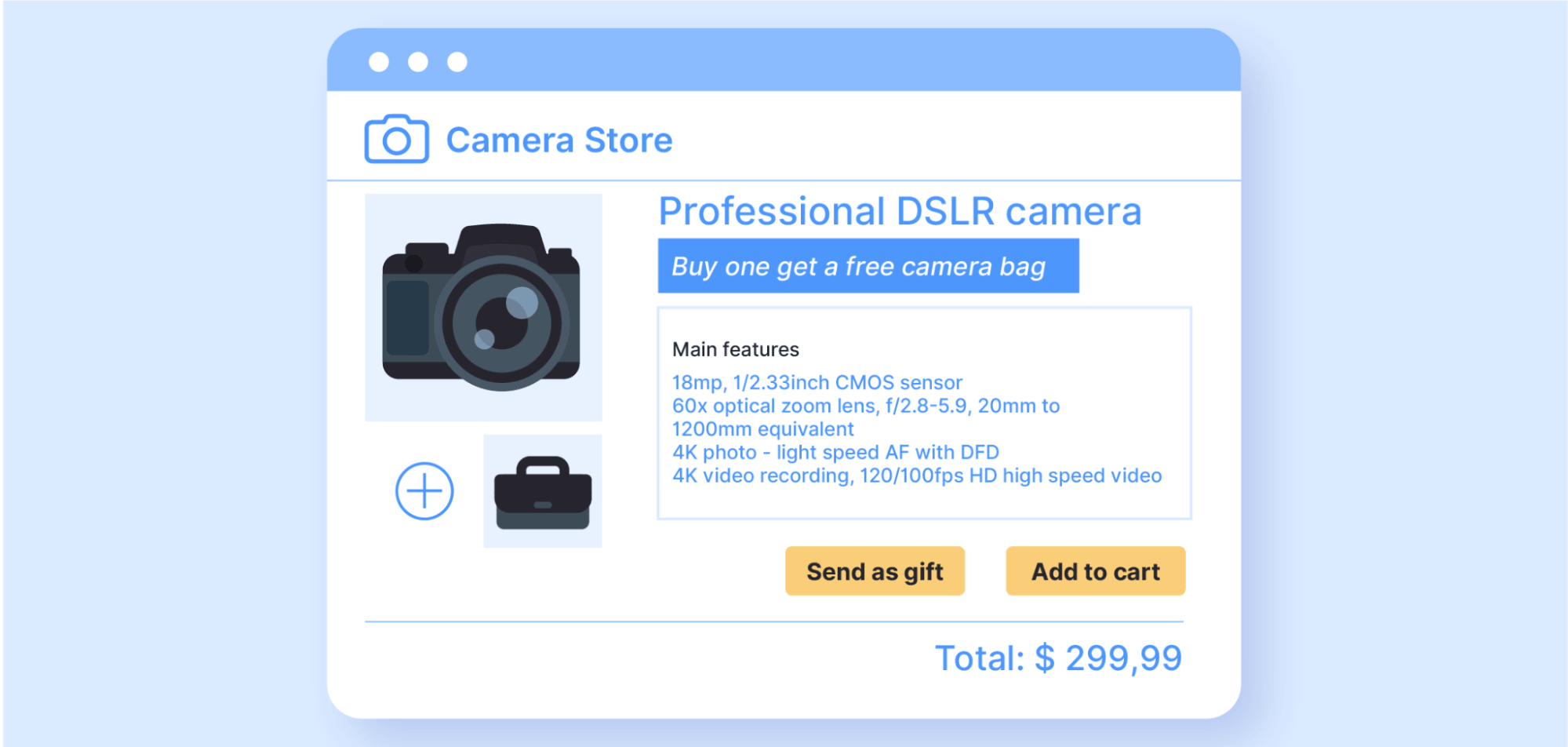
WooCommerce Discounts ($49/year) calculates these automatically with full stacking control. Pair it with Retainful for email delivery and WPLoyalty for points-based rewards if your store needs a full loyalty program.
Advanced customer retention strategies
Speaking of loyalty programs, let’s see how you can use them alongside personalization to make retention even easier.
6: Build loyalty programs (when margins allow)
Loyalty programs work by creating switching costs. When customers accumulate points, cashback, or VIP status with your store, shopping elsewhere means losing that value.
This strategy works best when you have:
- Healthy profit margins that can absorb reward costs
- Frequent purchase cycles (customers return monthly or quarterly)
- Direct competitors that customers actively compare you with
Skip loyalty programs if:
- You’re operating on thin margins
- Customers buy once or twice a year
- You’re running solo without time for program management
As we mentioned, WP Loyalty is a great choice, but if you want to look at some solid alternatives, here are the best loyalty plugins that we’ve tested.
7: Add personalization (when data volume justifies)
Product recommendations and segmented email campaigns based on purchase history can boost average order values – but only when you have enough data to make those recommendations meaningful.
Personalization makes sense when you have:
- Large product catalogs where recommendations help discovery
- Sufficient order volume to identify statistically significant patterns
- Team capacity to build and maintain customer segments
Don’t bother if:
- Your catalog is small enough for customers to browse everything easily
- Order volume is too low to reveal useful patterns
- You’re running solo without time for ongoing segment maintenance
How to start simple:
- Use Users Insights or Metorik to create basic segments like “customers who bought X” or “hasn’t purchased in 90 days.”
- Test one segment with a targeted email campaign.
- Measure results before expanding to more complex segmentation.
- Add Jetpack CRM for customer-specific notes if your support team needs to reference past interactions.
Start implementing effective retention strategies today
Customer retention in WooCommerce isn’t a single tactic you can bolt onto your store (as much as we’d like that to be true). It requires intentional architecture: Measurement systems that show what’s working, a friction-free foundation, and core strategies that reinforce each other instead of conflicting.
Start with your 5-metric scorecard to establish your baseline.
- Fix the foundation first – optimize checkout, centralize your data, and set service standards.
- Deploy your core retention engine with automated email flows and a discount architecture that applies rules automatically.
- Only then should you layer on advanced strategies like loyalty programs and personalization.
Remember: Most WooCommerce stores lose money on the first order. Retention is where profit actually gets made.
WooCommerce Discounts handles the discount rules engine role in this system. Discounts apply automatically without coupon codes, customers see clear messaging about what they’re saving, and stacking controls prevent unintended margin erosion.
Start building your retention architecture with the tools that actually work together.
