
Running a storewide sale in WooCommerce sounds simple until you realize the native coupon system forces customers to remember and enter codes at checkout. That friction costs conversions.
So, you’ll need a plugin to make things easier for your customers. But choosing can be a pain. Do you want coupon-based promotions with shareable codes and trackable attribution, or automatic discounts that apply transparently without requiring customers to do anything?
This guide will help you answer that question. We’ll cover plugins that apply percentage or fixed discounts across your entire store or for specific categories only. You’ll learn which approach fits your store, which plugin executes it properly, and how to test your setup so your sale doesn’t crash your site during peak traffic. Let’s get started.
What native WooCommerce handles for storewide sales
WooCommerce gives you 2 basic paths for running sales: Bulk and individual sale price editing or creating coupon codes. Both work for simple promotions, but they hit limitations fast.
Changing product sale prices
Default WooCommerce lets you apply discounts directly to products, whether individual ones or in bulk. If you want to do this for a specific product, go to its settings – specifically the Product data section, and enter your sale price:
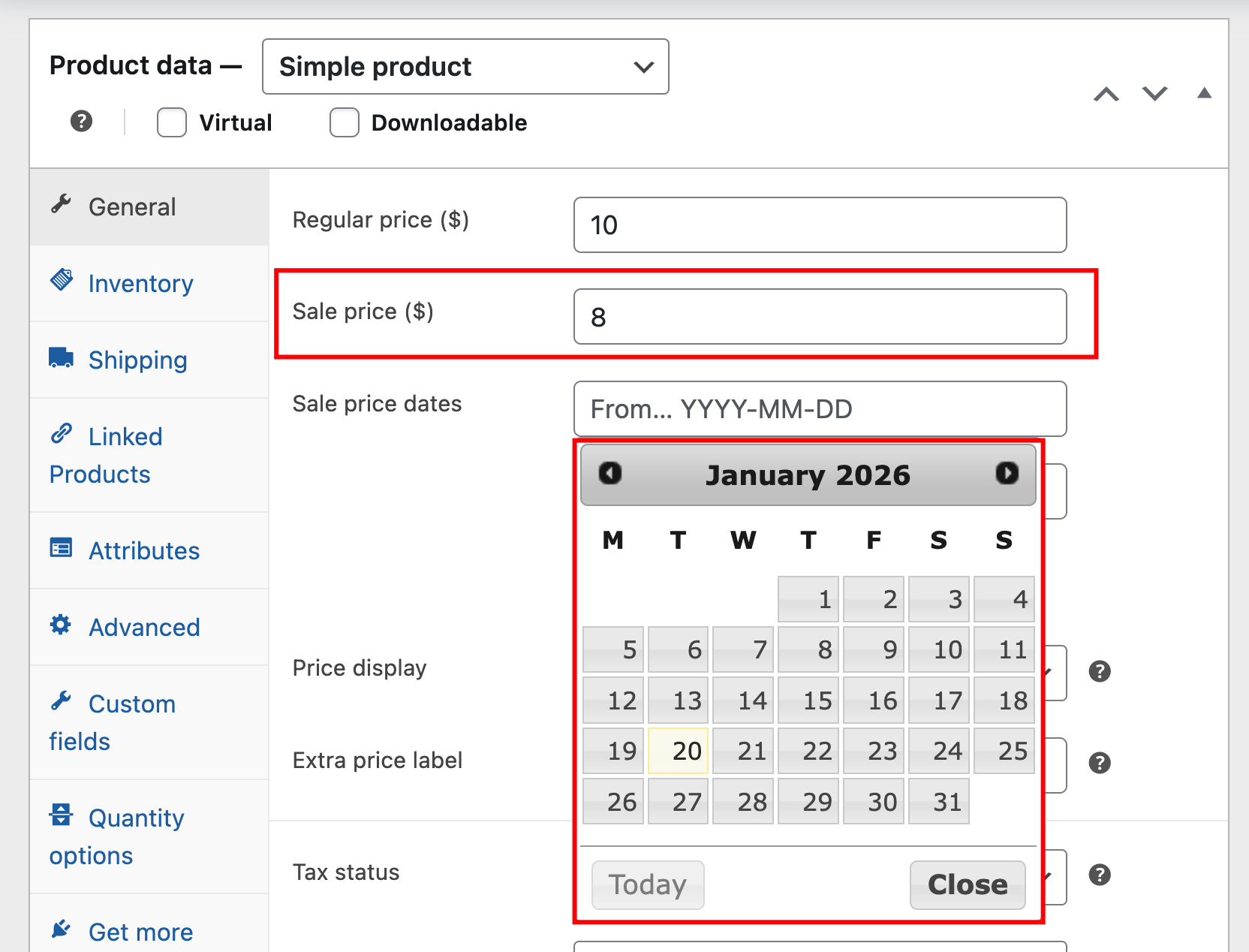
If doing it 1 by 1 gets too much (or too annoying), you can change WooCommerce product sale prices in bulk:
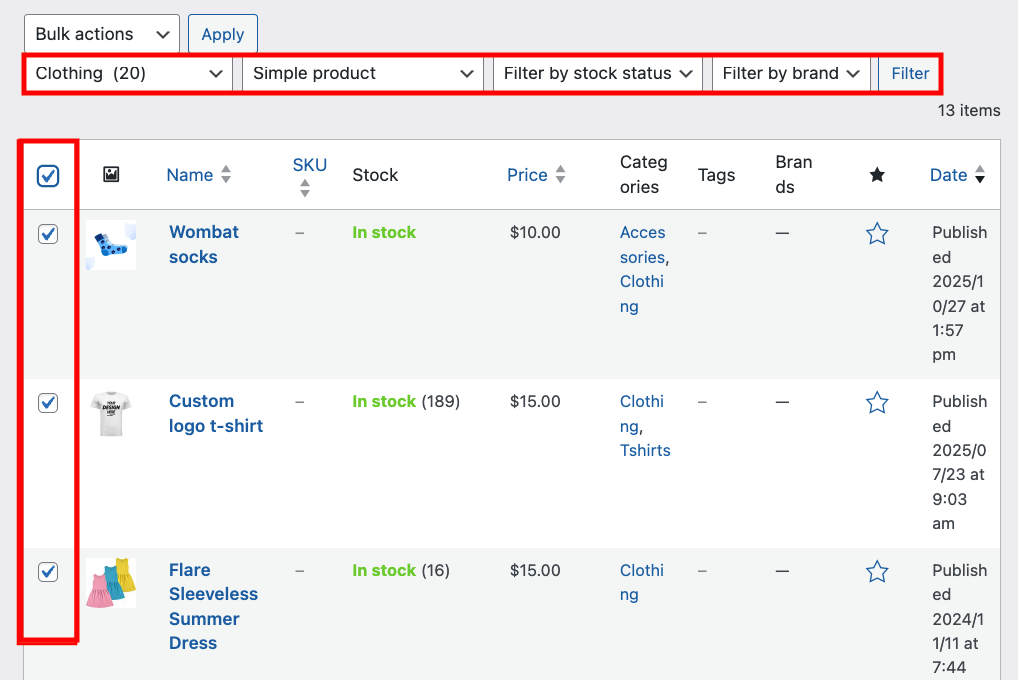
- Navigate to Products and select the items you want to put on sale. You can filter by product type, category, stock status, or brand beforehand.
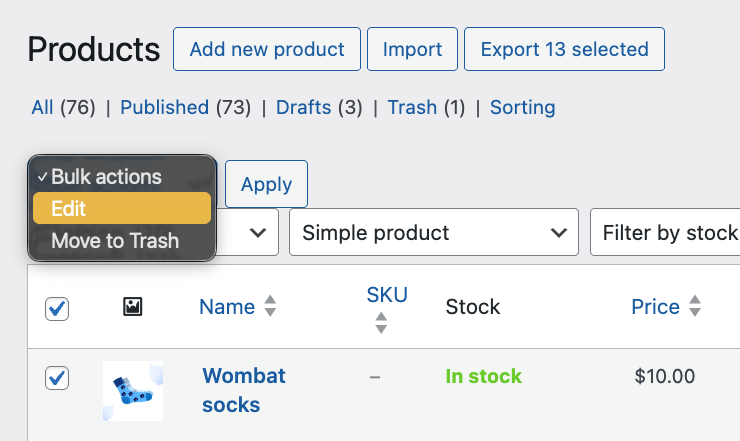
- Click on the Bulk Actions menu and change it to Edit .
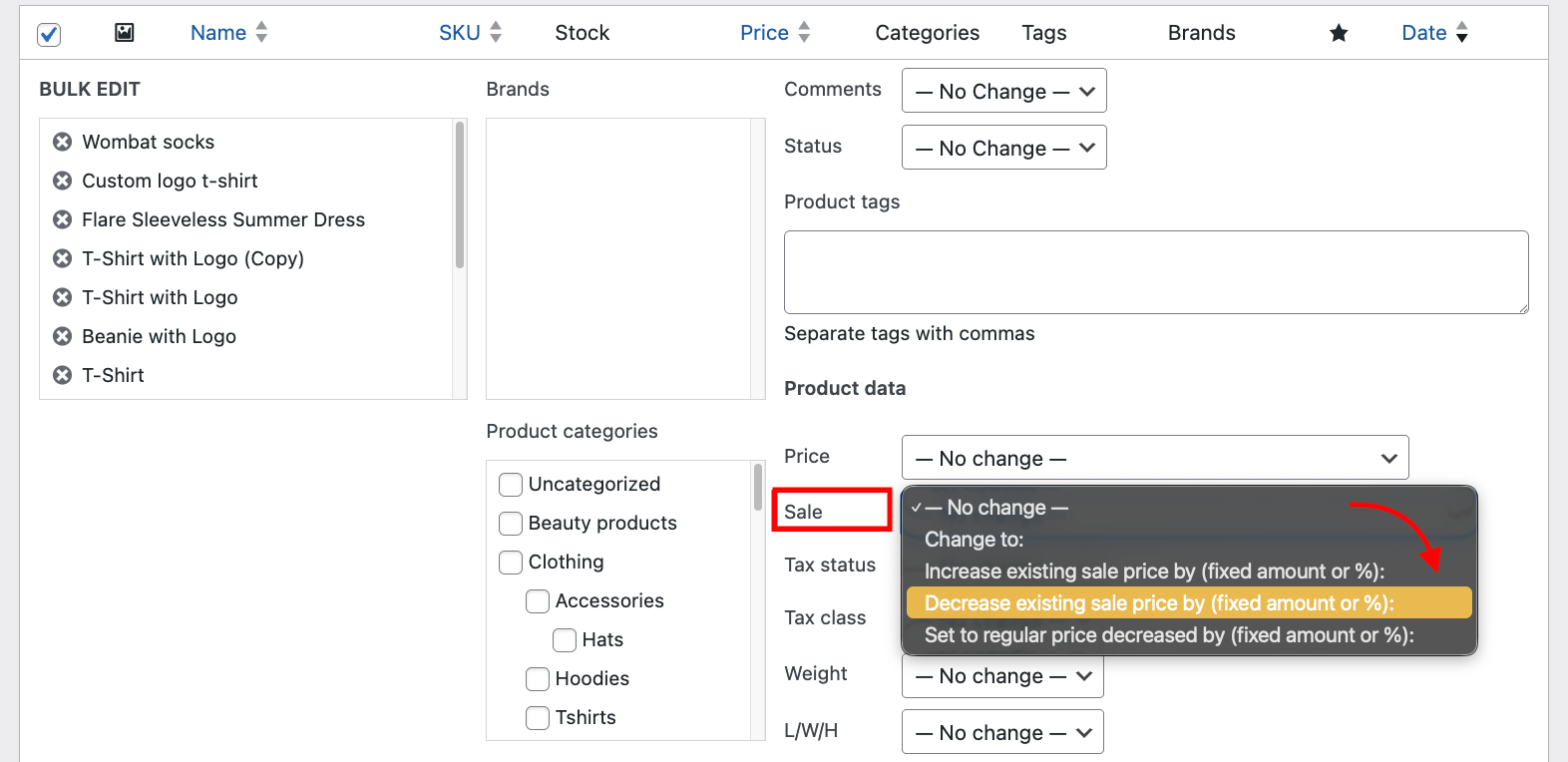
- In the Product data tab, click on the Sale dropdown menu and set a sale price.
- Click update, and you’re done!
⚠️Warning! You can’t schedule the sale while editing prices in bulk. You can only do that for individual products.
Using WooCommerce discount coupons
Coupons offer more flexibility for storewide discounts. You can check out our WooCommerce coupons tutorial to see those in detail, but here’s the short version.
With coupons, you can:
- Create a percentage or fixed-cart discount, then restrict it to specific products, categories, or brands.
- Set minimum spend requirements, usage limits per customer, and expiration dates.
- Customers enter the code at checkout to activate the discount.
When to use a sale plugin
Both default methods are very bare bones, and even the features they do have are very limited. Here’s what we mean:
Coupons don’t work unless the customer actively uses them – meaning, you’re making the buyer’s journey even longer. And if the coupon is incomplete or wrong, they’ll abandon their carts to look for a better deal immediately. On the backend, creating coupons is tedious, and generating multiple unique ones can fill up your database, potentially slowing down the website.
Similarly, bulk sale prices require manual updates across potentially hundreds of products, and if you want to exclude specific items from a storewide sale, good luck! You’d have to go into each one individually.
The default WooCommerce sale system is also not great for more complex rules.
- You can’t set user role pricing (wholesale customers see different pricing than retail customers).
- You can’t schedule multiple product sales in the future – just individual ones.
- Want to add multiple rules, such as minimum cart amount, quantity discounts, and add free products when a condition is met? You guessed it, you can’t.
In short, native WooCommerce is great for straightforward sales promotions. Anything more complex, however, and you’ll find out just how inflexible it can be. You’ll need a plugin if you want:
- Discounts that apply automatically at checkout without requiring customers to enter codes.
- Role-based pricing where wholesale buyers see 30% off automatically, while retail customers see 15% off.
- Granular exclusions like “20% off everything except New Arrivals category and products tagged Gift Card.”
- Exact scheduling down to the minute for midnight flash sales.
- Performance optimization that won’t crash your site when 5,000 people hit your store simultaneously on Black Friday.
Finding a tool that can do all of that without breaking your store can be challenging, especially given the number of options available. You’ll need to set criteria first to ensure you’re selecting the right plugin for your store.
What are the best plugins for running a storewide sale on WooCommerce?
The plugin you choose depends less on features and more on how well it handles the specific challenges that break storewide sales: Performance under load, clear rules when discounts overlap, and making savings visible enough that customers actually notice them.
- Performance and caching: Handles your catalog size without slowing page load times. HPOS-compatible for modern WooCommerce.
- Stacking and priority: Clear rules when multiple discounts apply. Explicit priority control.
- Exclusion capabilities: Exclude categories, tags, and individual products. Control by attribute, stock status, and price range.
- Display and visibility: Automatic “You Save $X” on product pages. Clear cart pricing changes. Role-based pricing without caching conflicts.
- Setup complexity: Wizard interface vs. settings overload.
Now that you’ve got a better idea of what you might need, let’s look at some plugins that can help you run better sales promotions.
WooCommerce Discounts by Studio Wombat
WooCommerce Discounts focuses on automatic, rules-based discounts that apply without requiring coupon codes. We launched the plugin in 2024 with a specific architectural goal: To handle complex discount rules without degrading site performance.
Core capabilities:
- Storewide discounts with granular exclusions – apply 15% off everything, then exclude the Luxury gifts category and products tagged Gift basket.
- Free gifts and BOGO deals to move slow products or reward customers for large purchases.
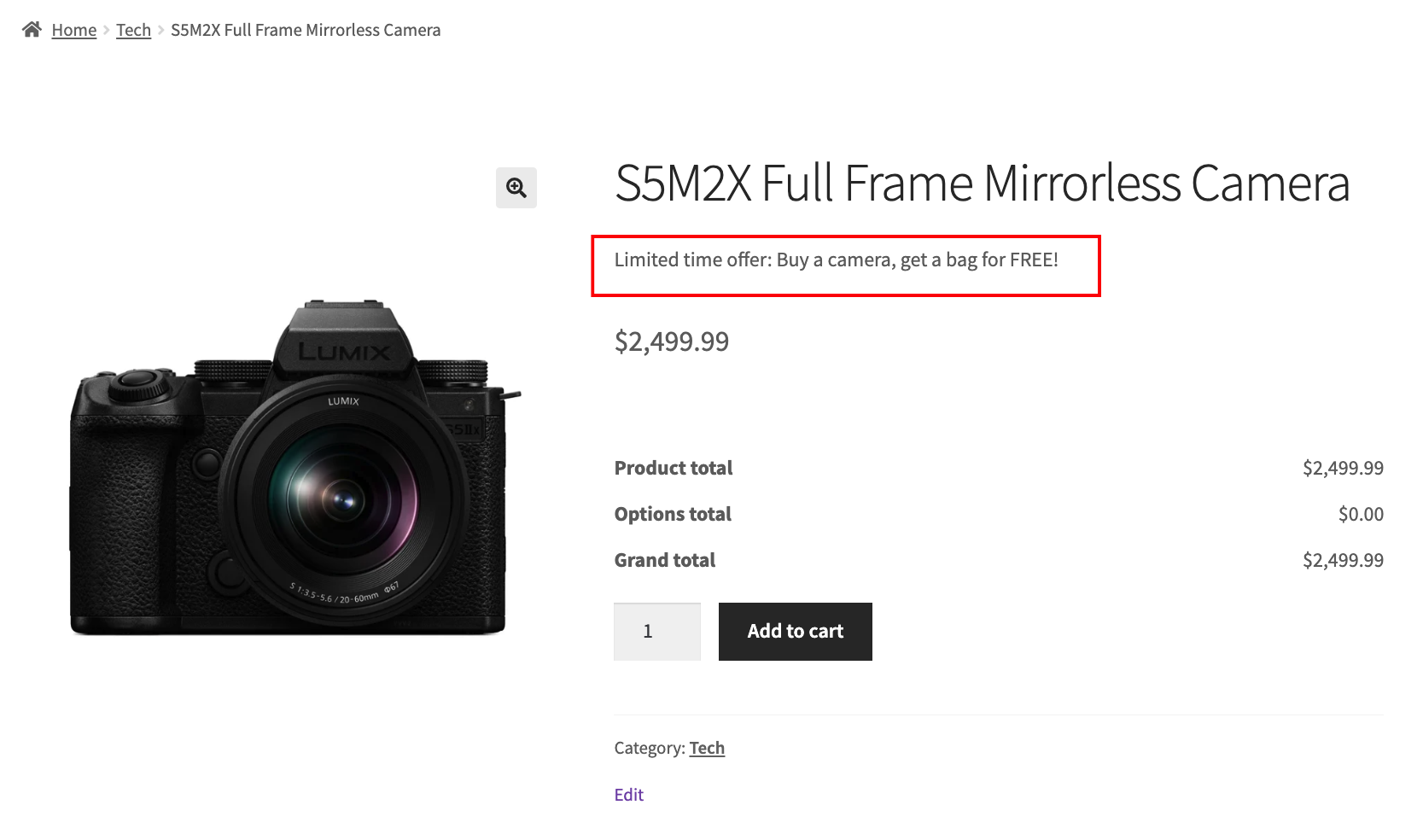
- Schedule sales with exact start and end times for midnight launches.
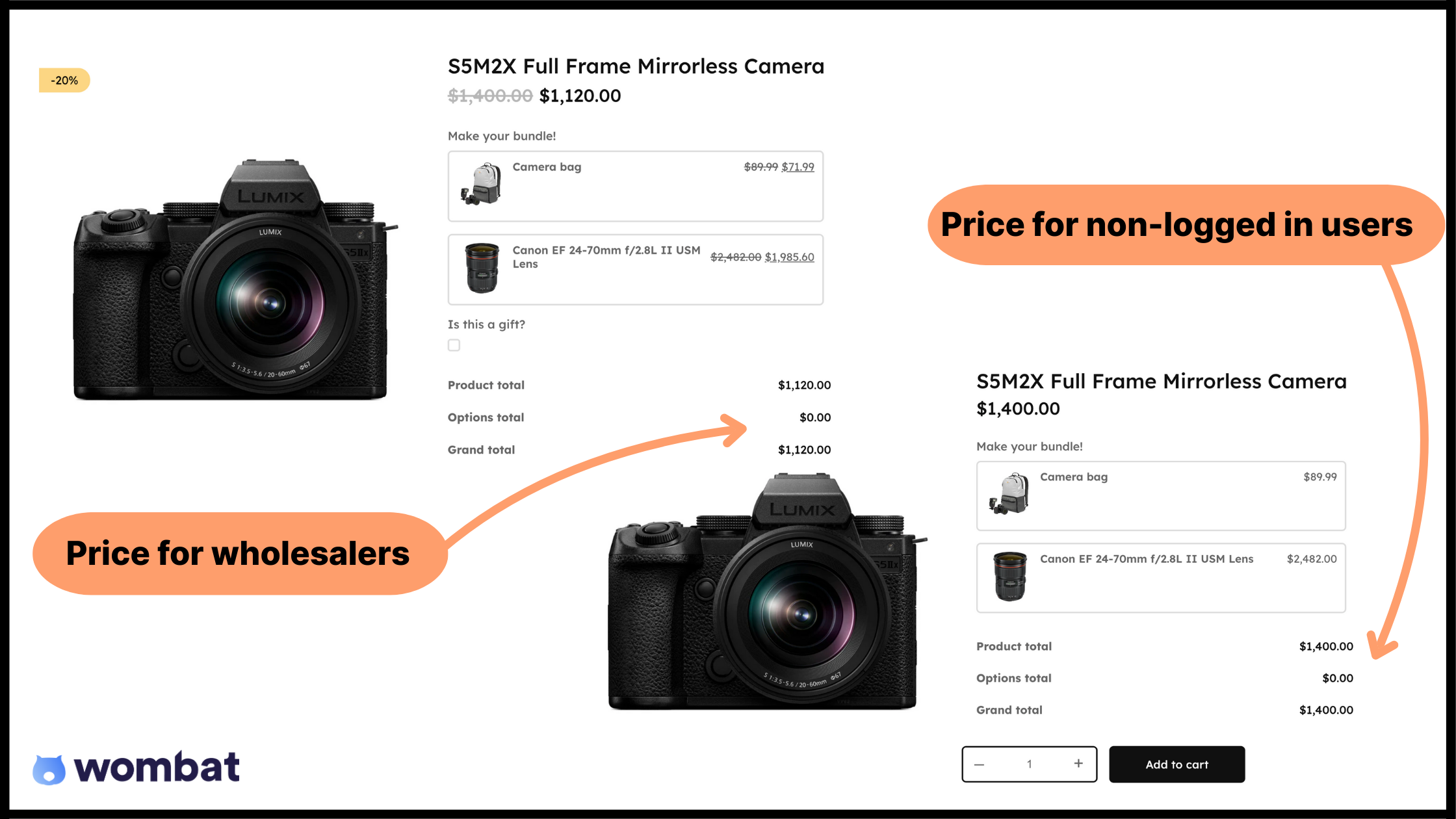
- Role-based automatic pricing means wholesale customers see 30% off while VIP members see 15% off.
- Category-wide discounts target specific collections with exclusions for individual products.
- Tiered discounts to encourage bulk purchases and cater to wholesale customers.

- Cart-based rules activate at spending thresholds like 10% off carts over $100.
Take a look at how easy it is to set up a sale with our article: “WooCommerce Product Discount Rules Setup Guide for All 8 Essential Types.”
Price: $59/year for 1 site license.
Limitations: No built-in analytics. Use WooCommerce Analytics to track performance.
Choose this when: You need customers to see their savings immediately on product pages, not just after entering a code at checkout, and want high-traffic promotional periods that won’t crash under load. Plus, role-based pricing for wholesale customers orquantity discount tiers that need to apply automatically.
Discount Rules for WooCommerce by Flycart
Discount Rules for WooCommerce by Flycart has been in the market since before 2020, accumulating over 1,000 reviews and extensive real-world testing across thousands of stores.
Core Capabilities:
- Purchase history conditions: Create rules like “20% off for customers who’ve spent $500+ lifetime.”
- Complex AND/OR logic: Handle scenarios where discounts apply only when multiple conditions are met simultaneously.
- Dual functionality: Manages both coupon enhancement and automatic discounts in one system.
Price: $85/year for one license.
Limitations:
- Interface presents many options at once, creating a steeper learning curve than wizard-based competitors.
- Complex rules with multiple conditions may require developer optimization to avoid performance impacts on large catalogs.
Choose this when: If purchase history matters for your promotions and you want to reward customers who’ve spent $500+ lifetime with automatic discounts. Your promotional strategy uses both shareable coupon codes for campaigns and automated discounts for member tiers, and you want a single system to manage both.
YITH WooCommerce Dynamic Pricing and Discounts
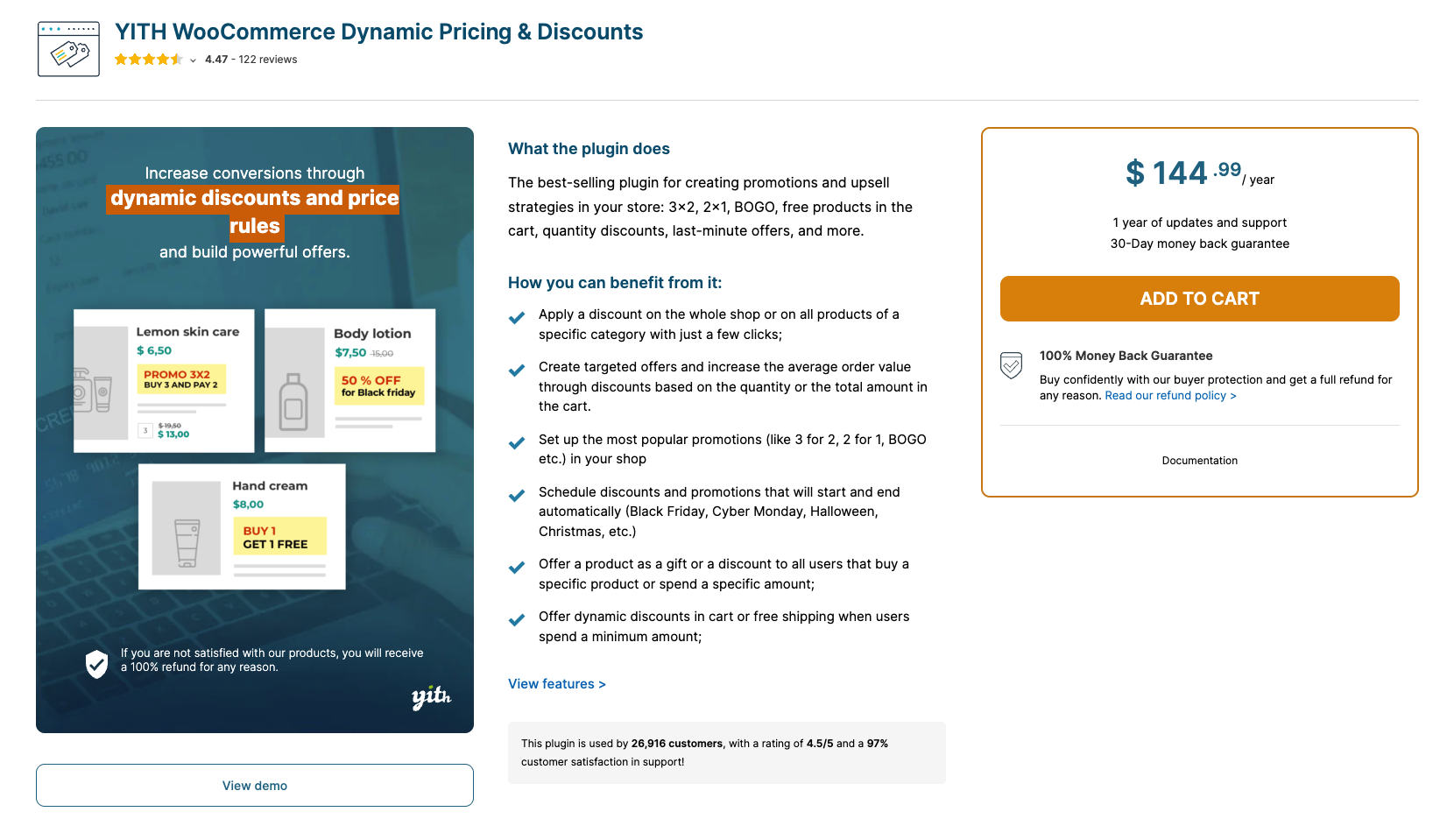
YITH WooCommerce Dynamic Pricing and Discounts integrates tightly with other YITH plugins, making it valuable if you’re already using their ecosystem for badges, brands, or memberships.
Strengths:
- Prominent pricing tables: Display on product pages showing customers exactly how much they save by purchasing larger quantities.
- Intuitive interface: Well-organized discount options that are generally easy to navigate.
- YITH ecosystem integration: Works without configuration conflicts if you’re running multiple YITH plugins for badges, memberships, or brands.
Price: $144.99/year.
Limitations:
- An annual subscription is required with no lifetime license option.
- Pricing runs higher than most competitors.
- No multi-site licensing available.
- Currency compatibility issues documented with certain third-party multi-currency plugins.
Choose this when: You’re already invested in the YITH plugin ecosystem, and seamless integration matters more than cost.
YayPricing
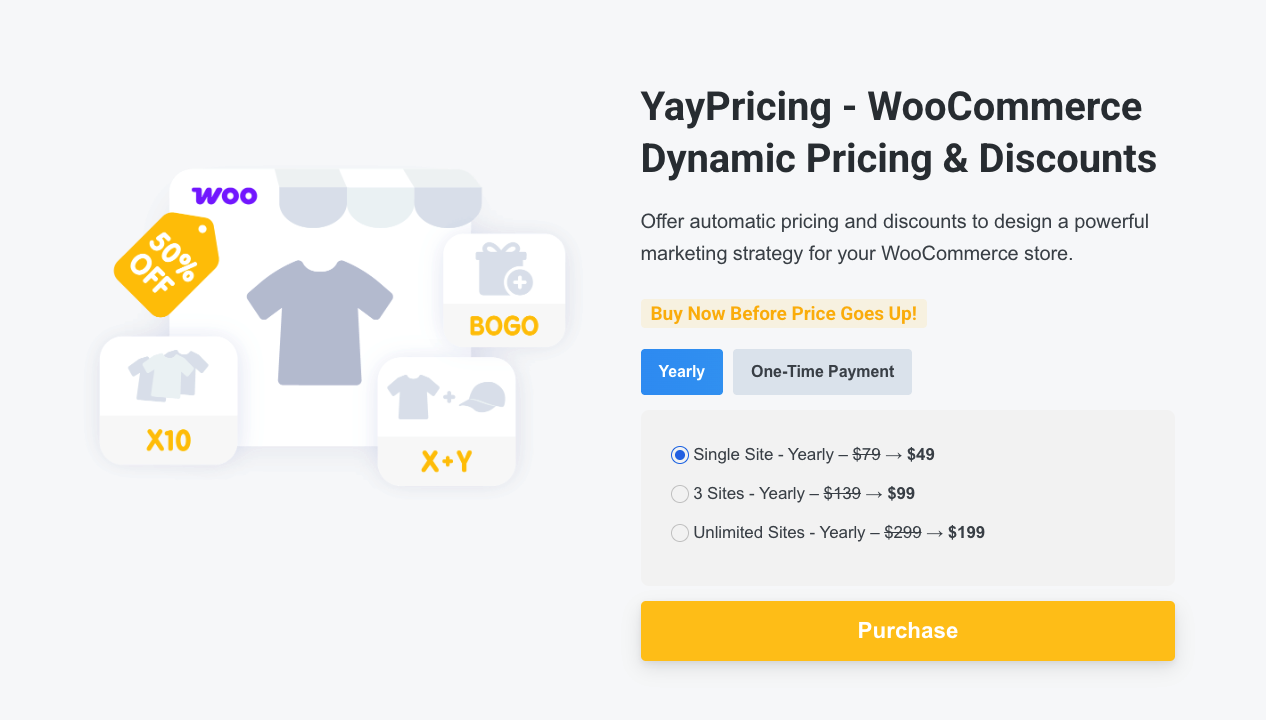
YayPricing positions itself as a newer alternative with strong multi-currency support and competitive pricing for agencies managing multiple sites.
Strengths:
- Strong compatibility with popular multi-currency plugins likeYayCurrency and FOX (WOOCS) without configuration conflicts.
- Export/import functionality for discount rules makes it easy to replicate promotions across multiple client sites.
- Shortcodes let you display discounted products anywhere on your site.
- Competitive multi-site pricing at $199/year for unlimited sites.
Price: $79/year for one license.
Limitations:
- Newer plugins have less extensive real-world testing than 5+ year market veterans.
- A smaller user base results in fewer community resources, tutorials, and third-party integration guides.
Choose this when: You run a multi-currency store serving international customers where currency conversion accuracy matters for discount calculations, or you manage multiple client sites that need to replicate discount rule templates efficiently.
ELEX WooCommerce Dynamic Pricing & Discounts
ELEX WooCommerce Dynamic Pricing & Discounts offers detailed rule-based logic for stores with complex pricing requirements.
Strengths:
- Wide range of rule types, including product-specific, category-based, combinational, and cart-based discounts.
- Condition system supports quantity, weight, price ranges, user roles, date ranges, and order history (Pro version).
- Clear pricing tables display on product pages for bulk and tiered pricing scenarios.
- Good fit for technically-oriented users comfortable configuring detailed conditional logic.
Price: $99/year for one license.
Limitations:
- The configuration-heavy interface feels technical rather than marketer-friendly.
- More complex initial setup compared to wizard-based alternatives.
Choose this when: You need precise rule-based discount logic with multiple layered conditions that trigger based on combinations of factors, and have the technical resources available to configure and test advanced condition setups.
Free plugin options for basic storewide sales
Free plugins work for testing concepts or running simple seasonal sales on low-traffic stores. But they lack the features needed for successful storewide promotions at any meaningful scale. Have a look at the table below to see what some of the trade-offs are when you opt for free plugins:
| Feature | Free plugins | Premium plugins |
| Scheduling | Date-only (no exact times) | Exact start/end times down to the minute |
| Role-based pricing | Not available | Automatic pricing by user role |
| Exclusions | Basic category exclusions | Granular by category, tag, product, attribute, stock status |
| Performance optimization | Not prioritized | Optimized for high-traffic events |
| Support | Community forums | Dedicated support teams |
While free plugins are limited, they still offer some excellent capabilities, like the free versions of the tools below:
- Discount Rules for WooCommerce (Free by Flycart): Basic percentage or fixed discounts with limited conditions. It’s the free version of the premium plugin reviewed above, giving you a testing ground before committing to paid features.
- ELEX Dynamic Pricing (Free): Basic discount rules missing the advanced scheduling, role-based targeting, and order history conditions available in the premium version.
While we recommend premium options for most storefronts, there are many scenarios where the free versions will do just fine.
For instance, if you’re running a store with under 50 products and testing promotional concepts before investing in premium tools, there’s no need for feature-rich plugins. They work equally well for simple seasonal sales without exclusions or complex rules, too.
Storewide sale testing checklist before you launch
Most sales failures happen because stores skip staging tests and discover problems only when thousands of customers are actively shopping. A proper testing protocol prevents disasters. So, let’s help you set up a good testing environment.
Step 1. Test stacking behavior
Does your storewide discount override or stack with existing product sale prices? If you’re running 20% off storewide and a VIP member gets an additional 15% off, verify whether that calculates as 32% (multiplicative: 0.80 × 0.85) or 35% (additive: 20% + 15%).
Apply test discounts to a few products, log in as different user roles, and confirm the math matches your expectations before launching.
Step 2. Configure caching
- Exclude logged-in user pages from caching if you’re using role-based pricing.
- Never cache cart or checkout pages.
- Test that prices update immediately when discount rules activate by setting a rule to start in 2 minutes, then refreshing product pages when the time hits.
Step 3. Verify exclusions
- Add excluded products to your cart and confirm no discount applies.
- Test edge cases: Products with both included and excluded tags, products in multiple categories where one is excluded.
- Catch these conflicts now, not during your sale.
Step 4. Set up tracking
- Note baseline metrics from the past 30 days: Revenue, average order value, conversion rate.
- Use WooCommerce Analytics during the sale period.
- Track which categories drove the most revenue and whether discount tiers influenced purchase quantities.
Step 5. Plan communication.
- Email 48 hours before the sale starts
- Reminders at 24 hours and 6 hours before the end
- Site banner goes live at the exact start time
- Follow up within 48 hours after the sale ends
Once everything is tested (and set up) properly, your sale should go off without a hitch.
Launch your storewide sale with confidence
The choice between coupon-based and automatic discounts determines everything else. Coupon codes work for trackable affiliate campaigns or shareable social media promotions, and automatic discounts win when transparent pricing and zero checkout friction matter more.
Native WooCommerce coupons handle simple code-based promotions. You need a plugin when transparent pricing, role-based discounts, or complex exclusions become requirements, especially when you can’t afford checkout friction.
For automatic storewide sales,Studio Wombat’s WooCommerce Discounts handles complex rules through wizard setup: storewide with granular exclusions, exact time scheduling, and role-based pricing. Built for performance, it manages high-traffic sales without legacy code bloat.
Try WooCommerce Discounts and launch your sale with confidence.
