How to use webhooks with WP Optin Wheel
This tutorial will show you how you can connect WP Optin Wheel to external apps or tools via webhooks.
A webhook lets WP Optin Wheel send information about players and results to your system in real time when specific events occur.
WP Optin Wheel proactively pushes a JSON payload to a URL you provide whenever an event happens. You can provide a URL to your own server or to apps like Zapier, IFTTT, Make, etc to build external connections.
Here are a few use cases in which you may want to use webhooks:
- You want an excel-type log file (Google Sheet) of who won, and what exactly they won.
- You are using unsupported email-list software, such as Mautic. In that case, you can use Zapier to connect the two.
Events in WP Optin Wheel
In WP Optin Wheel, there are 2 types of events you can attach a webhook to. They can be seen in the settings of each wheel. Edit or create your wheel and navigate to the last step (“Settings”) and open the “integrations” tab:
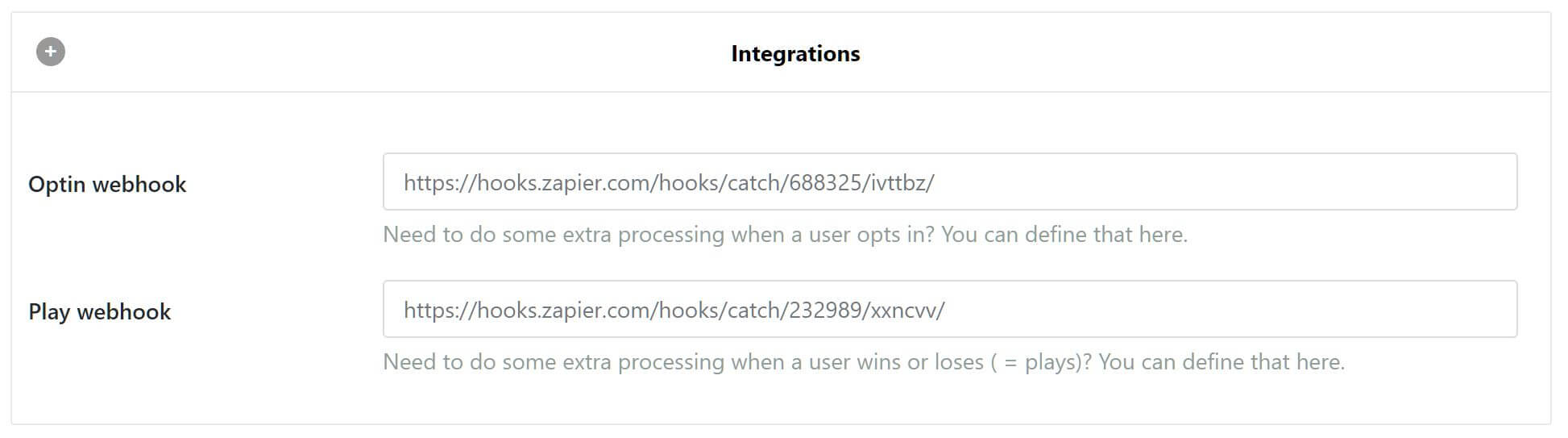
- The optin event: this event occurs when a user enters their data (email address along with other fields you defined) in the form on the wheel. In essence, this happens right before they play. The event carries the user data with it.
- The play event: this occurs whenever a user plays. Depending on your configuration, this event can occur multiple times for the same user. This event contains what prize the user won.
With both events, the user’s email address is the unique key and can be used to link the two events together, should you need to.