Running seasonal promotions in your WooCommerce store but struggling to clear inventory? “Buy X, Get Y Free” offers can help you move products while attracting new customers. A “Buy X, Get Y Free” promotion gives customers a free item after they buy a qualifying number of products. For example, buy 2 T-shirts, get 1 free.
The great thing about this rule is that you can customize it in many different ways:
- Repeated/recursive – the rule repeats with quantity: buy 2 get 1 free → buy 4 get 2 free → buy 6 get 3 free
- Buy X get Y free – buy a set number of products, receive an item at no extra cost
- Buy X get Y discounted – same trigger, but the reward comes at a reduced price (e.g. 50% off) rather than free
- BOGO (buy one get one) – a specific case where X = 1 and Y = 1, matching or a different product
WooCommerce doesn’t include this feature by default, but WooCommerce Discounts by Studio Wombat makes it simple to create these valuable promotions. With this plugin, you can set up flexible Buy One Get One (BOGO) deals, include dynamic pricing, display eye-catching sales badges, and customize messages to highlight your offers.
Let’s dive in!
Step-by-step guide to setting up “Buy X, Get Y Free” promotions with WooCommerce Discounts by Studio Wombat
Now, let’s create our first Buy X, get Y free promotion – a free drink when you buy a pizza.
- Purchase and download the WooCommerce Discounts plugin from your Studio Wombat profile.
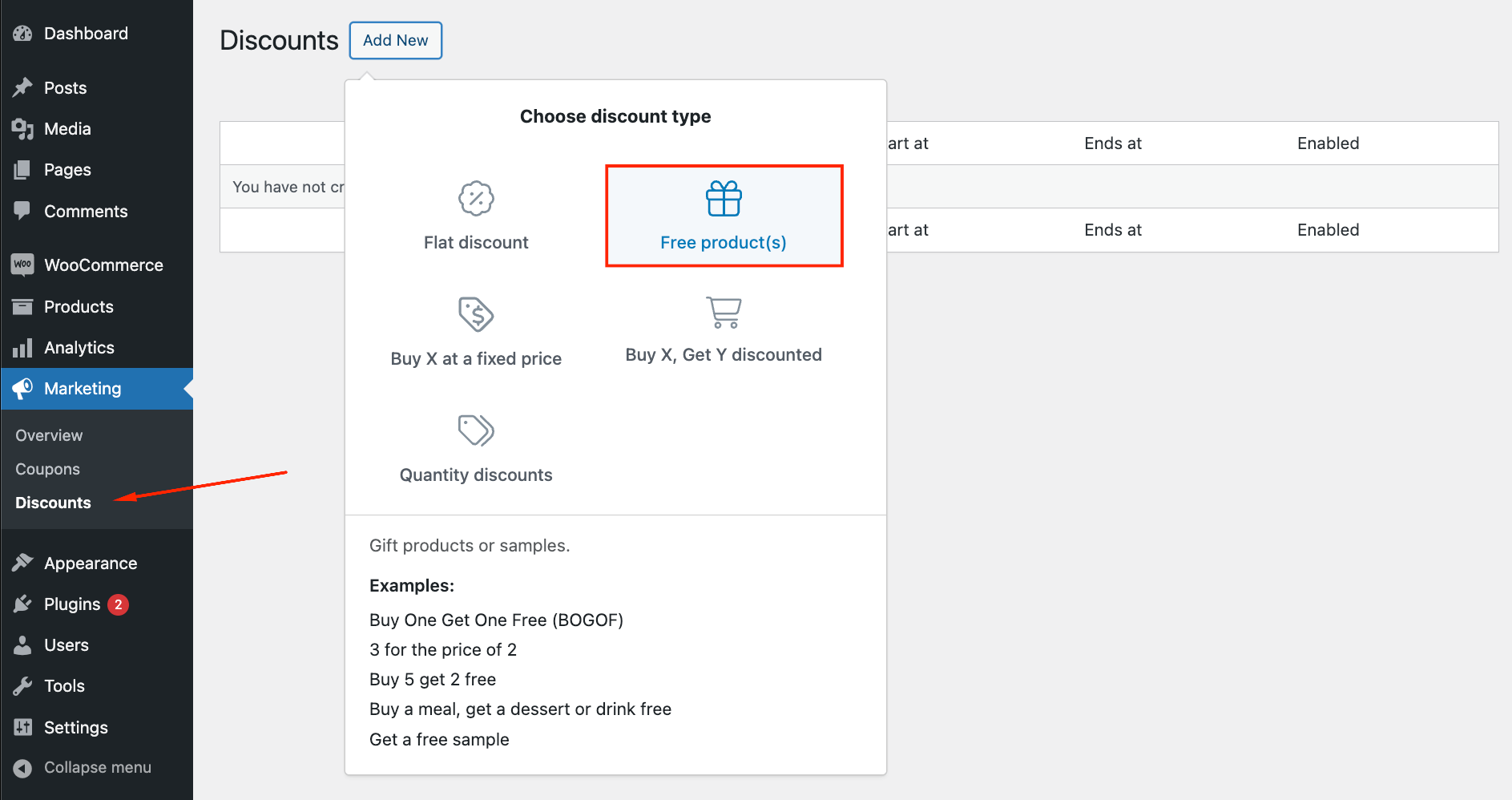
- Go to Marketing → Discounts → Add New and select Free product(s).
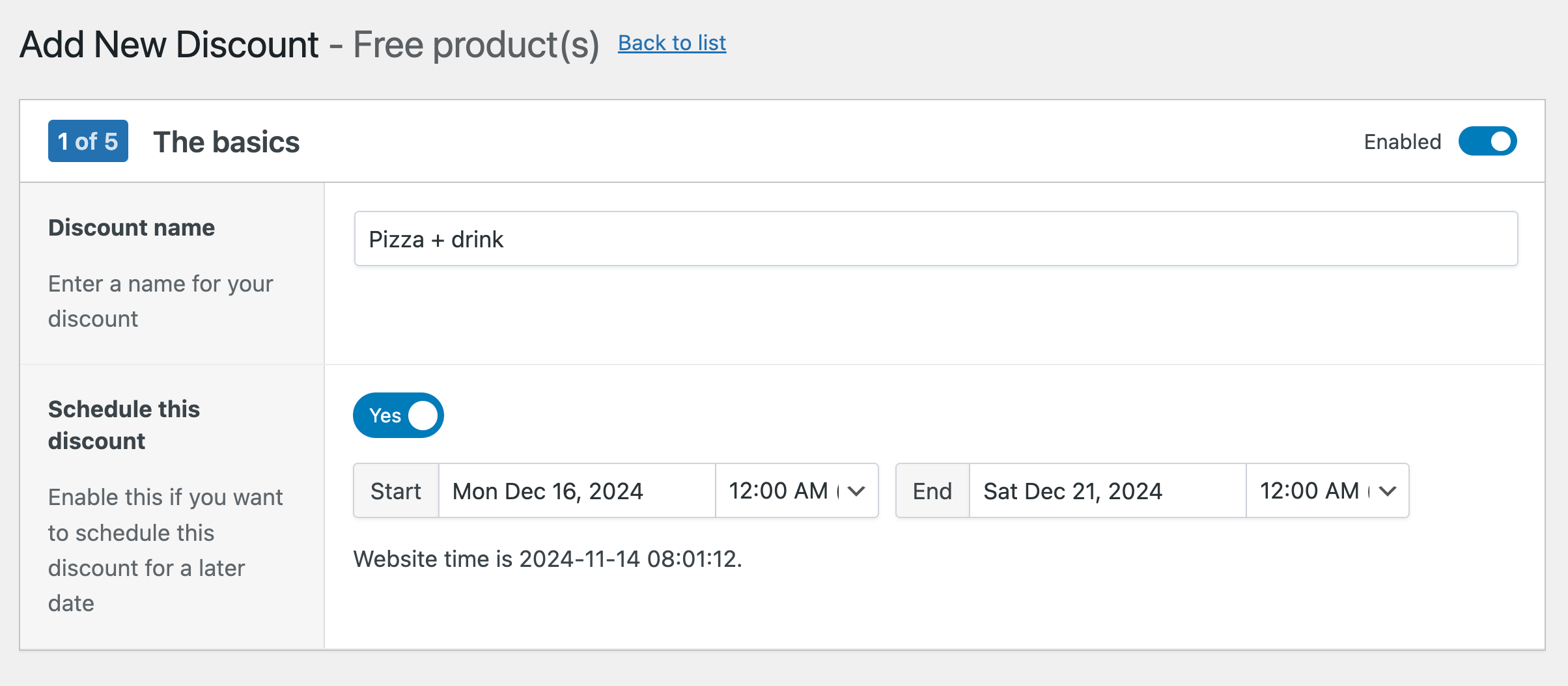
- Name your discount and schedule it if you want to.
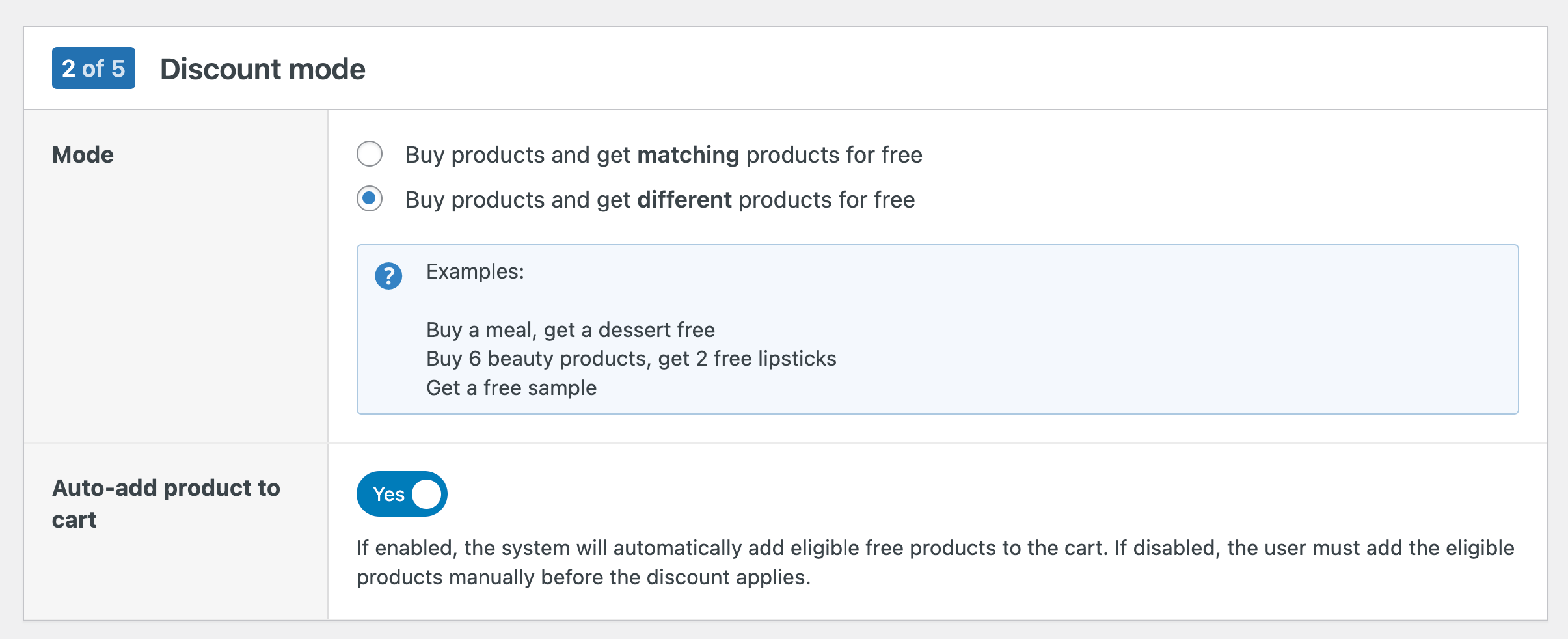
- In the next step, select the option “Buy products and get different products for free.” You can also decide whether you want the product to be automatically added to the cart.
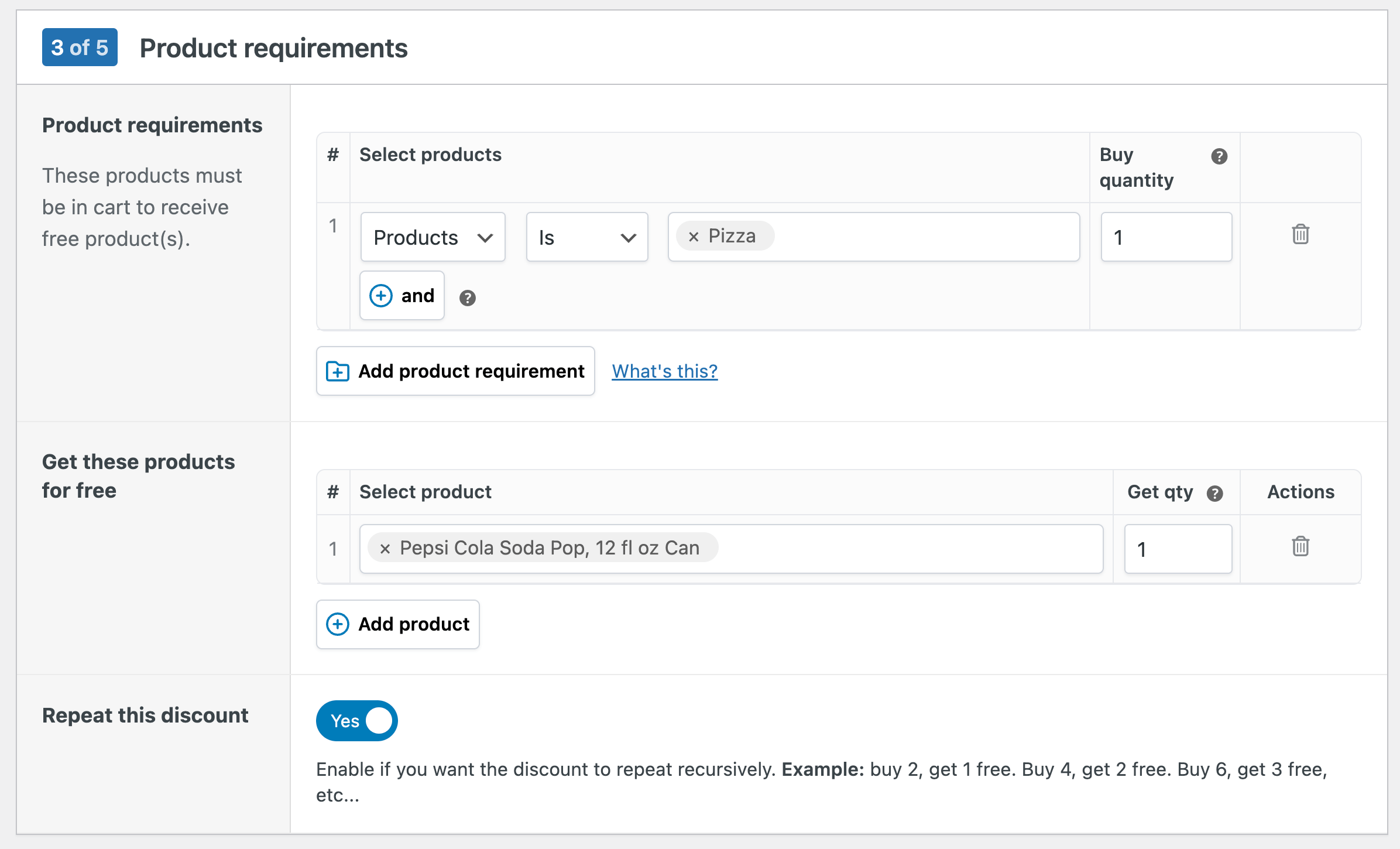
- Now, select the eligible products – what people need to buy (and how many items) in order to get the free product. WooCommerce also gives you the option to repeat this discount. For example, if customers get 2 pizzas, they’ll receive 2 free drinks.
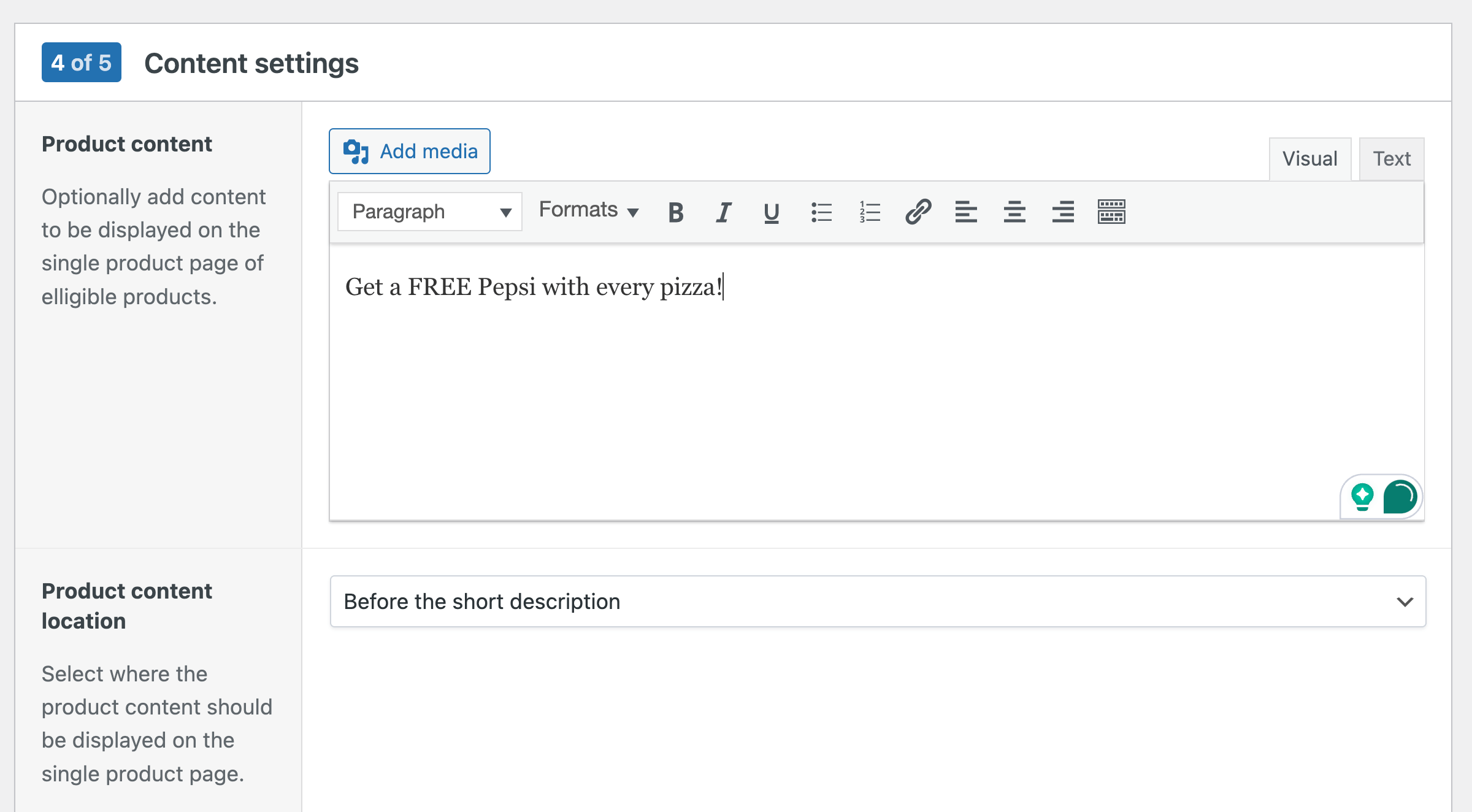
- If you want, you can add content to show up on eligible products. We do recommend including that, as it’s important to be clear about the discount conditions. This is the best place to do this.
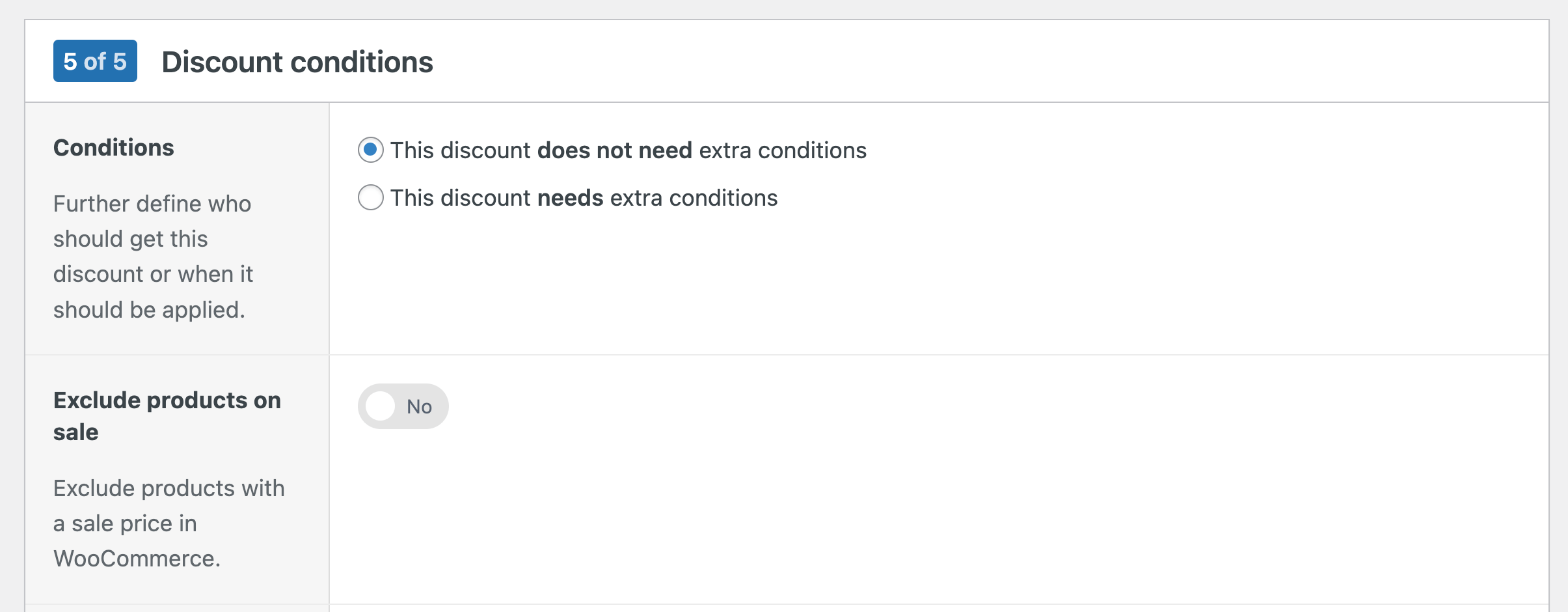
- Finally, select whether you want to add extra conditions or exclude products already on sale.
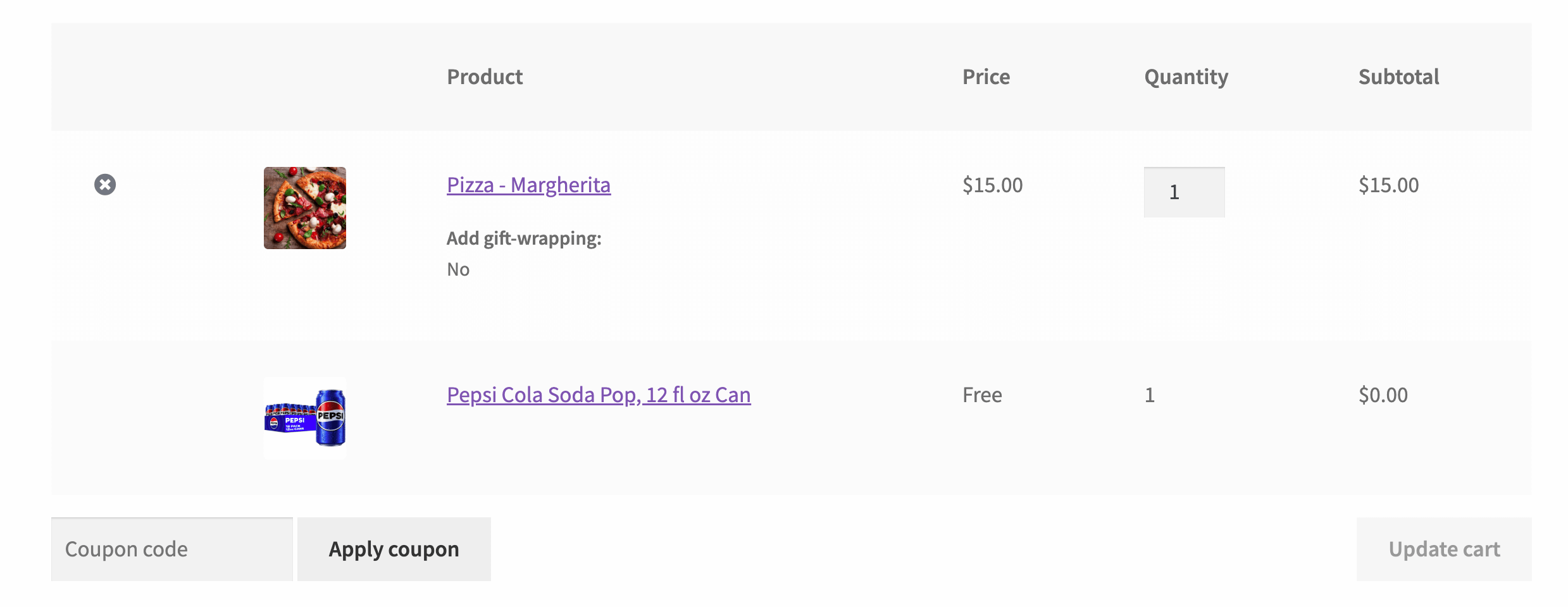
- Save your discount, and you’re done!
Common “Buy X, Get Y” variations
The setup steps above apply to any buy X get Y rule. What changes is just the trigger quantity, the free quantity, and whether the rule repeats. Here’s how the most common variations map to the plugin settings:
| Promotion | Buy/Trigger quantity | Get/Free quantity | Repeat this discount |
|---|---|---|---|
| Buy 2 get 1 free | 2 | 1 | Off |
| Buy 3 get 1 free | 3 | 1 | Off |
| Buy 5 get 2 free | 5 | 2 | Off |
| Recursive (buy 2→1, buy 4→2, buy 6→3) | 2 | 1 | On |
All of these are configured in the Product requirements step (step 5 in the tutorial above). The Repeat this discount toggle sits at the bottom of that panel. If you enable it, the rule re-applies automatically each time the customer hits the trigger quantity again.
Planning your “Buy X, Get Y” promotion
While the process itself is easy, you need to carefully plan everything beforehand – your discounts need to have a purpose and a goal. You could be looking to introduce customers to new product lines, clear excess inventory, or increase sales of complementary items.
Whatever you need to do, Studio Wombat’s plugin WooCommerce Discounts can help you achieve your goals with features designed for both simple and complex promotions. You can create straightforward offers like the ones we just did or build sophisticated deals that combine multiple products across different categories. For example, you could create a tiered discount for bulk purchases from wholesalers or add special promotions for loyal customers.
The plugin’s automatic discount feature ensures customers receive their free items without manual intervention, reducing support requests and cart abandonment. You can also customize the shopping experience by displaying dynamic messages that update based on cart contents, helping customers understand exactly what they need to purchase to qualify for the offer.
For maximum impact, use the plugin’s content settings to highlight products included in your BOGO deals. These visual indicators draw attention to promotional items and can significantly boost participation rates. The plugin also lets you preview how your promotion will appear to customers, helping you fine-tune the presentation before launch.
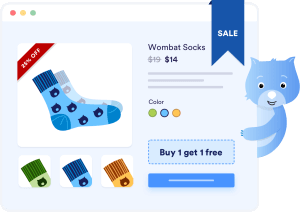
Advanced BOGO strategies to boost sales and customer loyalty
Strategic BOGO promotions can transform basic discounts into powerful tools for business growth. Let’s explore advanced techniques using WooCommerce Discounts’ features to maximize your results.
- Cross-category promotions create opportunities to introduce customers to different product lines. For example, offer a free accessory when customers buy a main product – like a complementary phone case with every smartphone purchase. This approach not only increases immediate sales but also exposes customers to products they might buy independently in the future.
- User role targeting lets you create exclusive BOGO deals for specific customer segments. Set up member-only promotions where registered customers get better offers than guest shoppers. For instance, members might receive a “buy 1, get 1 free” deal while non-members get a “buy 1, get 1 half price” offer. This incentivizes account creation and builds loyalty.
- Time-sensitive promotions add urgency to your offers. Launch weekend-only BOGO deals or create flash sales lasting just a few hours. The plugin’s scheduling features make it easy to automate these limited-time promotions without manual intervention.
- You can also use BOGO deals strategically for inventory management. If certain products aren’t selling as expected, pair them with popular items in a BOGO promotion. This helps move slower inventory while maintaining perceived value better than direct discounts.
By combining these strategies, you can:
- Build customer loyalty through exclusive offers
- Clear inventory efficiently
- Encourage exploration of new product categories
- Drive higher average order values
How to set up a “Buy X, Get Y discounted” promotion in WooCommerce Discounts by Studio Wombat
BOGO discounts don’t always need to offer free products – partial discounts can be just as effective while protecting your profit margins. The WooCommerce Discounts plugin lets you create flexible percentage-based offers that match your business goals.
You can structure these promotions in 2 main ways:
- Same product discounts: “Buy 1 T-shirt, get a second 50% off” or “Buy 2 pairs of shoes, get the third pair at 30% off.”
- Different product discounts: “Buy any jeans, get 40% off a belt” or “Purchase a laptop, get 60% off a protective case.”
These partial discount promotions often outperform traditional BOGOF offers because they:
- Maintain better profit margins
- Create a perception of value without giving products away
- Allow for more flexible promotion structures
- Let you test different discount levels to find optimal conversion rates
Now, let’s try one of these examples for ourselves: “Buy 1 T-shirt, get a 2nd 50% off.”
- Go to Marketing → Discounts → Add New and choose Buy X, Get Y discounted.
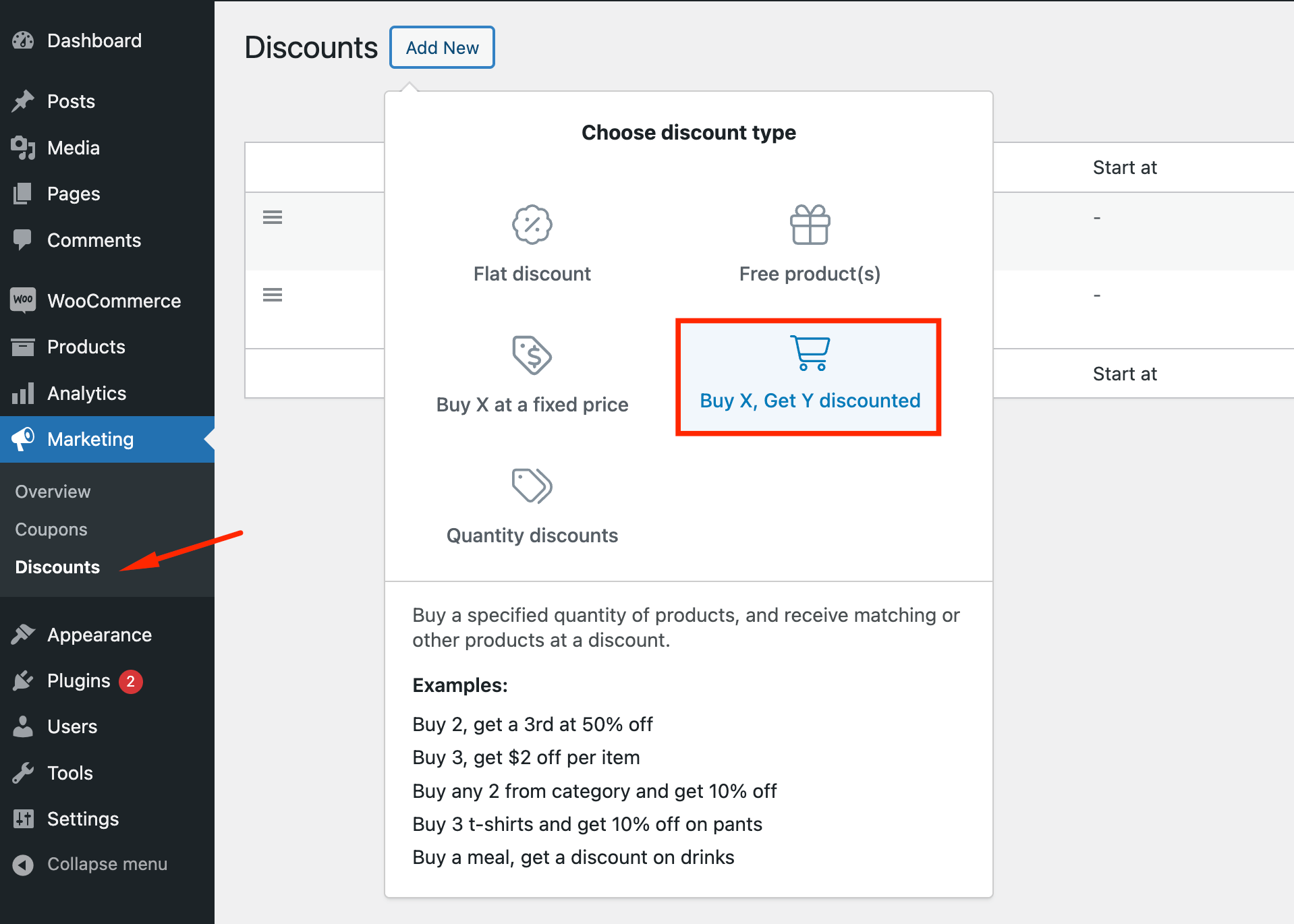
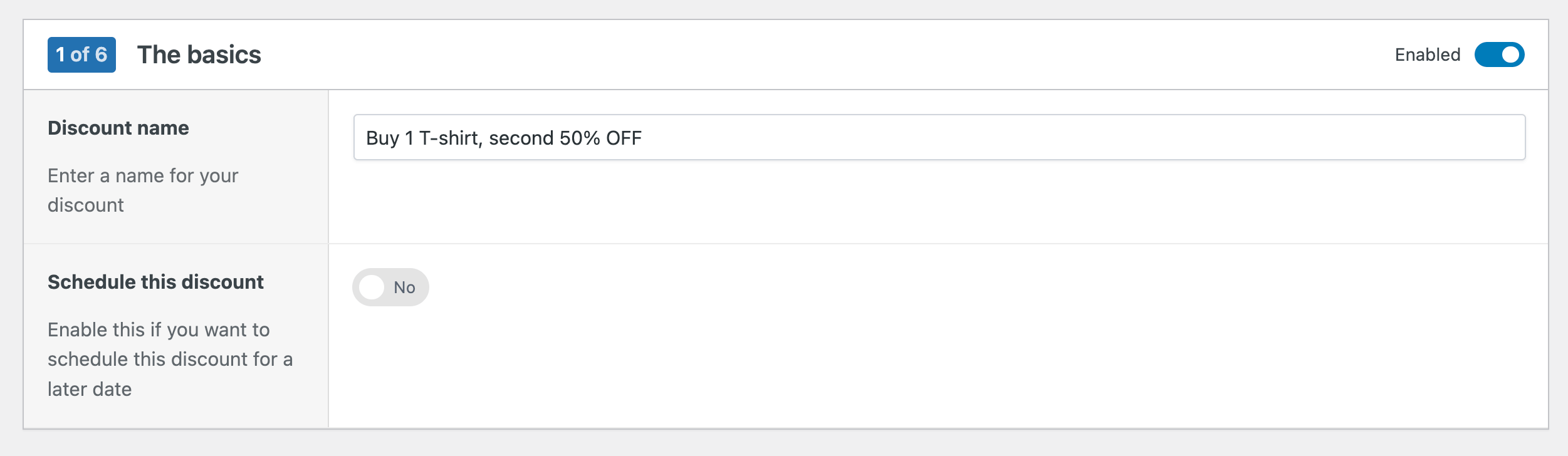
- Name the discount and schedule it if you need to.
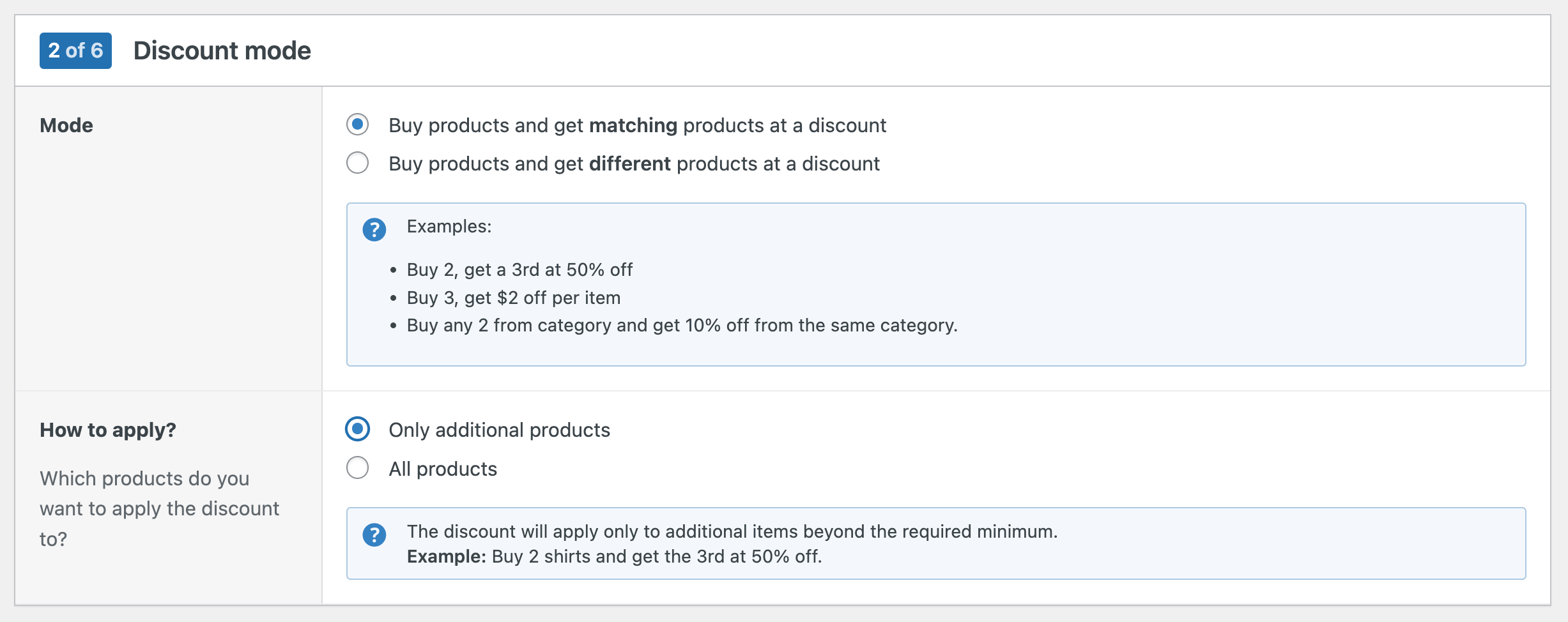
- Choose between offering matching or different products at a discount. Select whether the discount should be applied only to additional items beyond the required minimum.
- Now, decide which product you want the discount to apply to. It can be a specific item or a whole category, variation, variation attribute, product tag, or product type.
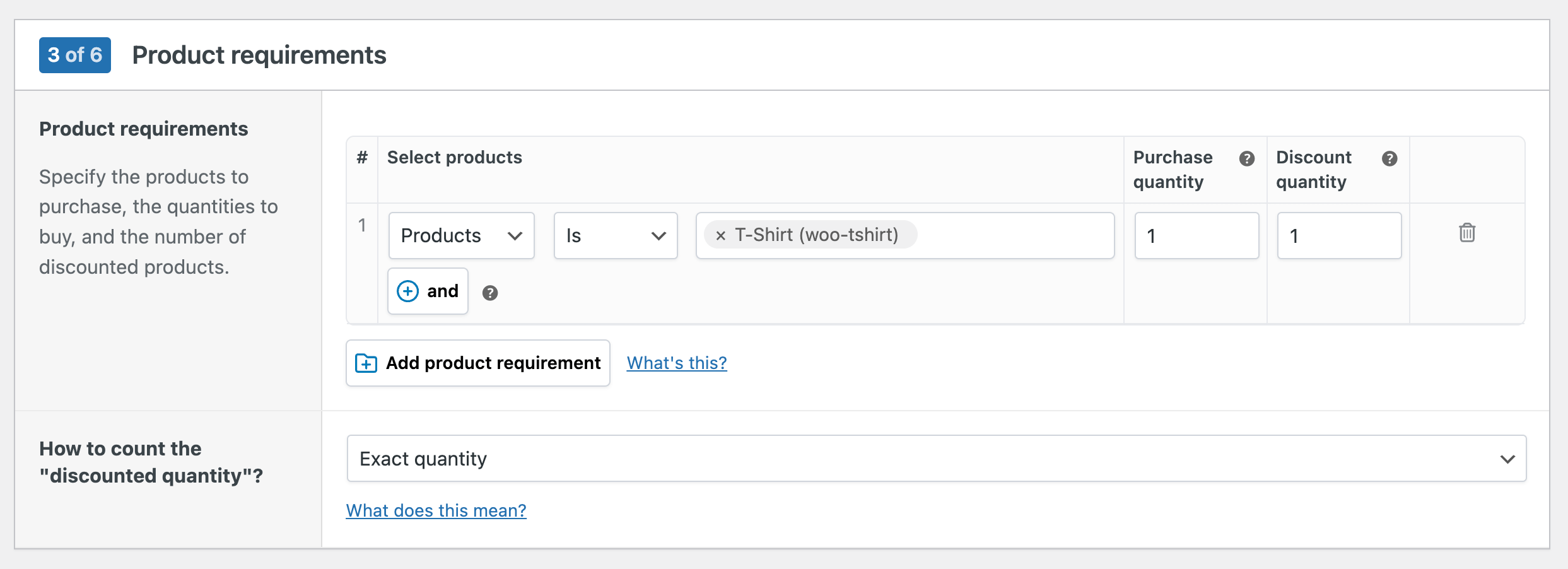
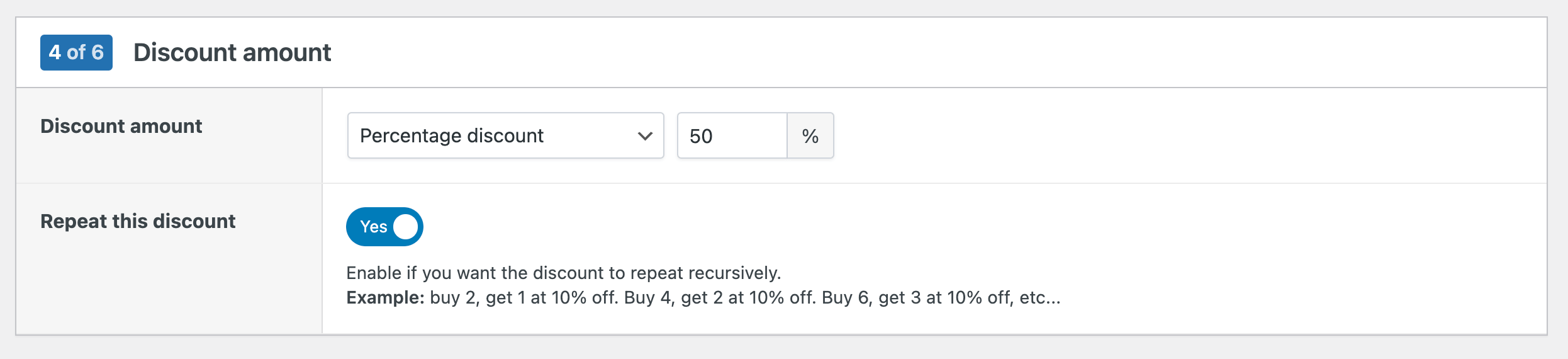
- Input the percentage discount and choose whether you want to repeat it – if people buy 4 T-shirts, they’ll get 2 at a 50% discount.
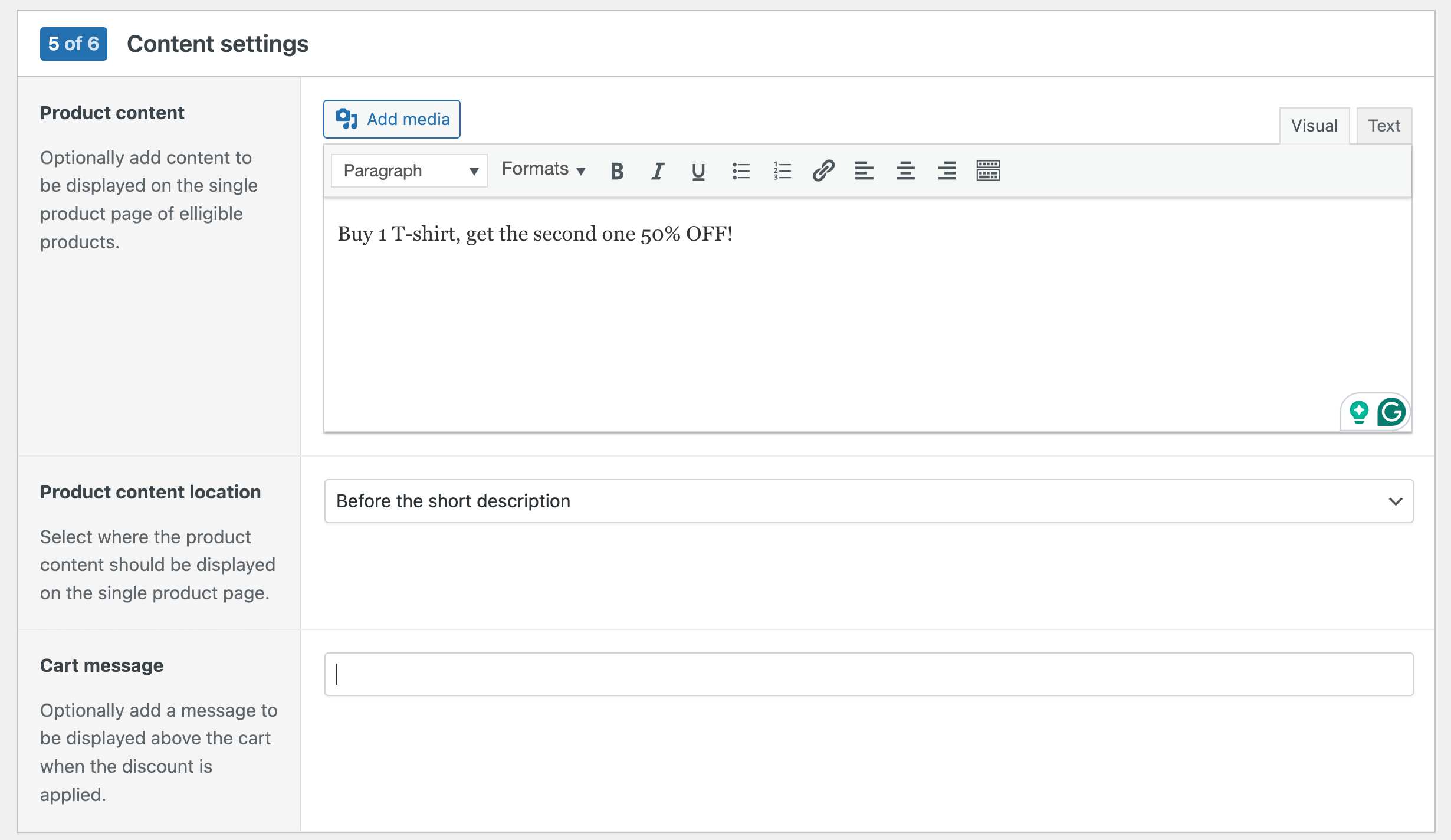
- Write some additional content for the product page or the cart.
- Add some extra discount conditions if you want to, and select whether you want to exclude items on sale.
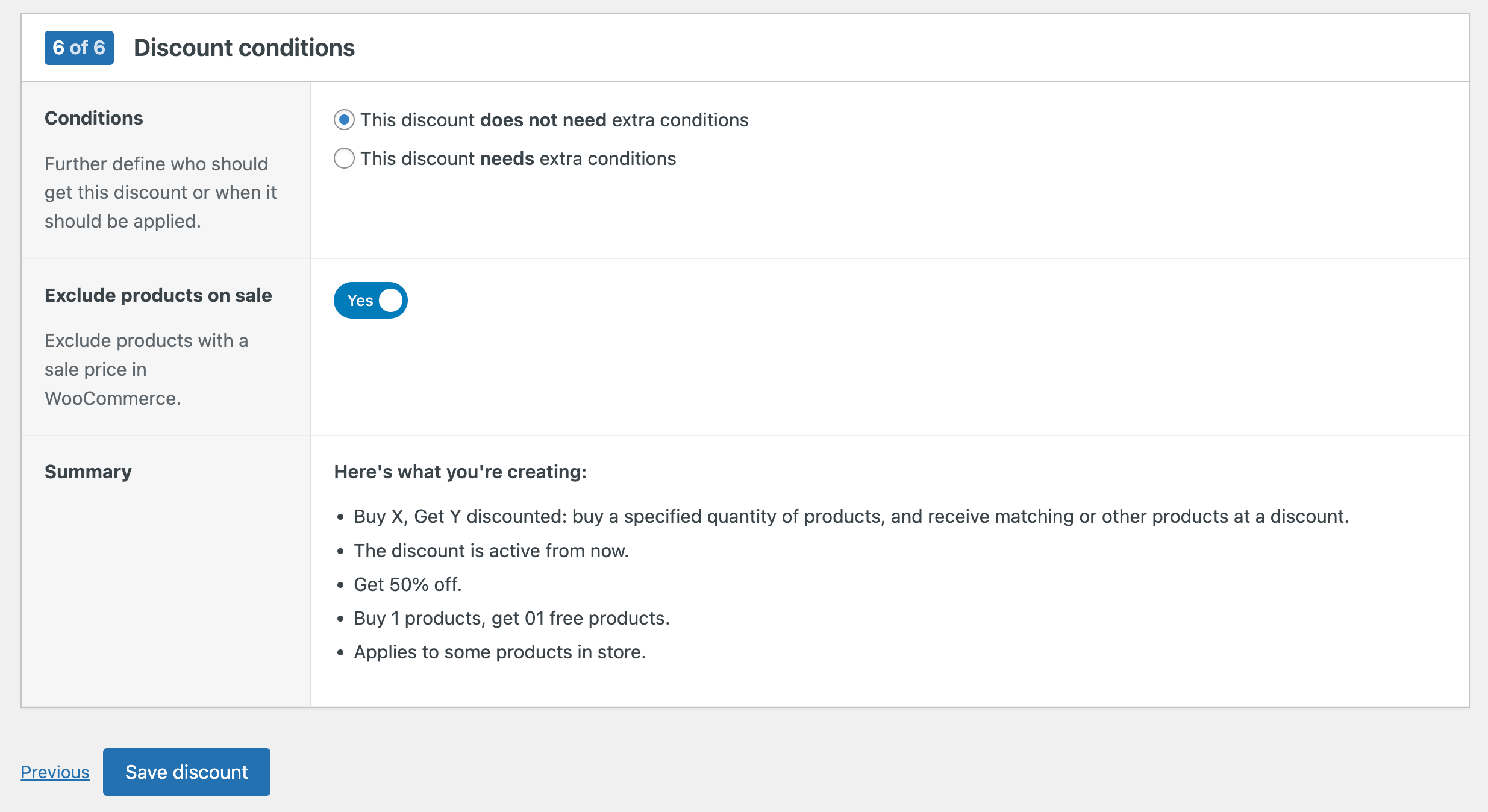
- Save your discount, and you’re ready! Don’t forget to test it before launching.
Measuring and optimizing your “Buy X, Get Y Free” campaigns
Success with BOGO promotions requires careful monitoring and refinement. Here’s how to track and improve your campaigns effectively:
Track these essential metrics:
- Total sales volume during the promotion
- Average order value compared to non-promotional periods
- Percentage of customers who qualify for vs. redeem the offer
- Rate of new customer acquisition
- Inventory movement of both main and free/discounted items
Watch for these common patterns:
- Low redemption rates might indicate unclear messaging
- High redemption but low additional purchases suggest customers aren’t exploring other products
- Rapid sell-out of free items requires stock-level adjustments
Make data-driven improvements:
- Test different product combinations to find the most attractive pairings
- Adjust promotion duration based on sales patterns
- Modify discount levels to balance conversion rates with profitability
- Update promotional messaging to address customer confusion points
Start with simple promotions and gather baseline data before launching complex offers. Keep detailed records of what works and what doesn’t – this information proves invaluable when planning future campaigns.
WooCommerce native coupons vs. WooCommerce Discounts by Studio Wombat
WooCommerce’s built-in coupon system covers basic percentage and fixed discounts. For buy X get Y rules, you need an additional plugin.
| Feature | WooCommerce native coupons | WooCommerce Discounts by Studio Wombat |
|---|---|---|
| Buy X get Y free | No | Yes |
| Auto-add free product to cart | No | Yes |
| Recursive rules (buy 2→1, buy 4→2) | No | Yes |
| Buy X get Y discounted | No | Yes |
| Tiered / quantity-based pricing | No | Yes |
Transform your e-commerce store with powerful BOGO offers and WooCommerce Discounts
BOGO promotions are versatile tools for achieving multiple business objectives. From clearing seasonal inventory to launching new products, these offers drive real results when implemented strategically.
The WooCommerce Discounts plugin by Studio Wombat simplifies complex promotional scenarios without compromising performance. Its user-friendly interface lets you create sophisticated offers, including automatic discounts, scheduled promotions, and targeted deals based on user roles. You can set up and manage these promotions without any coding knowledge.
By implementing the strategies we’ve covered – from cross-category promotions to member-exclusive offers – you’ll build stronger customer relationships while meeting your sales goals. Start small, track your results, and adjust based on data to create BOGO campaigns that resonate with your audience.
Ready to enhance your WooCommerce store with powerful BOGO promotions? Install WooCommerce Discounts today and start creating offers that drive growth.
Frequently asked questions
What is the difference between BOGO and buy X get Y in WooCommerce?
BOGO (buy one get one) is a specific case of buy X get Y where X = 1 and Y = 1. Buy X get Y is more flexible: X can be any trigger quantity, and Y is the reward. So “buy 2 get 1 free” is a buy X get Y rule where X = 2 and Y = 1.
Our plugin supports both options from the same interface.
Can I set up a recursive buy X get Y rule, for example buy 2 get 1 free, buy 4 get 2 free?
Yes. WooCommerce Discounts supports recursive rules. Enable the Repeat discount toggle on any buy X get Y rule, and the promotion re-applies each time the customer adds another qualifying set of items to their cart.
Is WooCommerce Discounts by Studio Wombat free or paid?
This is a premium plugin priced at $49/year for 1 site, $99/year for 3 sites, and $199/year for 20 sites. Each tier includes the ability to try the plugin on up to 100 dev sites simultaneously.
WooCommerce’s built-in coupon system, on the other hand, is completely free, but it only supports basic percentage and fixed discounts and not the more sophisticated discounts, such as buy X get Y free, auto-added free products, tiered pricing, or recursive rules.
Does buy X get Y work with variable products in WooCommerce?
Yes, you can set up all kinds of quantity discounts, including buy X get Y rules for simple, variable, and grouped products in WooCommerce. You can configure the rule to apply across all variations of a product or restrict it to specific variations.
