
The efficient presentation of product variants and their pricing can significantly improve your customers’ online experience. A key tool in achieving this is a pricing matrix, which is essentially a structured table populated with prices and product options that makes it easier to calculate the final price of a product.
Store owners can use a pricing matrix for two things:
- To arrange information on product pages, thereby educating customers about their possible purchases.
- To adjust backend pricing configurations, so as to create more advanced pricing strategies.
By integrating a WooCommerce price matrix into your online store, you can reap substantial benefits. Besides improving the customer experience and ensuring product visibility, it helps you to streamline the buying and selling process.
In this article, you will learn how to effectively implement a WooCommerce price matrix on your site and explore the best tools and plugins specifically tailored to your requirements.
What is a WooCommerce price matrix?
A price matrix can act as a standard price list, but it can also be converted into a dynamic tool capable of effectively managing and showcasing your product price variations. For your customers, a price matrix significantly simplifies the process of browsing various product options, as it offers them a smooth and intuitive shopping experience.
Here’s how a WooCommerce price matrix is typically interpreted:
- A simple price table on the front end showing prices for different variations, which can be materials, measurements, colors, and whatever else is relevant to the product. This table can even be clickable for easy navigation by customers.
- An alternative version of the above, which includes interactive product fields such as input fields, images, dynamic stock quantities, and more.
- A matrix-based pricing configuration, which is achievable with the use of the Advanced Product Fields (APF) plugin.
From the store owner’s perspective, a price matrix adds vibrancy and adaptability to WooCommerce’s functionality. It allows you to systematically calculate prices for made-to-measure, customized, or bespoke products, delivering better control over your pricing structure.
A pricing matrix’s inner workings aren’t complicated. Most of the time, you just use a lookup table with set prices depending on a particular configuration (you can see an example shortly) that can calculate the price in real time depending on your customer’s choices.
Those who do not implement a price matrix might encounter challenges. Customers could find it difficult to understand the pricing of their chosen items, causing uncertainty and, subsequently, cart abandonment. In such cases, it’s the business that suffers, facing lost potential sales and decreased customer satisfaction.
Price matrix vs. tiered pricing
Many store owners confuse price matrices with tiered pricing, but these are distinct pricing strategies that serve different purposes.
- Price matrices display product variations in grid format. They create visual tables showing how different attribute combinations affect pricing. Price matrices organize attributes like size and color. Customers can quickly compare prices across multiple product configurations at once.
- Tiered pricing offers quantity-based discounts for bulk purchases. This strategy rewards customers who buy larger quantities with lower per-unit costs. Tiered pricing reduces per-unit costs as quantities increase. Businesses use this approach to encourage bulk orders and increase average order values.
The fundamental difference lies in their focus: Price matrices handle product variations while tiered pricing manages volume discounts. A price matrix might show that a large red T-shirt costs $25 while a small blue one costs $20. Meanwhile, tiered pricing would offer the same T-shirt at $25 for one unit, $22 each for 5 units, and $20 each for 10 or more units.
Price matrices also differ from dropdown menus in how they display variations. While dropdowns require sequential selection, matrices show all options simultaneously. For guidance on choosing between matrix and dropdown displays for your store, see our detailed comparison guide.
When should I use a price matrix in WooCommerce?
There are various scenarios where implementing a price matrix significantly optimizes the shopping experience in a WooCommerce store. Here are some specific use cases:
1. A store with a large and diverse inventory
Take the examples of a wholesale store or an online grocery store. Here, customers often purchase products in bulk or opt for bundled packages. In this scenario, a price matrix offers an effortless way for customers to view various products and add them to their cart.
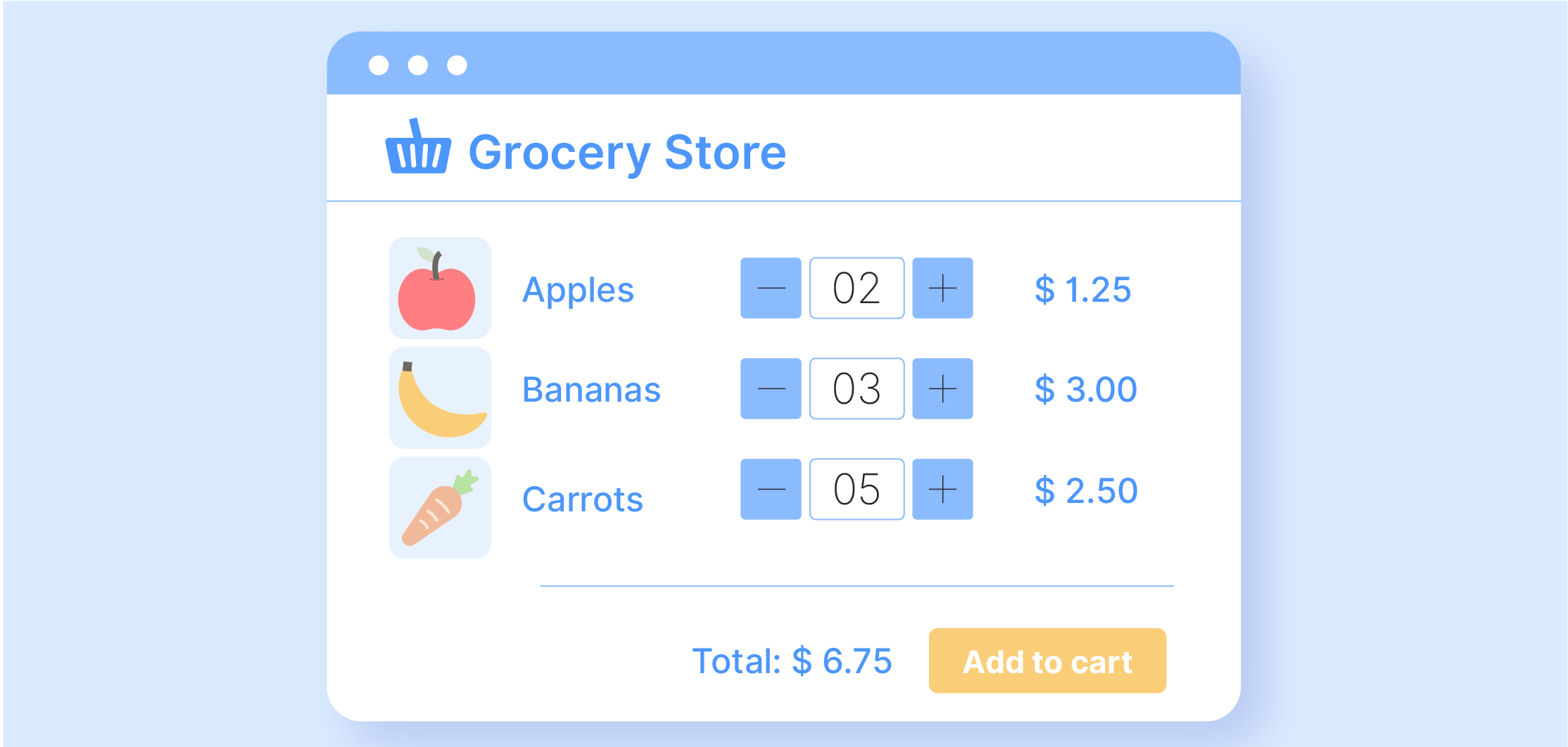
It graphically represents how the total price fluctuates as the number of chosen items increases, creating an immersive “catalog”-style shopping experience. It’s worth noting that price matrices can be interactive – dynamically updating pricing as selections are changed – or “read-only”, which provides static pricing information for customers.
2. A store with product variations
If your store sells products with multiple variations or options, a price matrix comes in handy. Let’s take the example of an online gardening store that sells small, medium, or large plant pots in a range of materials such as plastic, clay, or ceramic.
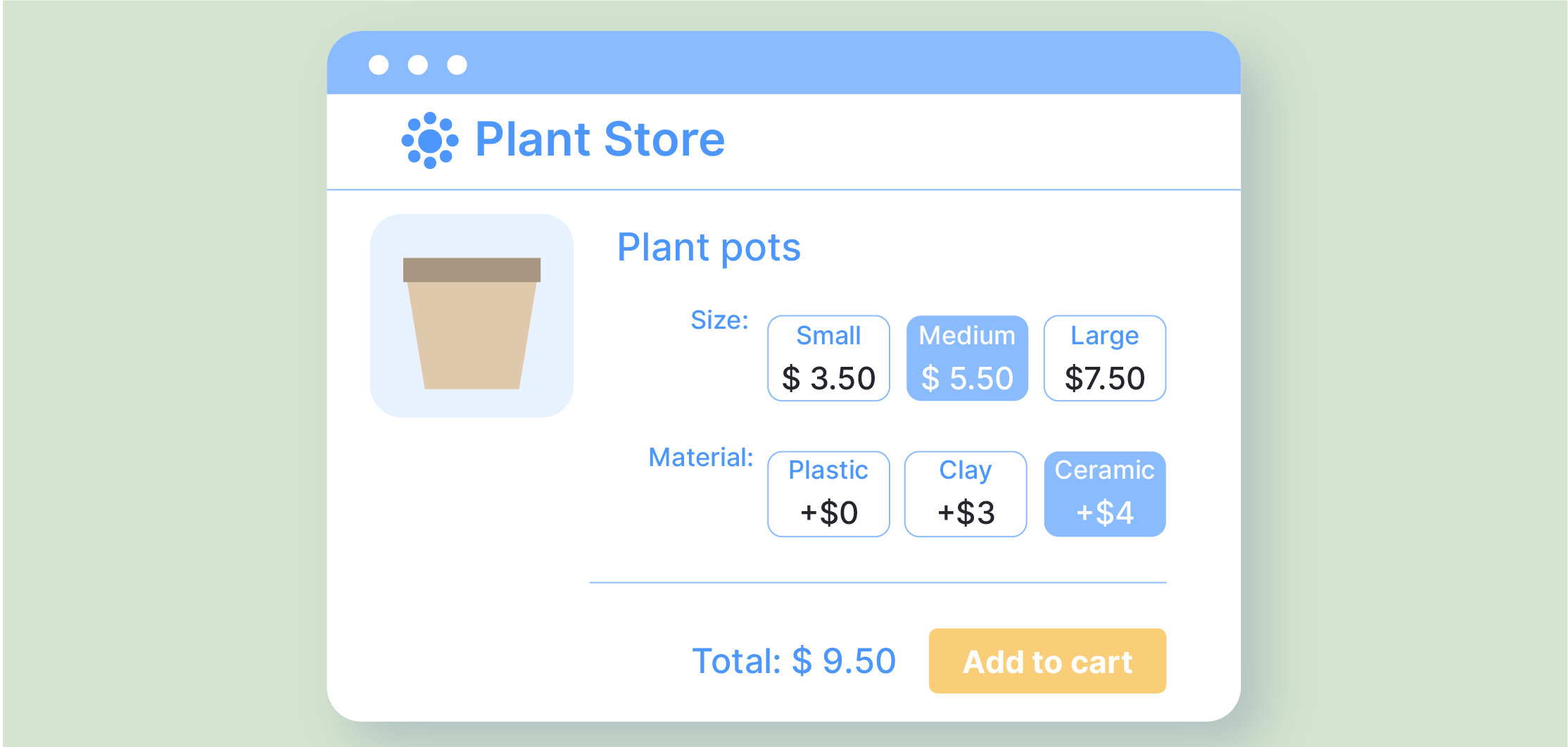
A price matrix facilitates easy selection among these variations, and more importantly, it provides an intuitive comparison of the respective cost differences, thereby empowering customers to make informed decisions.
3. A store offering customizable or made-to-measure products
Stores offering made-to-measure products or multiple customization options that come with complex pricing structures can discover great value in incorporating a price matrix. These matrices handle variations based on material, size, weight, and other attributes.
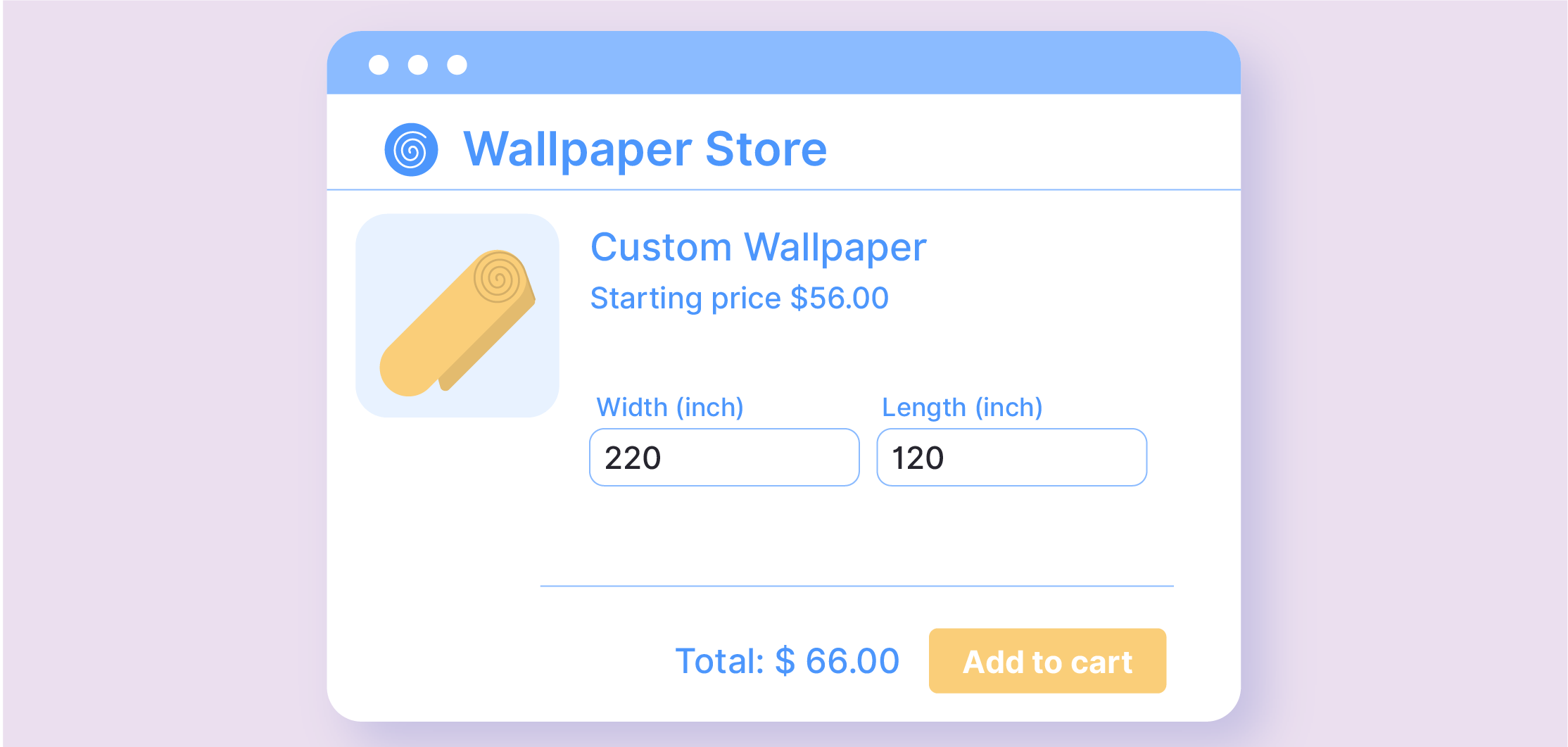
Introduced in the backend of the store and often referred to as a lookup table, these matrices may not be visible to customers, but they simplify price calculations based on user-selected options.
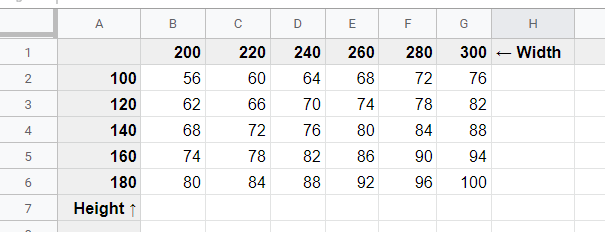
This feature allows store owners to easily offer products with advanced pricing options while keeping the customer experience simple and seamless.
4. Print-on-demand businesses
Print-on-demand businesses particularly benefit from price matrices. Whether selling custom T-shirts, posters, business cards, or large-format banners, matrices accurately price items based on size, quantity, and material choices, making it easy for customers to understand pricing for their specific requirements.
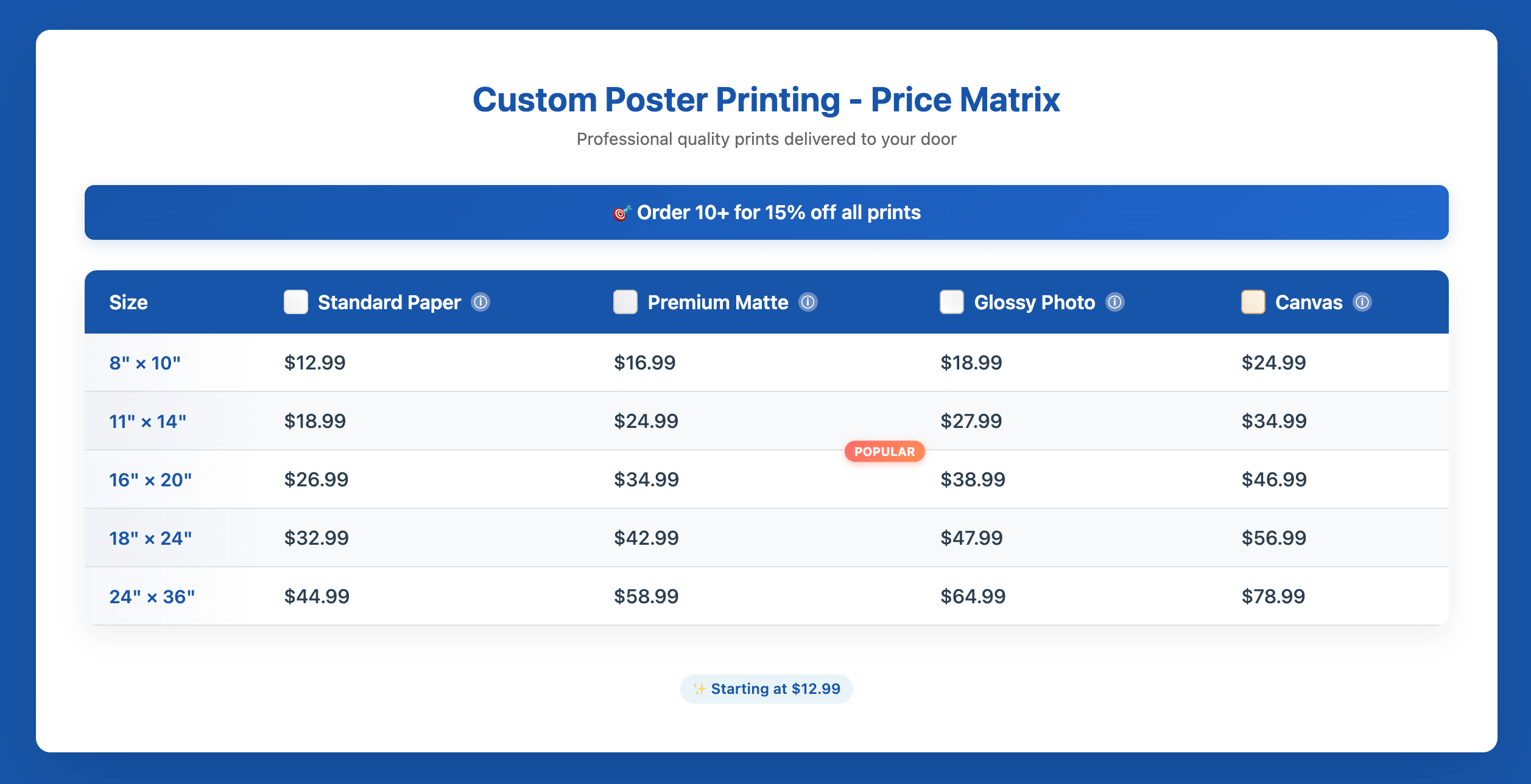
Price matrices work exceptionally well for specific product types:
- Clothing: Display pricing for different combinations of size, color, and style.
- Furniture: Show how prices vary based on dimensions, materials, and finishes.
- Technology products: Present pricing for different models, storage capacities, and colors.
- Print products: Calculate prices based on dimensions, paper type, and quantities.
- Custom products: Enable build-your-own pricing with clear cost understanding.
How using a price matrix can enhance your WooCommerce store
Integrating a price matrix into your WooCommerce store not only uplifts the customer shopping experience but also provides great advantages to your business operation. With benefits such as streamlined price management, an upsurge in sales opportunities, reinforced reputation, and ease of use, it’s an asset that lends a considerable competitive edge.
Here is what you can expect.
Improved user experience
Implementing a price matrix in your WooCommerce store paves the way for a more intuitive and user-friendly journey, attracting ample website traffic. How does this happen? By making the product selection and checkout procedures transparent and uncomplicated, customers can quickly identify the perfect product options, elevating their overall shopping experience.
Business benefits
On the business side of things, leveraging a price matrix brings layered advantages, such as:
- Operational efficiency: Managing and displaying different pricing options becomes an easy task and not a bothersome chore. This will free up time you can spend on product development, strategy, and marketing.
- Potential for increased sales: It opens up avenues for strategically upselling customers, with the clear display of variable pricing prompting customers to consider value-added alternatives.
- Glowing store reputation: Your e-commerce store will turn into a place where customers feel confident in their purchasing decisions and face no roadblocks throughout their journey.
- Clear pricing transparency: Price matrices display all variation costs in easy-to-understand tables, with APF’s lookup tables providing real-time price calculations.
Technical perks
Stepping into the more technical realm, a price matrix eases the load on store owners when dealing with data management. Keeping up with numerous product prices can be overwhelming, but when you’re handling large inventory or adjusting prices frequently, it becomes even more complicated. A price matrix alleviates this pressure. It efficiently takes care of bulk price updates, ensures accuracy, and helps maintain price uniformity across your store with minimal effort.
Role-based capabilities
Advanced implementations support role-based pricing, where different customer groups view different price matrices automatically. The sister plugin, WooCommerce Discounts, for example, comes with conditional logic, allowing you to create special rates and discounts visible only to specific groups.
This capability ensures each customer segment receives appropriate pricing without manual intervention or separate product listings.
Top WooCommerce price matrix plugins
Choosing the best plugin for creating a WooCommerce price matrix depends on your specific requirements and budget.
Advanced Product Fields for WooCommerce and WooCommerce Discounts by Studio Wombat
One solution for this challenge is the Advanced Product Fields for WooCommerce. While not a dedicated pricing plugin, APF provides various advanced features that enable store owners to add customization options to their products, which can also impact pricing. One example is this customizable software product, where each configuration will lead to a different price:
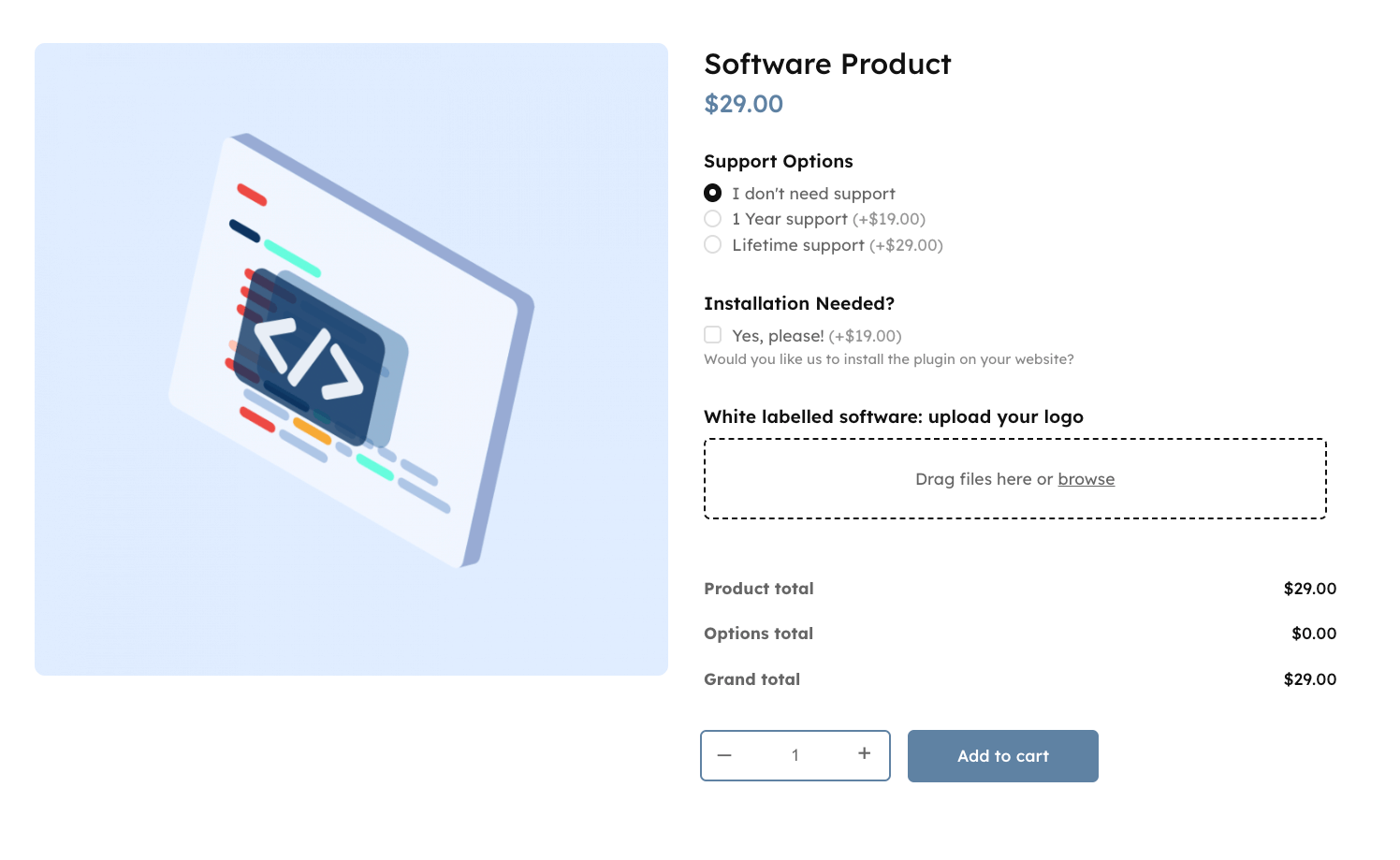
Now, if you want to instead show different pricing tiers for specific roles (or for any customer), you’ll need WooCommerce Discounts. This plugin allows you to create special discounts only visible to specific user roles, for example, wholesalers. Anyone not logged in as this role will see the normal pricing, but more on that a bit later!
For custom dimension pricing (blinds, wallpaper, cut-to-size materials), the Lookup Table Add-On extends APF with matrix-based pricing calculations. Upload CSV files with pricing data for two-dimensional attributes like width × height. This handles backend pricing calculations rather than customer-facing tiered pricing tables.
Features of the Advanced Product Fields plugin
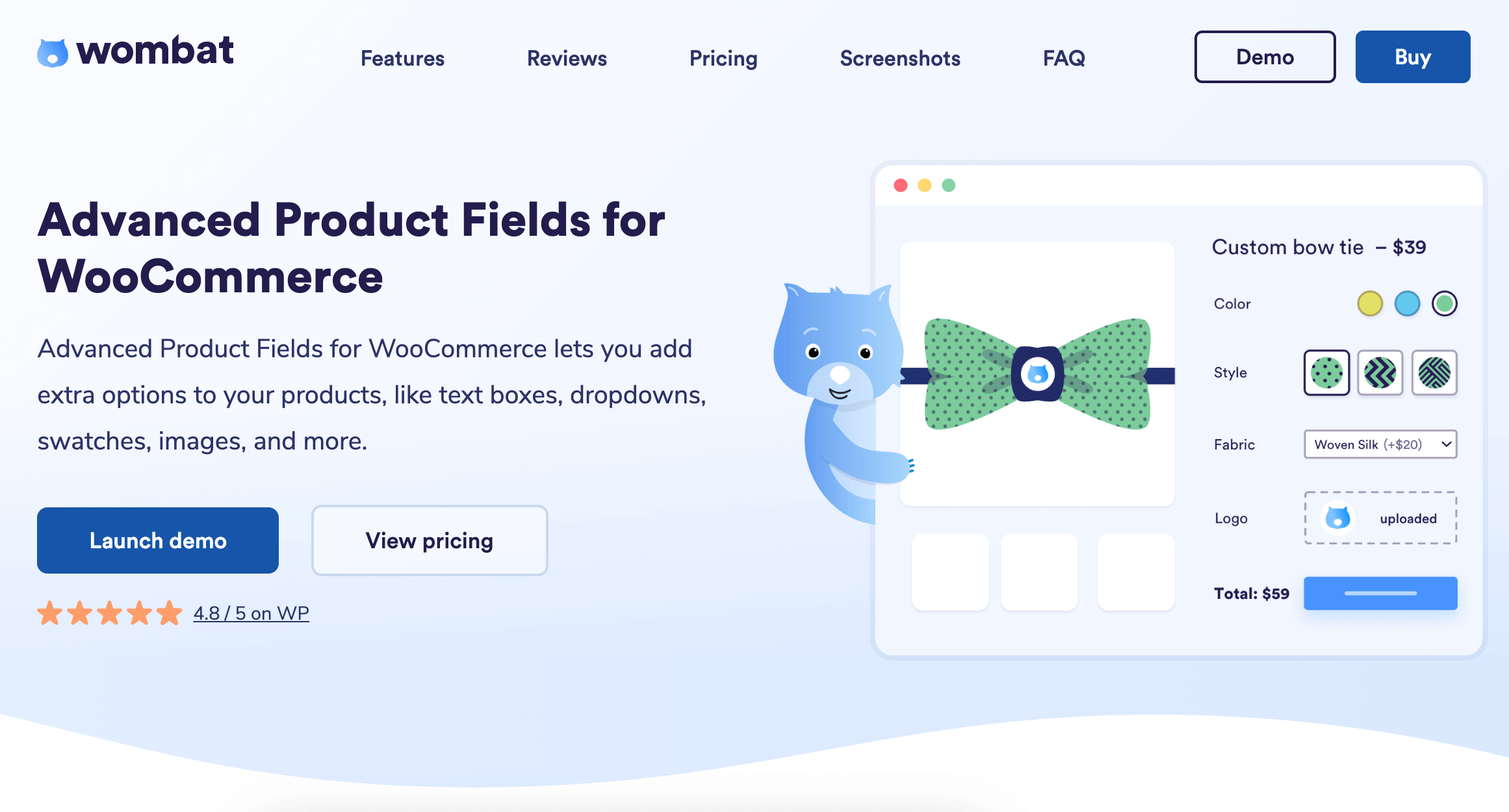
- Versatility: Select from 18 different input types when adding product customization options. These include text boxes, number fields, dropdown lists, checkboxes, and even image swatches, just to name a few.
- Flexibility: Create dynamic and interactive forms utilizing conditional logic. This allows you to show or hide fields based on prior selections – providing a seamless user experience.
- Control: Alter the final product price based on customer-selected options or additional fees directly from the APF platform.
- Additional customization: APF extends support for multilingual portals and multiple currencies and introduces the ability to set up repeatable fields. Works with WooCommerce 4.9 and above. Requires PHP 7.0 or higher.
Product Tables for WooCommerce: Best for creating user-friendly product catalogs
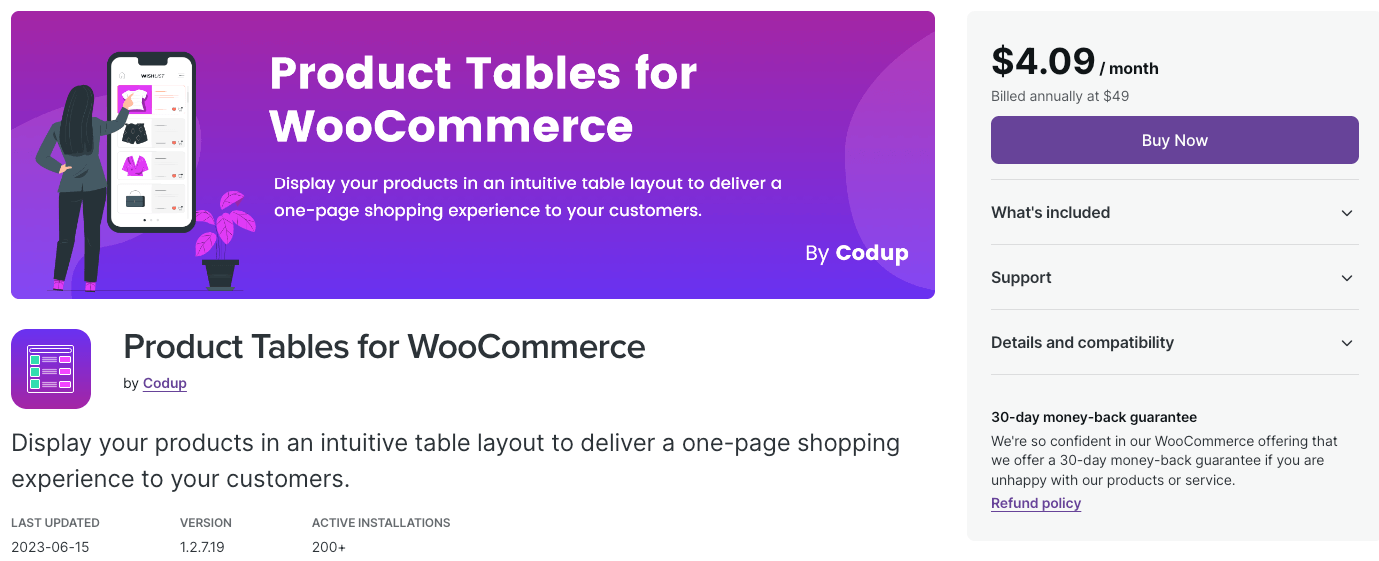
Product Tables for WooCommerce creates user-friendly product catalogs in table format. Customers can add individual or multiple products directly from the table. The plugin displays product variants in structured layouts and offers customizable columns to highlight important information. While effective for simple catalog displays, it lacks advanced pricing calculation features.
Pricing: You can get this simple plugin for the price of $49 per year.
ELEX WooCommerce Dynamic Pricing and Discounts: Best for offering discounts and setting up different pricing strategies
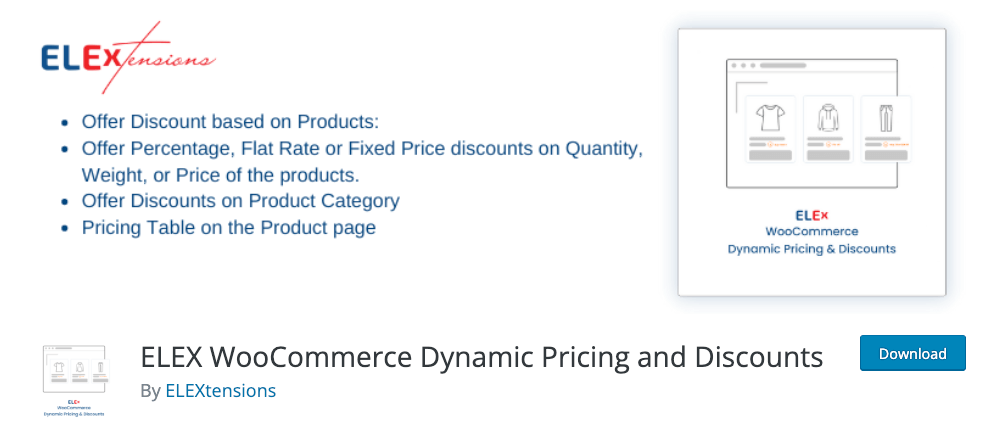
ELEX WooCommerce Dynamic Pricing and Discounts provides discount management through fixed amounts, percentages, or custom prices. The plugin implements pricing based on quantity, weight, price, or cart items. It establishes tiered pricing structures for bulk purchases. However, the extensive features require significant setup time and technical knowledge for proper configuration.
Pricing: This plugin is available in 3 license tiers: $79 for 1 website, $119 for up to 5, and $199 for up to 25 websites.
Budget-conscious options
Before investing in premium solutions, many store owners explore free alternatives for basic price matrix needs. Free plugins exist that offer elementary price matrix functionality, though they come with significant limitations. These solutions typically support only 2 product attributes at most – for example, size and color – which works for simple products but fails for complex configurations.
Beyond that, the absence of advanced features like conditional logic means free options can’t adapt pricing based on customer selections or create sophisticated pricing rules. Professional support is rarely available, leaving you to troubleshoot issues independently.
Of course, you can always create a price matrix through custom coding, but this approach requires extensive developer expertise and ongoing maintenance, often costing more than premium plugins in the long run.
For businesses requiring sophisticated pricing strategies – particularly those handling customizable products, bulk orders, or variable pricing rules – professional solutions like APF ensure reliable operation and ongoing support. The investment in a premium plugin typically pays for itself through reduced setup time, fewer errors, and improved customer experience.
Technical considerations for price matrix implementation
Before implementing a price matrix, understanding the technical requirements ensures smooth integration with your existing WooCommerce setup.
Most modern WooCommerce themes work perfectly with price matrix plugins, but custom or outdated themes may require minor adjustments. APF maintains compatibility with popular theme builders like Elementor, Divi, and Oxygen.
What we recommend that you look for is mobile responsiveness, as over 50% of e-commerce traffic comes from mobile devices. So, you need something that adapts the matrix layouts to different screen sizes automatically and displays all the prices correctly on smartphones and tablets.
Here are some of the main performance factors and how they can impact your site:
- Heavy frontend scripts impact page speed.
- Database queries can impact server load.
- Backend calculation speed can impact the user experience.
Studio Wombat’s plugins ensure optimal performance no matter the store size through small script sizes, optimized data storage, and real-time processing.
Setting up your WooCommerce price matrix
As we mentioned, there are two main ways to show different pricing options: customizable products and special tiered discounts. Both require only 5-10 minutes to set up, so let’s take a look.
Price matrix through product customizations
Start by purchasing and installing the APF plugin from your Studio Wombat profile. Then, you just need to upload and activate it.
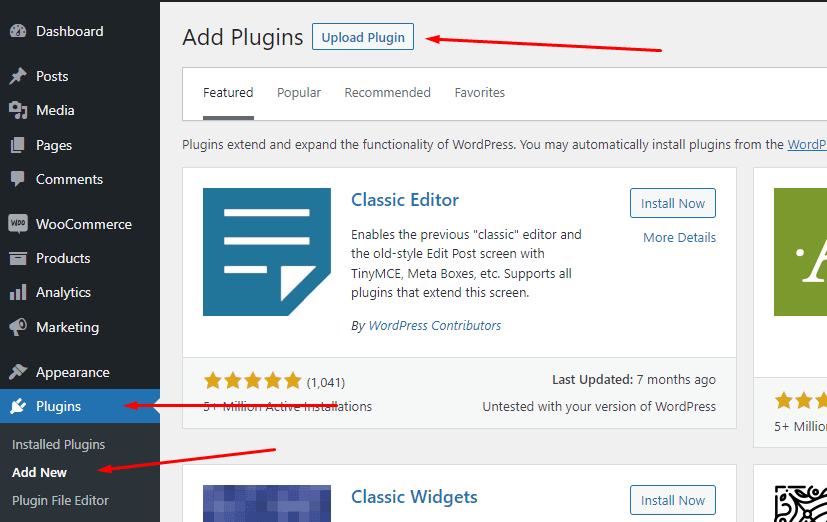
With APF, you can either add product fields to individual items or assign global product attributes. The latter are useful for things like sizes, colours, gift wrapping options, and anything else that might apply to a whole category of products. The former is good when you want to build a very customizable product with many additions. Let’s see how:
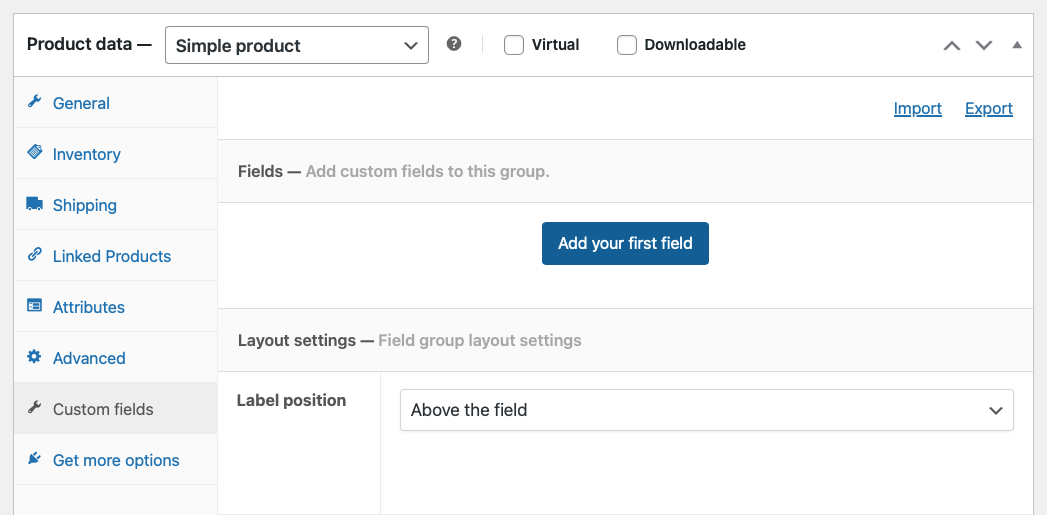
- Go to the product you want to customize or add a new one. Go to Product data and click on the Custom fields tab to add your first field. Click on Add your first field.
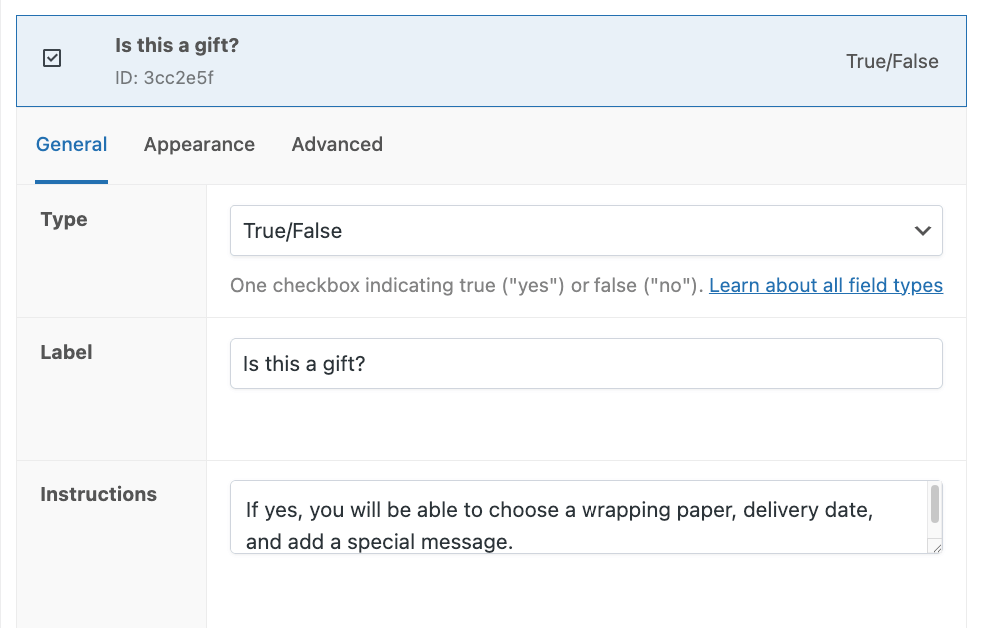
- Let’s start with a simple True/False field to ask whether the product will be a gift. Add a label and instructions so customers know the purpose.
- Add your next field, which will be a Text Area field for the gift message. Mark it as required and put text limits if you want to.
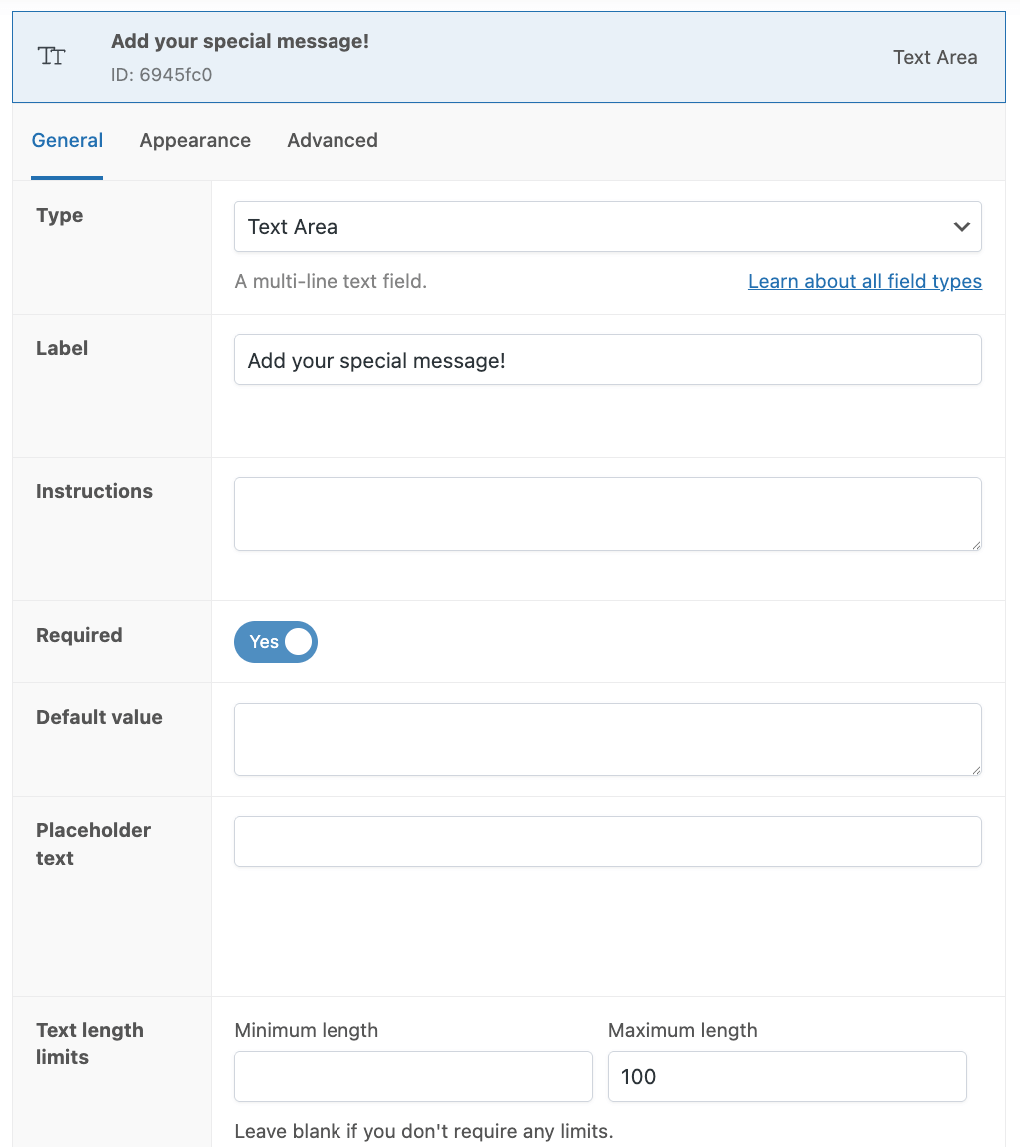
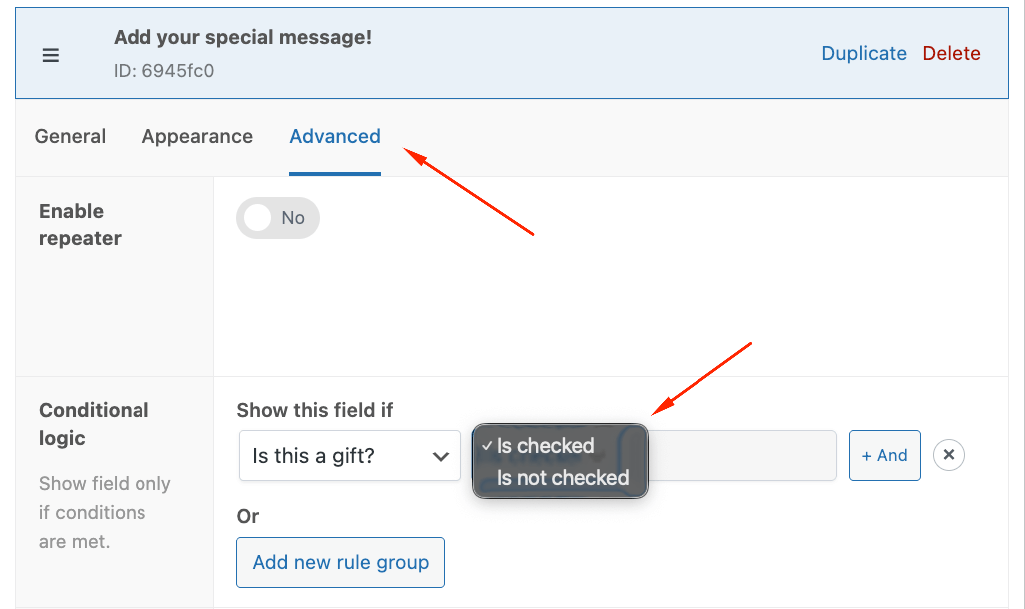
- Go to Advanced and add a conditional rule to only show this field if users have checked the Is this a gift? field. You’ll do this same step for every gift-related field we do.
- Toggle the Adjust Pricing option and add a quantity and character count-based fee so that customers are charged per letter.

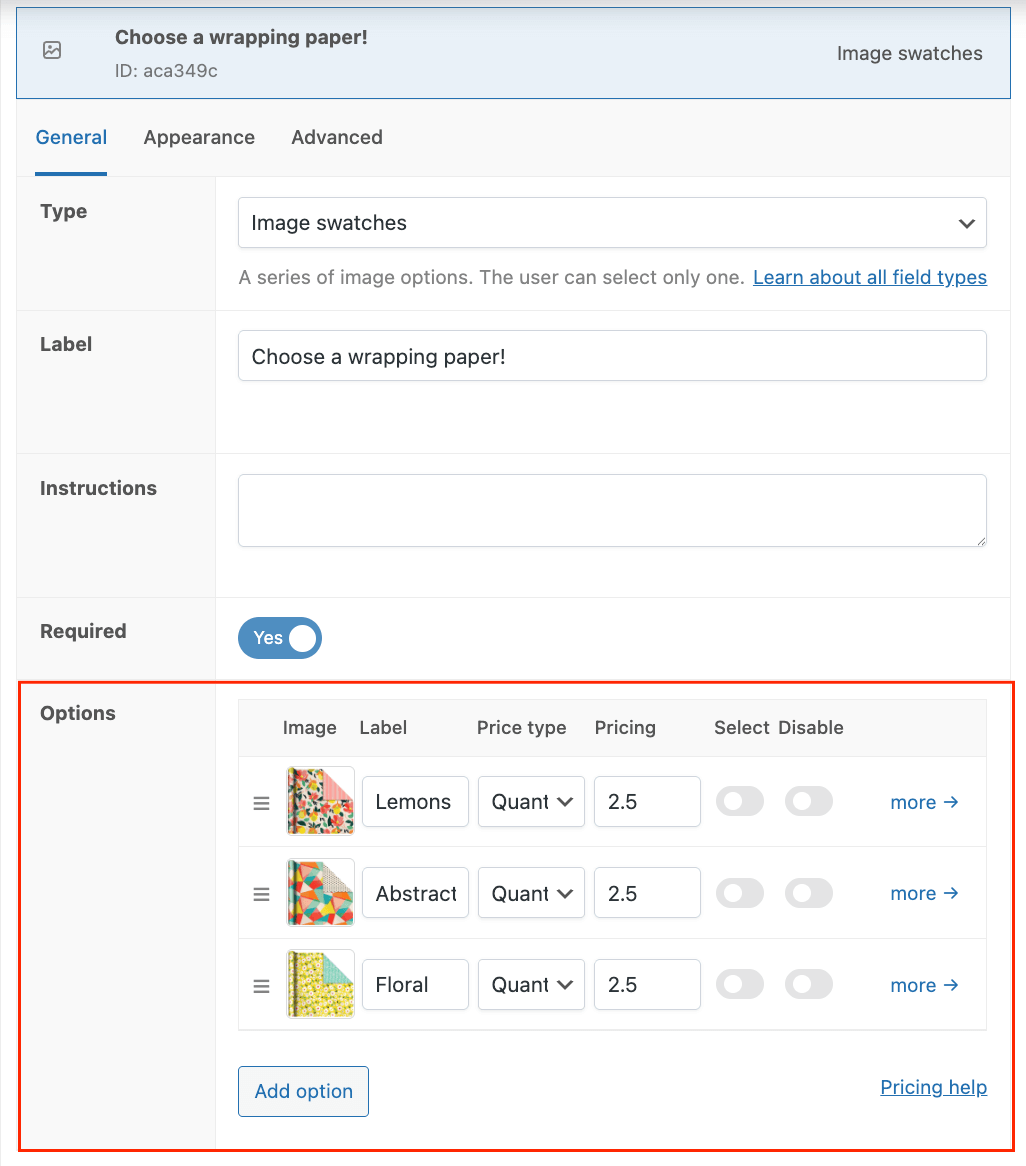
- Next, we’ll add an Image swatches field for the customer to choose their wrapping paper. Similar to the text field, there will be an extra charge for the paper, which you can adjust in the Options field.
- To top this all up, we’ll also add the option to create a bundle with related products. To do this, add a new Products field. This field lets you add child products and allows customers to make bundles that are automatically tracked in your WooCommerce inventory.
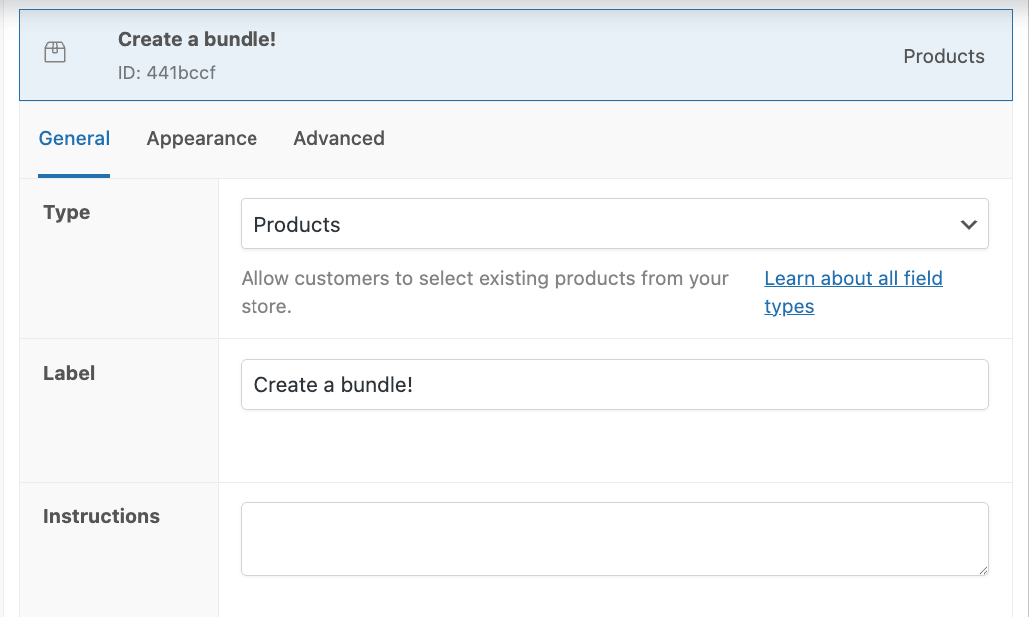
- You can choose how to display the products and whether you want to add specific ones or a random selection of a category. For our example, we’ll add two related products.
You’re done!
Save all your changes and check how your product looks on the front end. You should be able to see the bundle options and the True/False field only. When you add extra products, the price has to change accordingly.
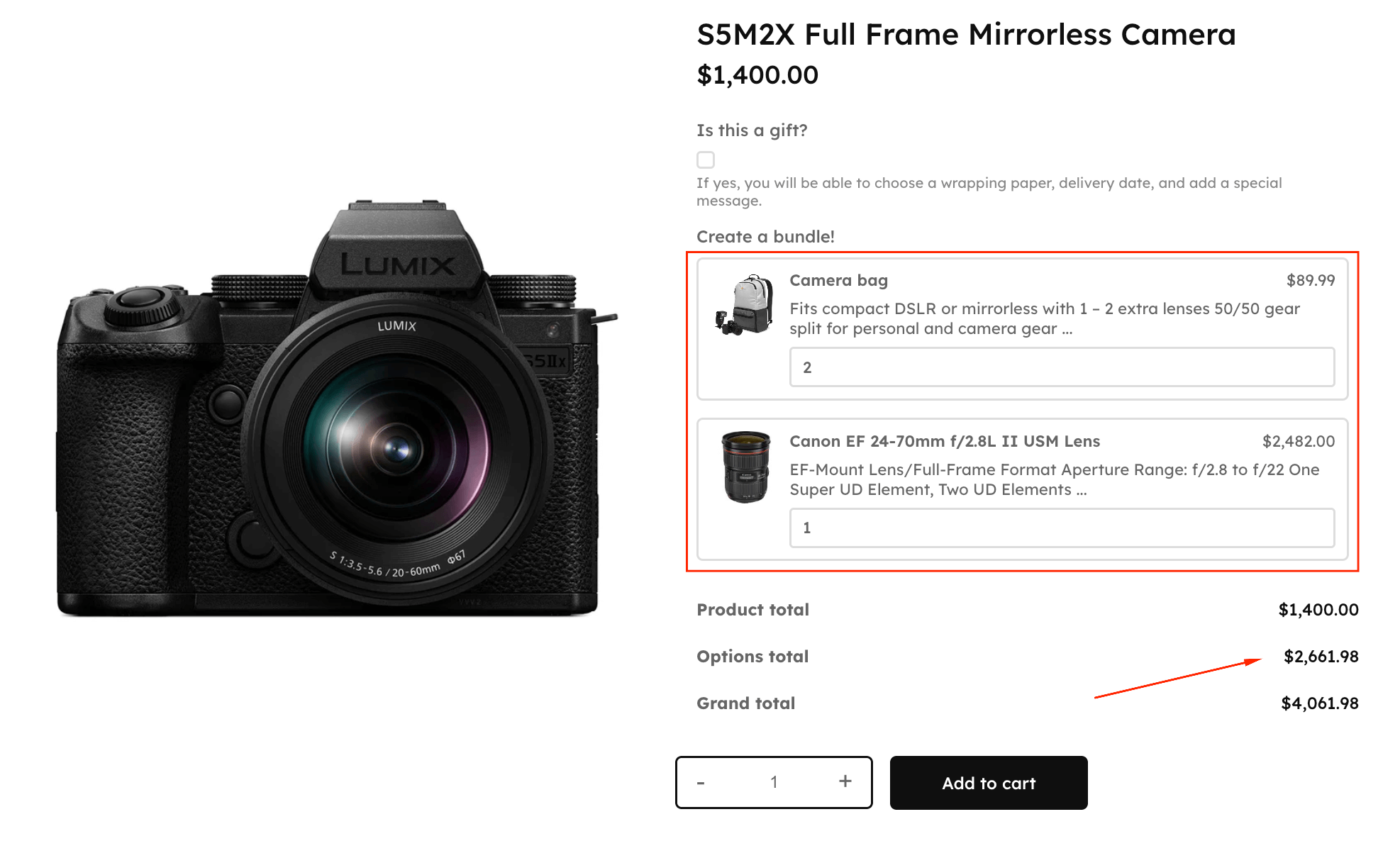
Next, select the gift option field and verify that all the other fields display their corresponding price changes.
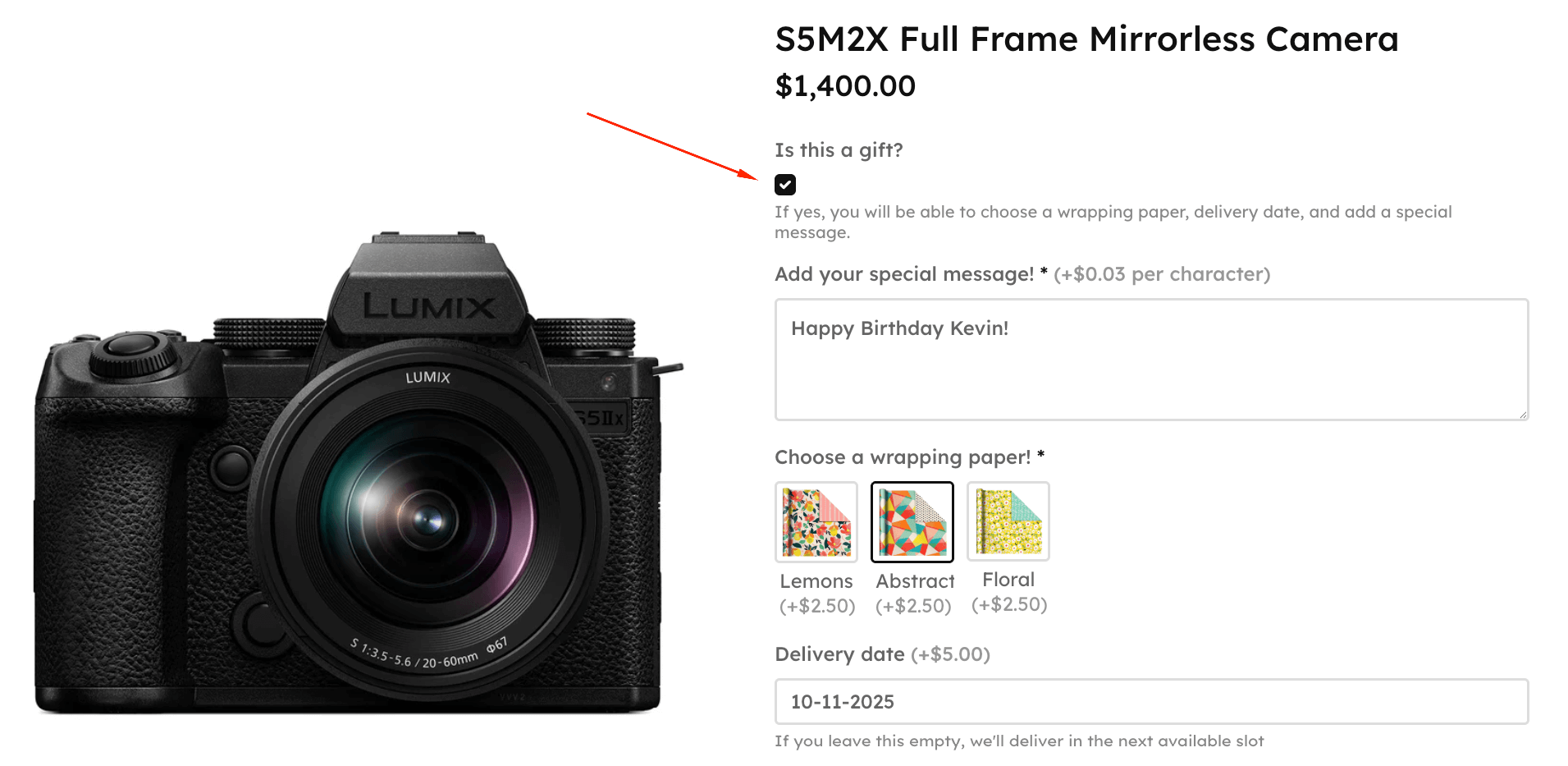
You’re done! Now, all users see the customization options and price changes in real time, leaving no room for ambiguities or hidden fees.
Price matrix for bulk and tiered discounts
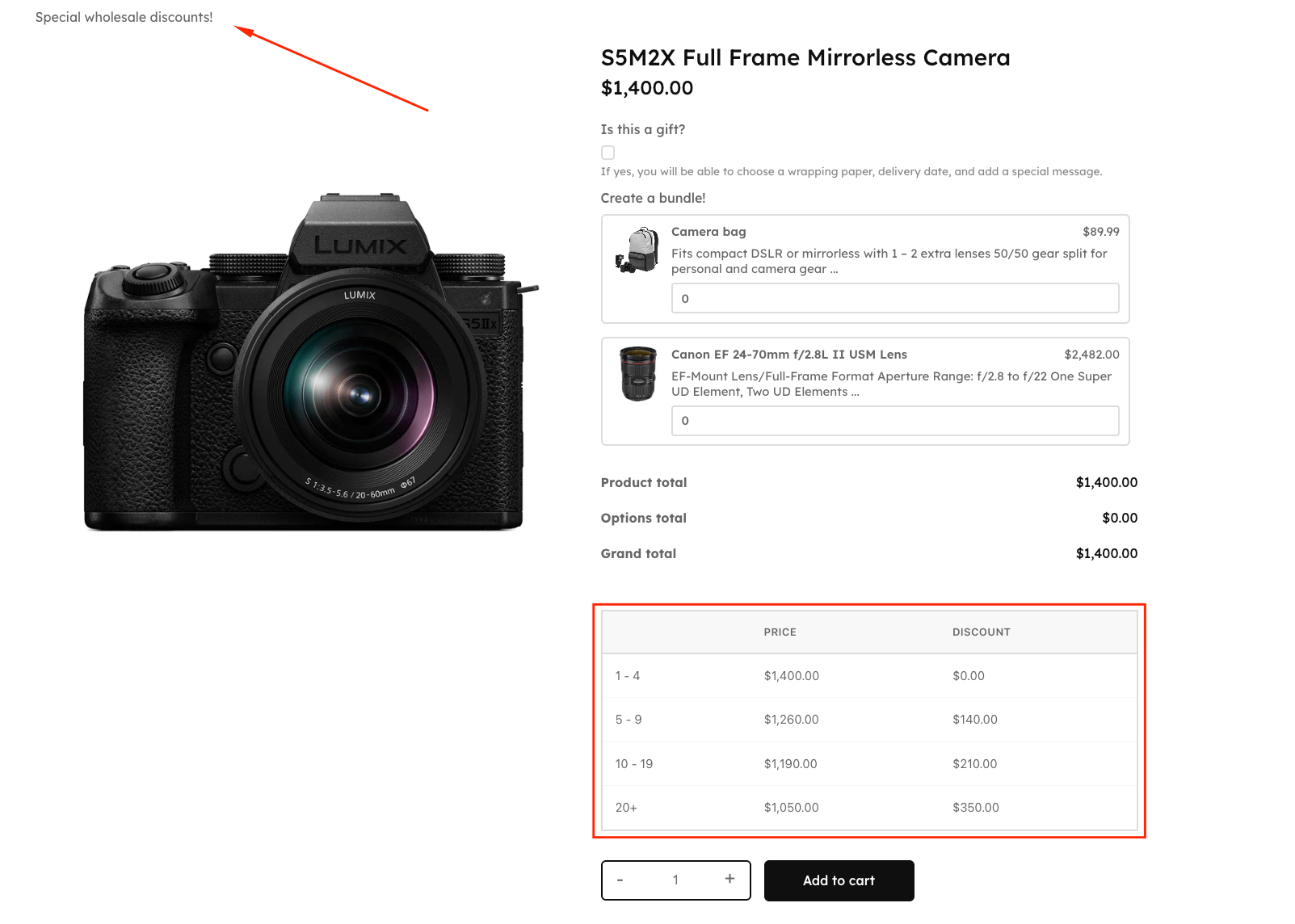
Okay, but what do you do if you want to add tiered discounts for the same product, but only for wholesalers? Well, then you need WooCommerce Discounts. Just like with APF, purchase and install the plugin on your WordPress site.
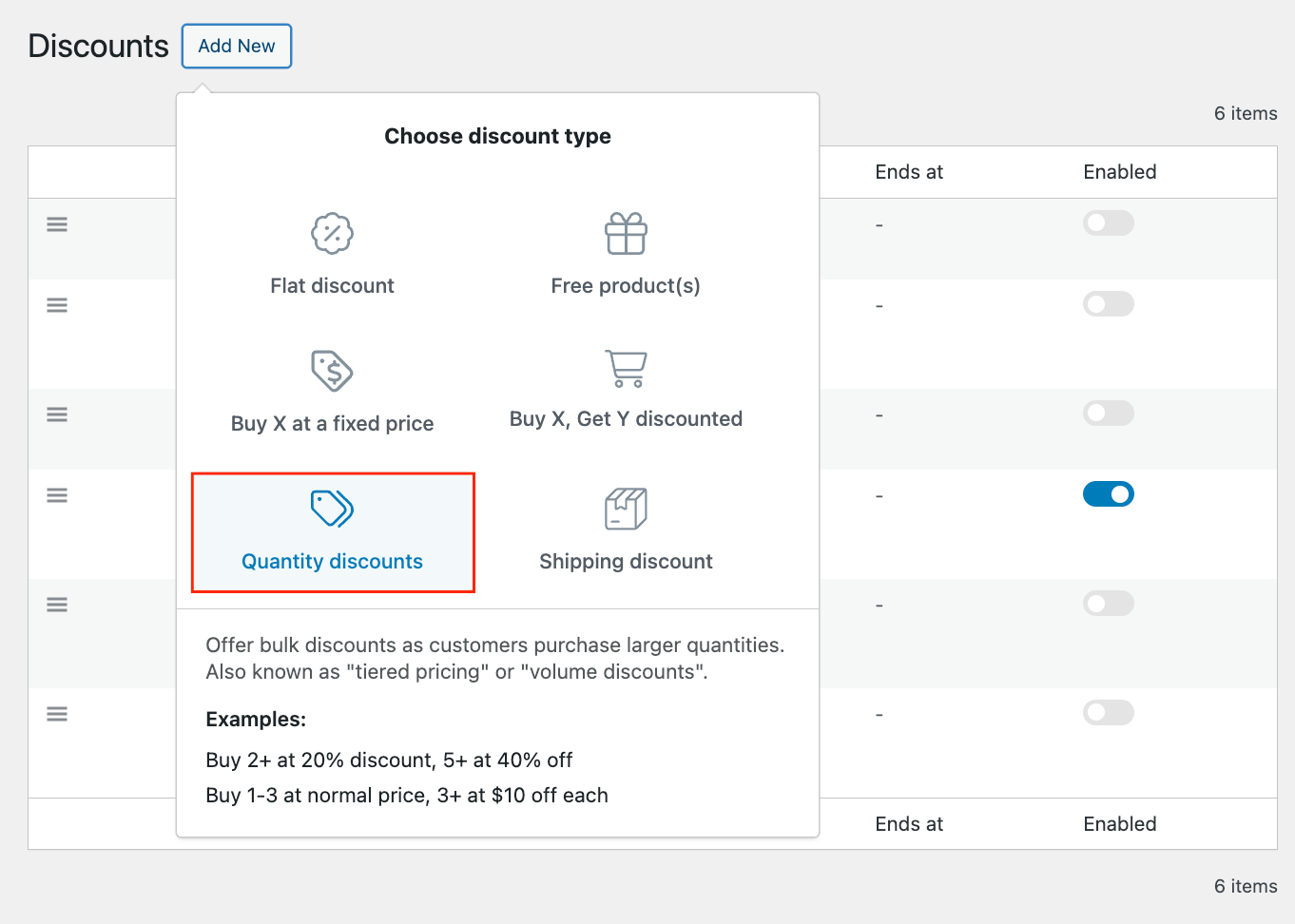
- Go to Marketing → Discounts → Add new and choose a Quantity discount type.
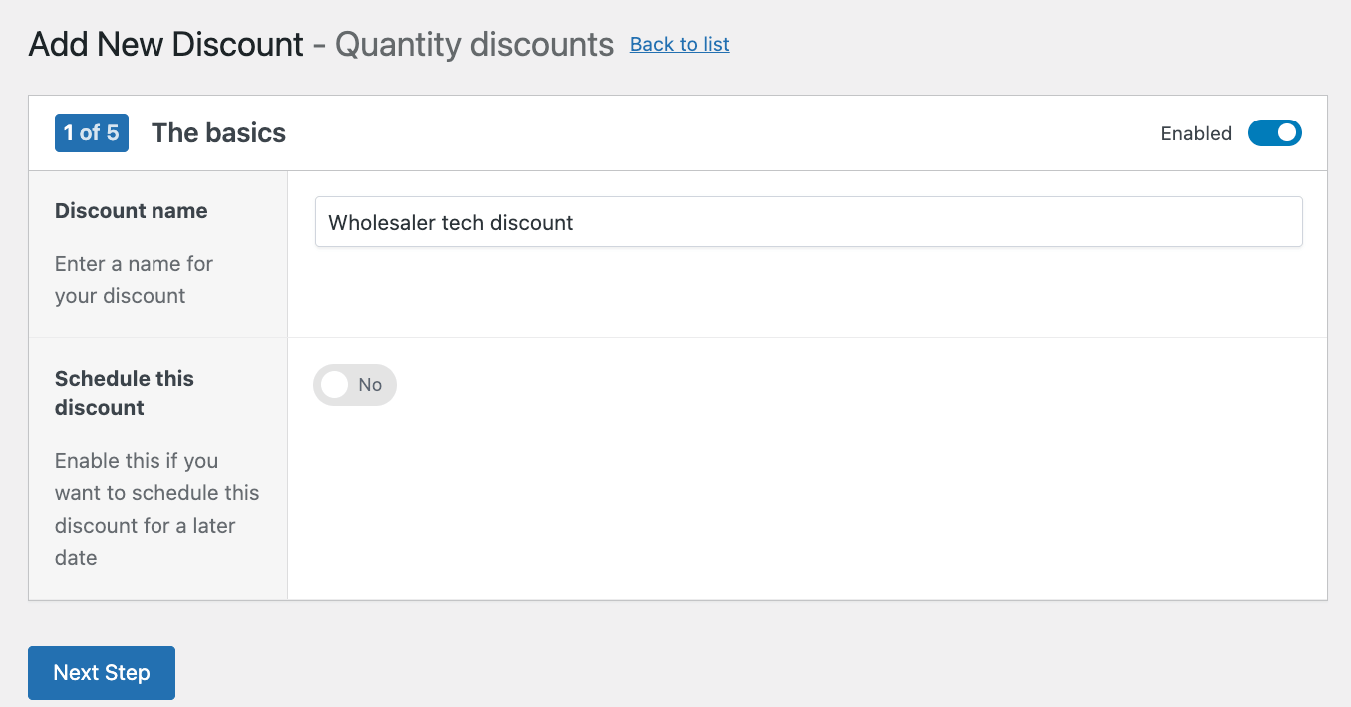
- Choose a name for your discount (only you’ll see that!) and schedule it if you need to.
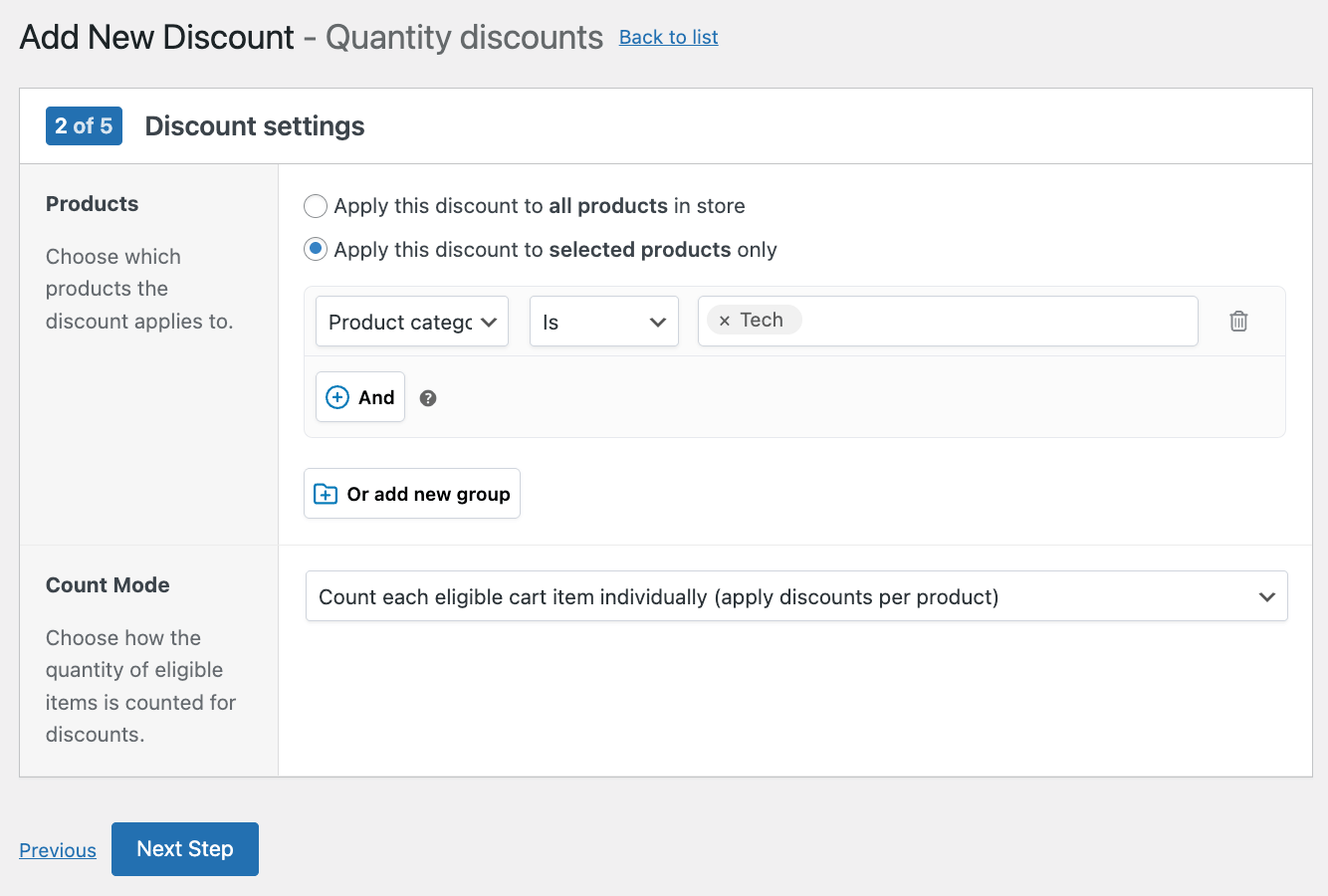
- Select which products you want this to apply to. You can do individual items, categories, variations, attributes, product types, and tags. Let’s apply this to the entire Tech category.
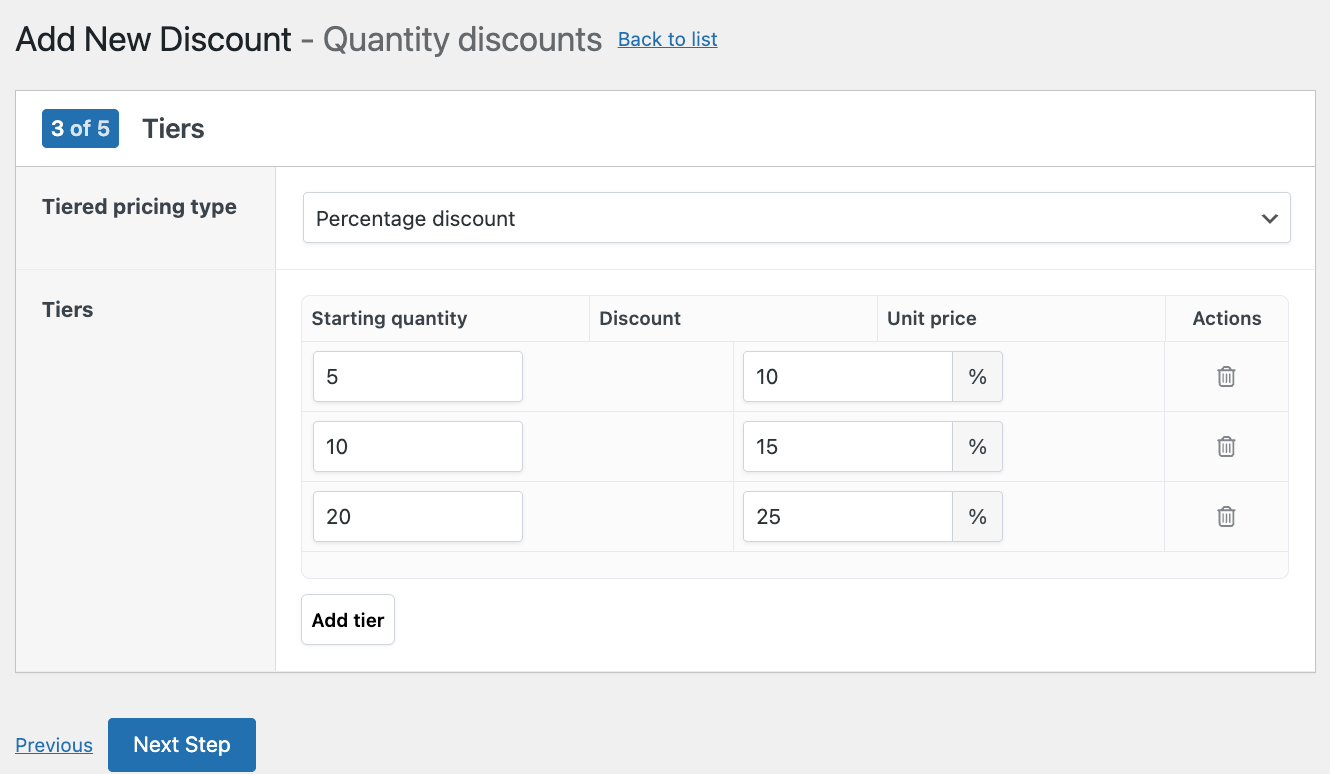
- Next, add your tiers and select the pricing type. We’ll go with a percentage discount. You can add as many tiers as you need to, and you only need to specify the starting quantity and the discount.
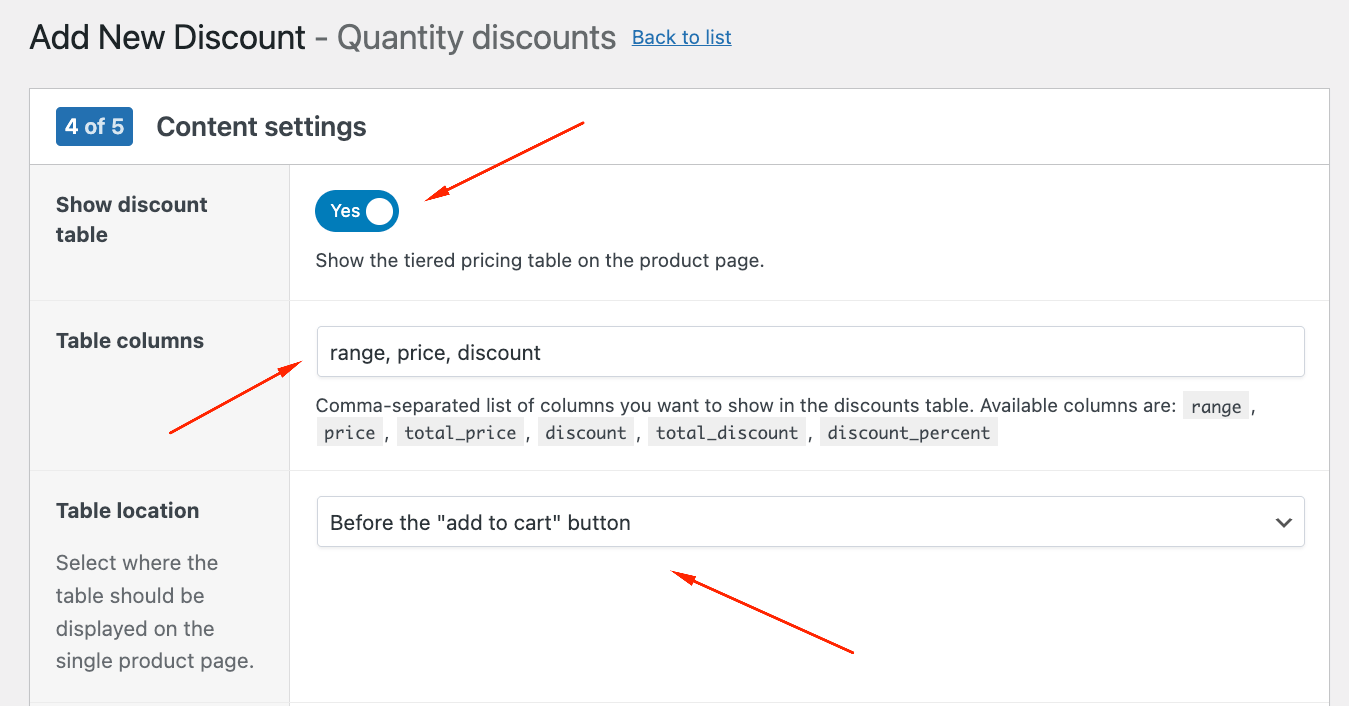
- Next, and very important, toggle the option Show the tiered pricing table on the product page. You can choose the exact columns and where to add the table.
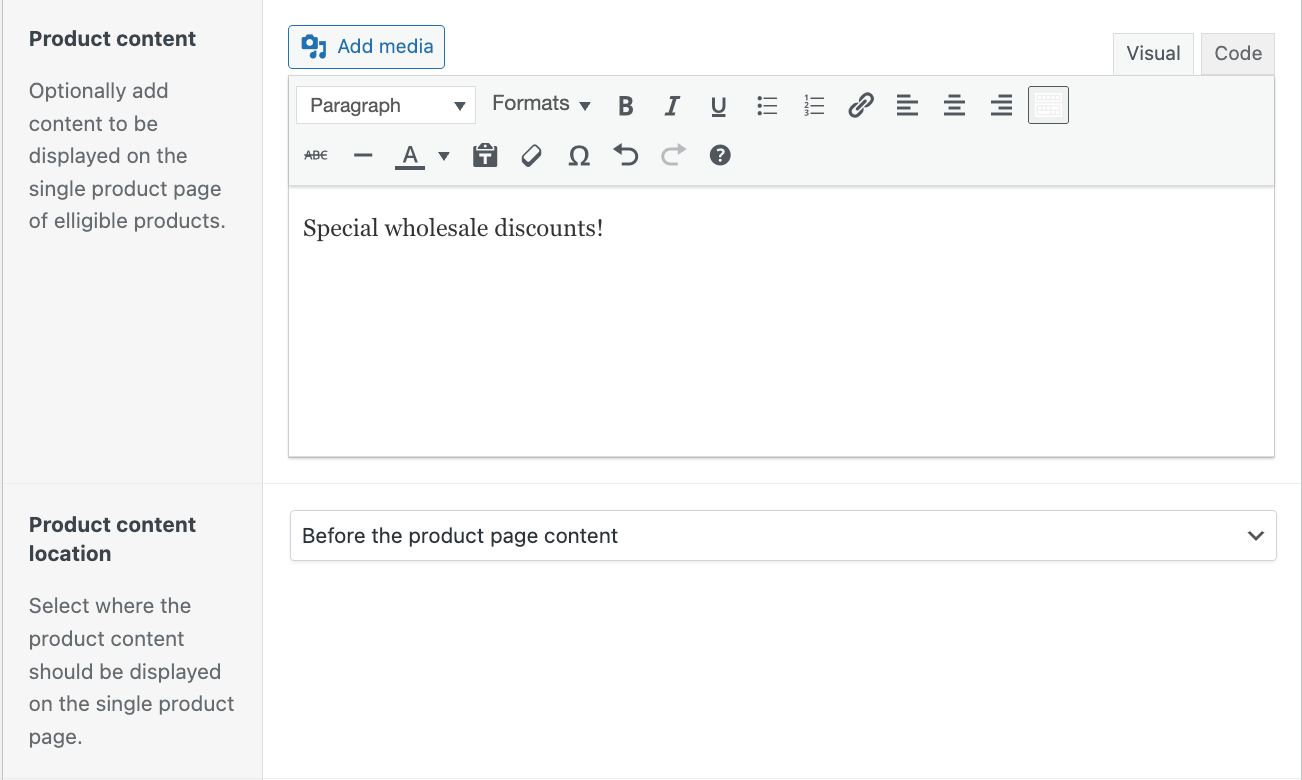
- If you want, you can also add a special message on the product page to make the discounts even more visible.
- In the final step, select “This discount needs extra conditions” and add User role – Any in list – Wholesaler. This way, only users with the right role will see the pricing table and the discounts.
- Save your discounts and check the front end.
For normal users, it should look like the image in the previous tutorial. For wholesalers, it should look like this:
Take action: Implement a price matrix in your WooCommerce store
A price matrix is a tool that can refine your operations while upgrading the overall customer journey. It allows you to manage variable product prices effectively, simplifies the shopping process for customers, and has the power to dramatically increase your sales.
However, the most useful implementation of a price matrix depends wholly on your unique needs. Each online store has distinctive characteristics and requires a tailored approach. But with this article, you now hold the keys to a more efficient and effective WooCommerce store.
Embrace changes that can make a difference and experience first-hand the transformative effects of a well constructed price chart. Watch as it eliminates complexity, advances your customer’s understanding, and ultimately drives a steady rise in your sales.

Build powerful products with additional pricing in WooCommerce today!
Find out moreStrike while the iron is hot and begin the transformation of your WooCommerce store. Dive into the Advanced Product Fields plugin and its Lookup Table Add-On today, and prepare to be amazed by the power of product customization and sophisticated pricing strategies!
